Billing in security operations isn’t just about generating invoices—it’s about accuracy, visibility, flexibility, and timely communication. With the release of GuardsPro Back-Office Dashboard 9.9.0, invoicing has been significantly upgraded to help security companies operate with greater efficiency and control.
This update reinforces GuardsPro as a powerful security operations software, bringing smarter workflows, improved financial tracking, and better collaboration into your daily operations.
Here’s a detailed breakdown of what’s new—and what it means for your workflow.
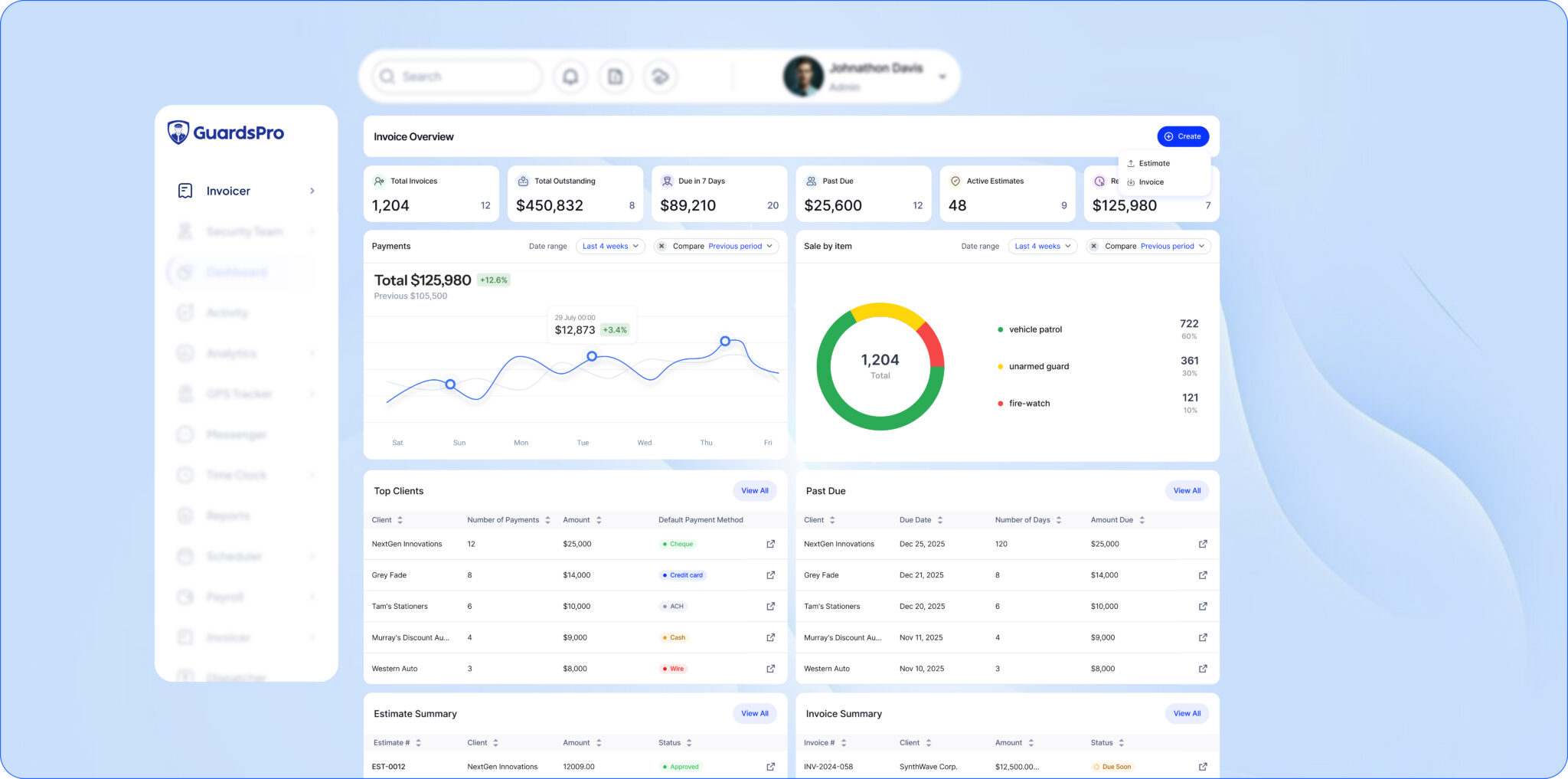
Invoicer Overview Page
What’s new:
A dedicated overview page has been introduced within the Invoicer module. It includes visual graphs, key performance stats, and structured data tables—all in one centralized view.
What it means for you:
You now get a complete snapshot of your invoicing performance without switching between multiple sections. It becomes easier to track revenue trends, monitor pending payments, and stay informed at a glance—making your invoice management system far more insightful and actionable.
Stat Boxes in Invoice & Estimate Pages
What’s new:
New stat boxes display key metrics like total invoices, paid invoices, pending invoices, and estimates directly within Invoice and Estimate pages.
What it means for you:
Important numbers are always visible without extra effort. This reduces time spent digging through data and helps you stay on top of billing performance instantly within your security operations software.
Redesigned Add & Detail Pages
What’s new:
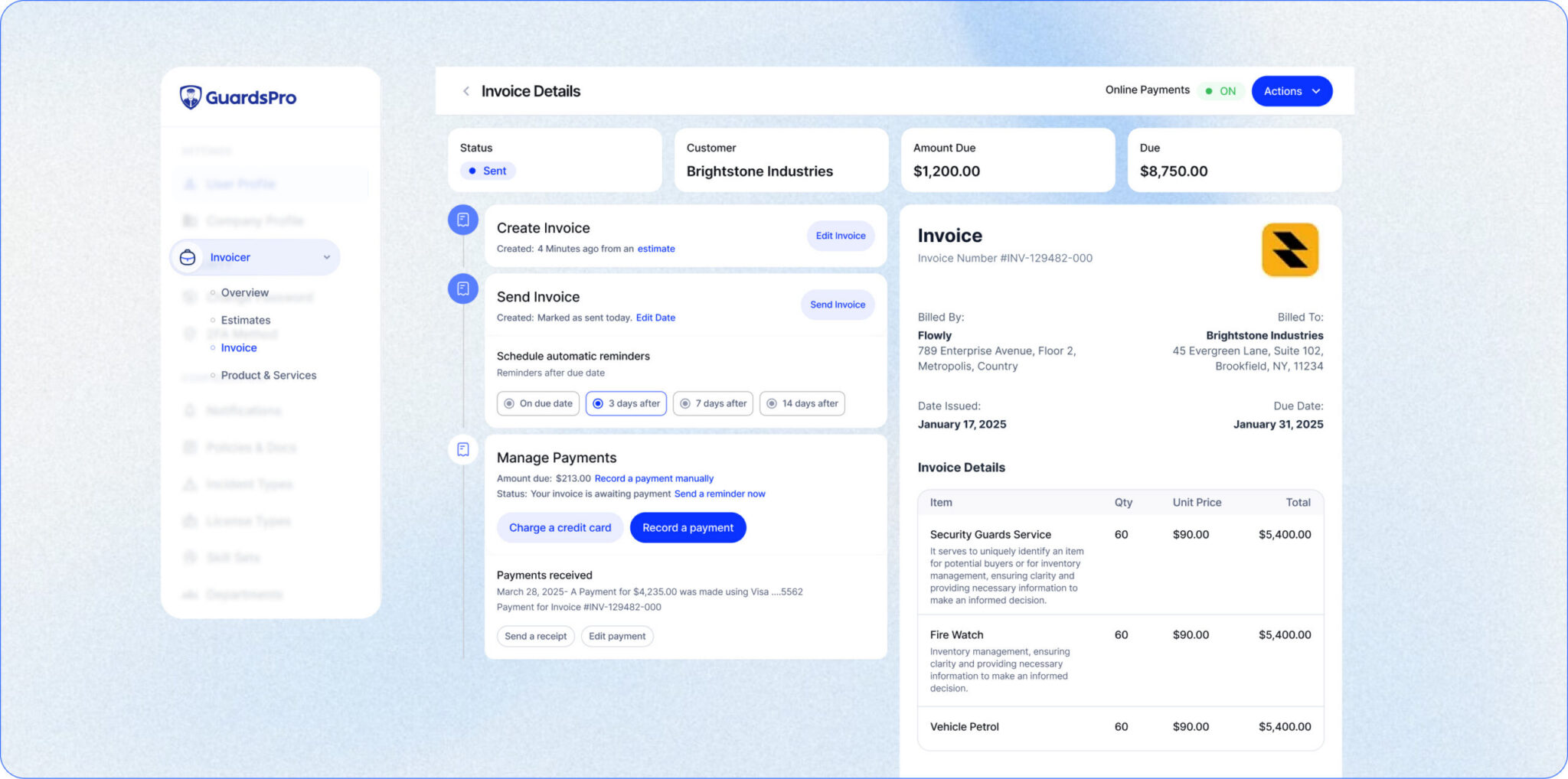
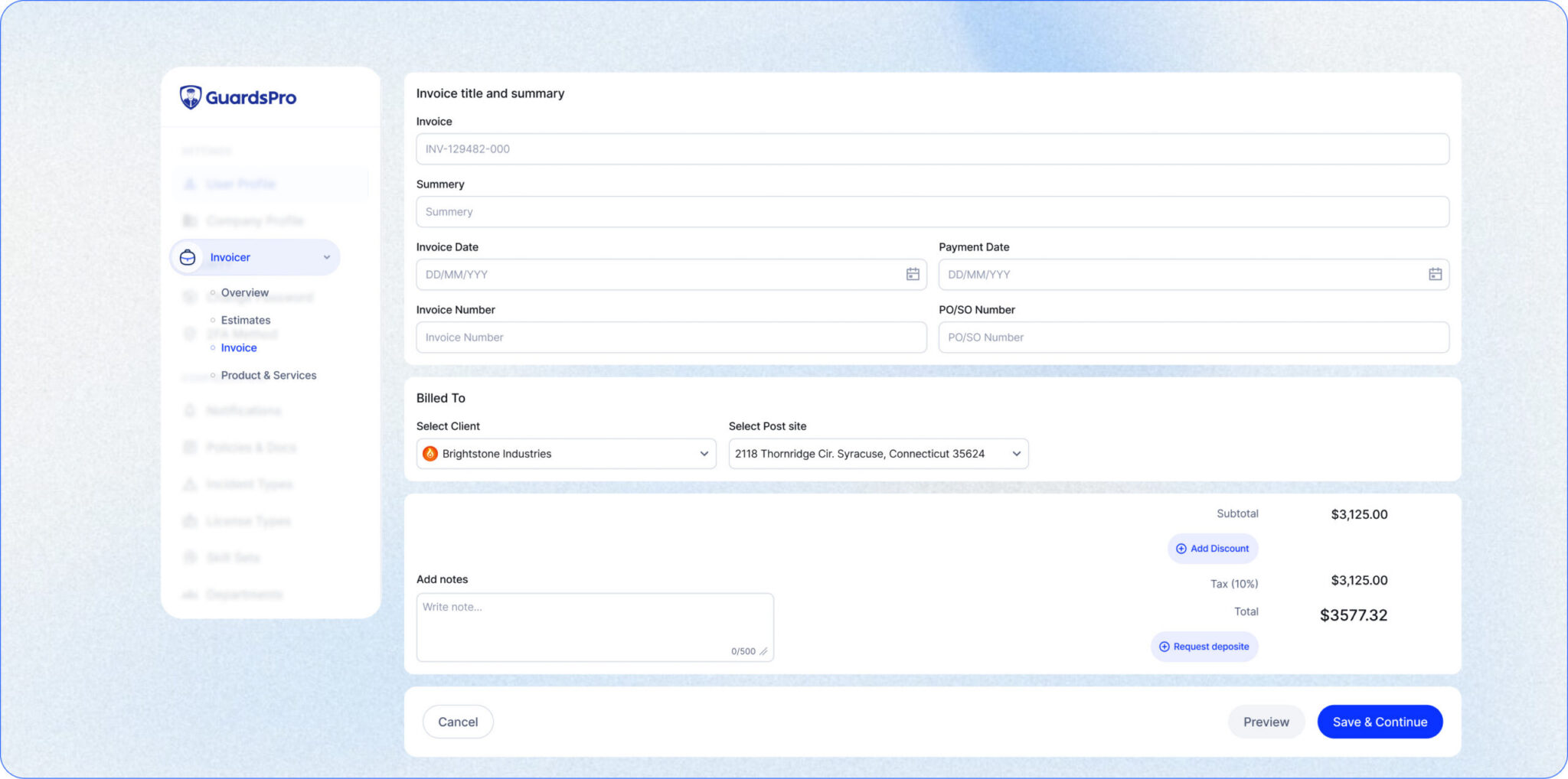
The Add and Detail pages for invoices and estimates have been redesigned with improved layout and usability.
What it means for you:
A cleaner interface makes creating and reviewing invoices faster and more intuitive. With better organization and smoother navigation, your team can complete tasks with fewer errors and less back-and-forth.
Discount & Deposit Options in Estimates
What’s new:
You can now apply discounts and set deposit amounts directly within estimates.
What it means for you:
You gain more flexibility in structuring pricing for clients. Whether offering customized rates or requesting upfront payments, everything can now be handled within the system—supporting smoother security billing automation.
New PDF Design for Invoices & Estimates
What’s new:
Invoices and estimates now feature a redesigned PDF layout with improved formatting.
What it means for you:
Your documents look more polished and professional, making it easier for clients to understand billing details and reinforcing your brand’s credibility.
Improved Invoice & Estimate Preview
What’s new:
The preview design for invoices and estimates has been updated for better readability.
What it means for you:
Clients can review invoices more clearly before making payments, reducing confusion and minimizing the need for follow-ups or clarifications.
Receipt Download Option
What’s new:
You can now download receipts directly from invoice payment records.
What it means for you:
Access to payment proof becomes quick and effortless. This improves record-keeping, simplifies audits, and ensures transparency in financial transactions.
Scheduled Invoice Reminders
What’s new:
A new feature allows you to schedule reminders for invoice due dates.
What it means for you:
You can stay ahead of payment timelines without manual tracking. Automated reminders help reduce delays and keep your cash flow more consistent.
Comments with Reply Functionality
What’s new:
Invoice and Estimate detail pages now support comments with reply threads.
What it means for you:
All communication related to billing stays within the platform. This makes collaboration easier and ensures nothing gets lost across emails or messages—strengthening your overall guard management platform.
Enhanced Email Options
What’s new:
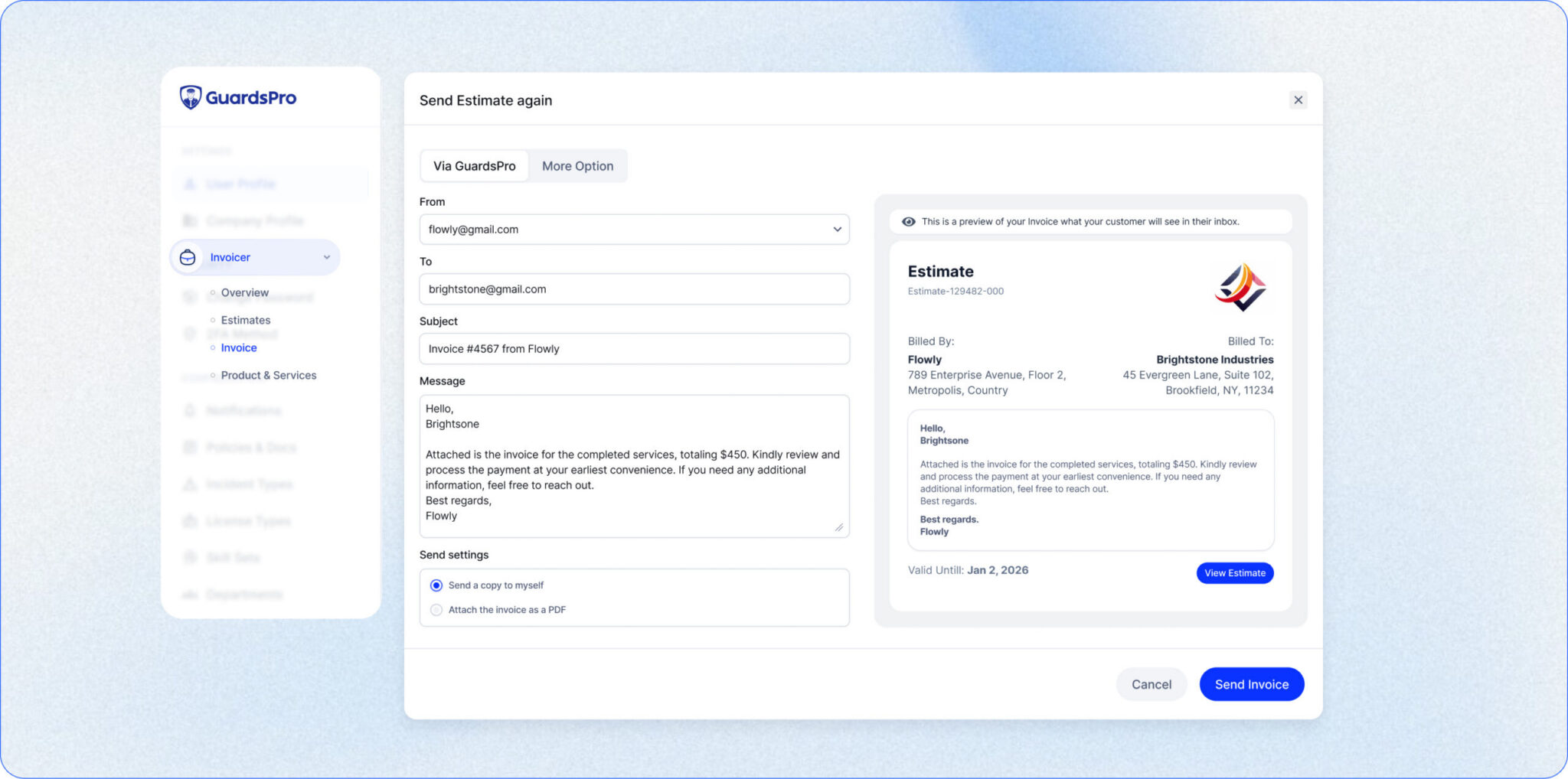
More customization options have been added to the Send Email functionality.
What it means for you:
You can tailor communication more effectively when sending invoices and estimates, improving clarity and maintaining a professional tone in all client interactions.
Duplicate Option for Invoices & Estimates
What’s new:
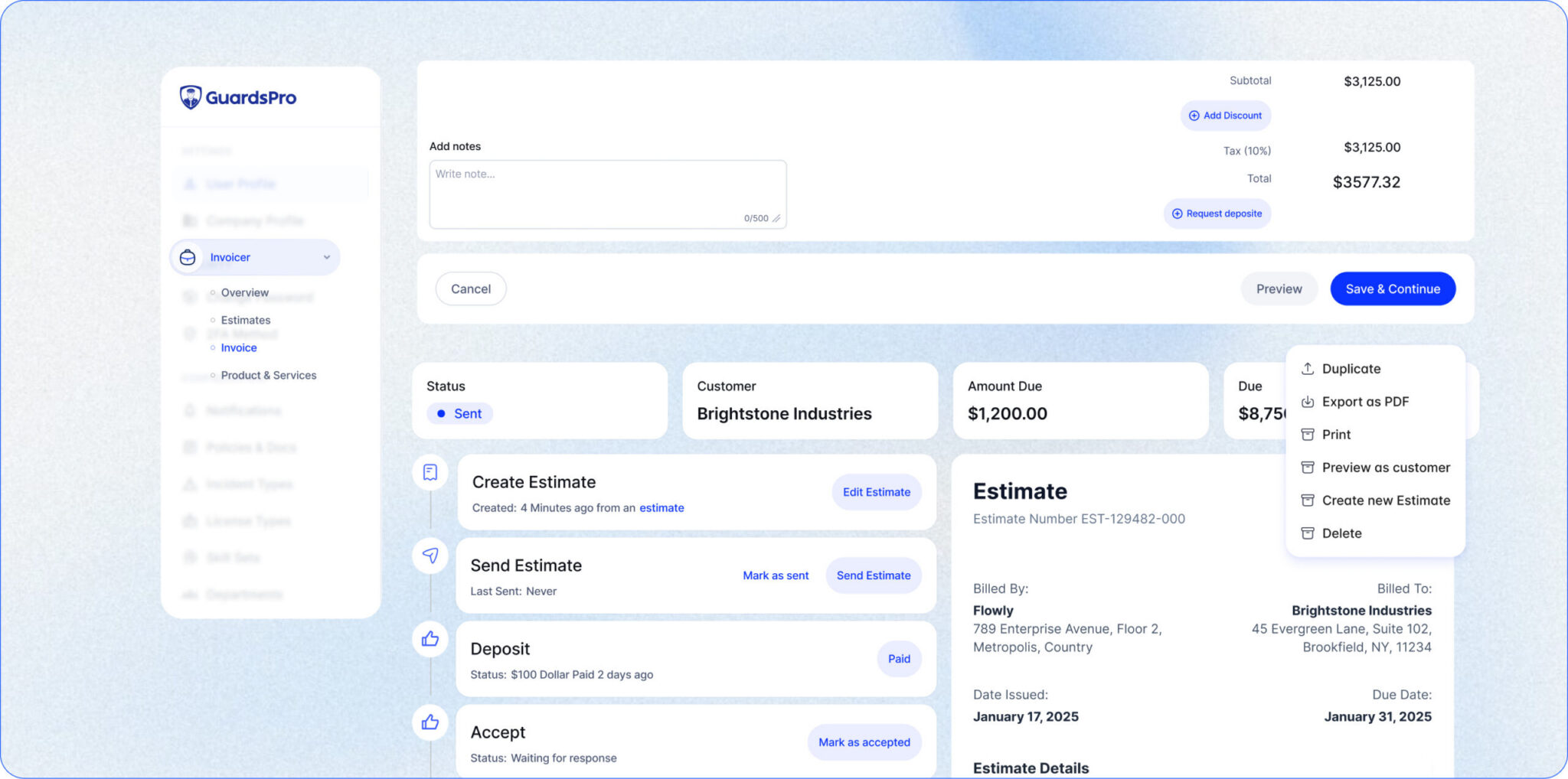
A duplicate feature allows you to quickly copy existing invoices and estimates.
What it means for you:
Recurring billing becomes faster and more efficient. Instead of starting from scratch, you can reuse existing templates and save valuable time.
Draft Option for Invoices & Estimates
What’s new:
You can now save invoices and estimates as drafts.
What it means for you:
This gives you flexibility to review and finalize documents later, reducing errors and ensuring accuracy before sending them to clients.
Stripe Connect Integration
What’s new:
Stripe Connect is now integrated into the Invoice module.
What it means for you:
Clients can pay directly through invoices, making the payment process faster and more convenient. This strengthens your security billing automation and improves overall cash flow.
Client Portal Enhancements
What’s new:
The Client Web Portal has been updated with improved themes and mobile usability features like sorting and expand/collapse options.
What it means for you:
Clients can navigate more easily and access important information faster, significantly improving the overall client portal experience.
Guard Portal Theme Updates
What’s new:
The Guard Web Portal now features a refreshed and cleaner design.
What it means for you:
A modern interface improves usability for guards and ensures a consistent experience across the platform.
Bug Fixes & Stability Improvements
What’s new:
Key issues, including incorrect note deletion behavior, have been resolved.
What it means for you:
A more stable system ensures smoother daily operations with fewer disruptions or unexpected errors.
Built for Smarter Billing Operations
The GuardsPro 9.9.0 release is a major step forward in simplifying and strengthening invoicing workflows.
With better visibility, improved flexibility, and enhanced communication, this update reinforces GuardsPro as a leading security operations software built for modern security companies.
If you want a deeper look at how invoicing can transform your operations, explore GuardsPro Invoicer: Transforming Billing To Enhance Client Experience to understand how streamlined billing directly improves client satisfaction and operational efficiency.
Start Exploring 9.9.0 Today
The update is now live and ready for you.
Log in to your GuardsPro dashboard to experience smarter invoicing, faster workflows, and better financial control.
If you’re looking to scale efficiently and reduce manual effort, GuardsPro 9.9.0 delivers it all through a more advanced security operations software.
Smarter billing starts now.

Prefer a guided walkthrough?
Book a live demo and explore how GuardsPro streamlines everything from scheduling and dispatch to mobile reporting.
Have questions or feedback?
Get in touch anytime—we’re here to help, and your input helps us keep improving for teams like yours.