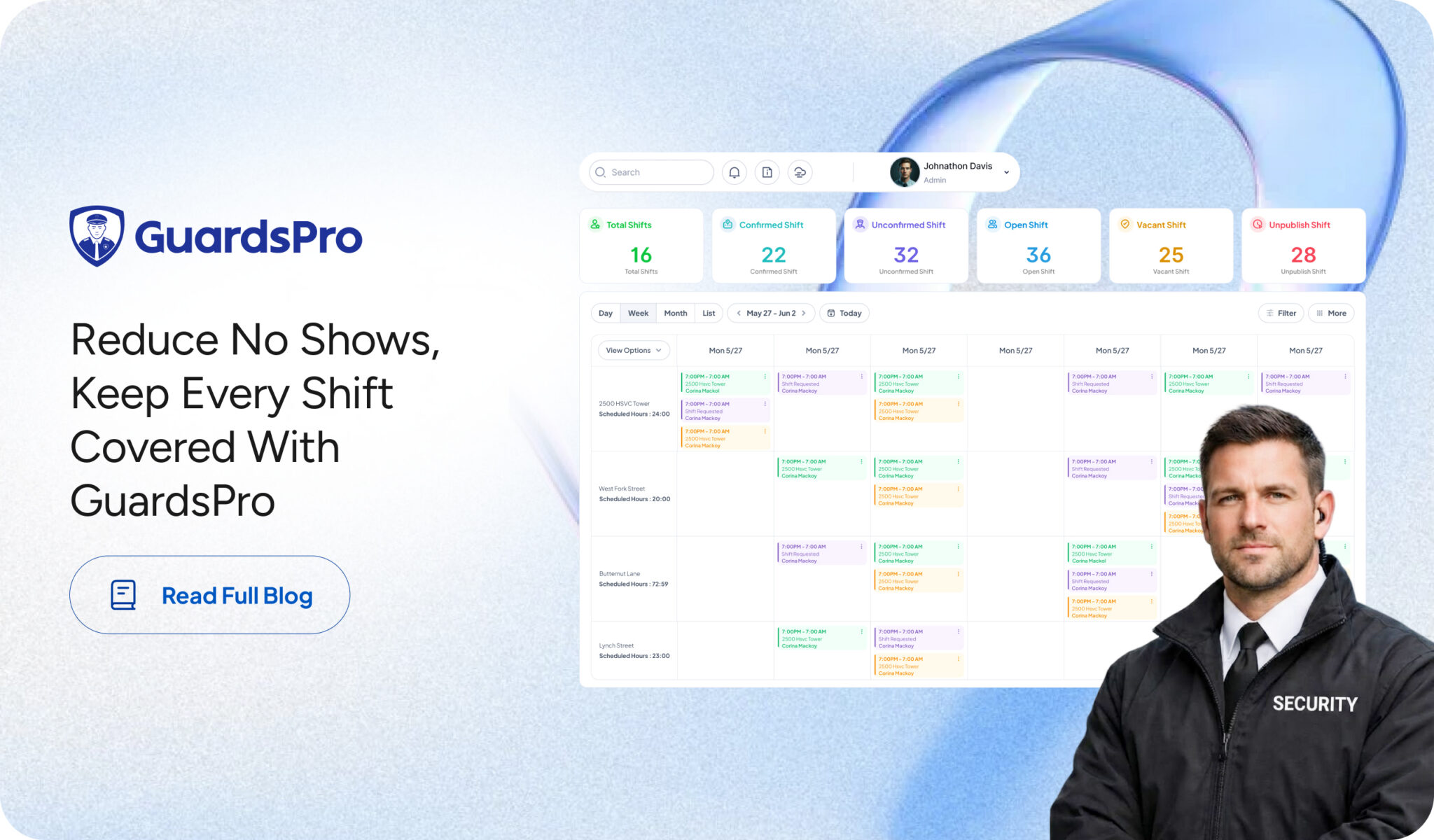
Every missed shift creates a ripple effect. Supervisors scramble to find replacements, clients question your reliability, and other guards are often asked to work overtime to fill the gap.
While occasional absences are inevitable, frequent no-shows usually point to inefficient scheduling, poor communication, or a lack of operational visibility. The good news is that these challenges can be addressed with the right processes, and the right technology.
If you’re looking to reduce security guard no shows and maintain consistent coverage across every client site, here’s how GuardsPro can help.
Create Smarter Schedules from the Start
A well-organized schedule is the foundation of reliable security operations.
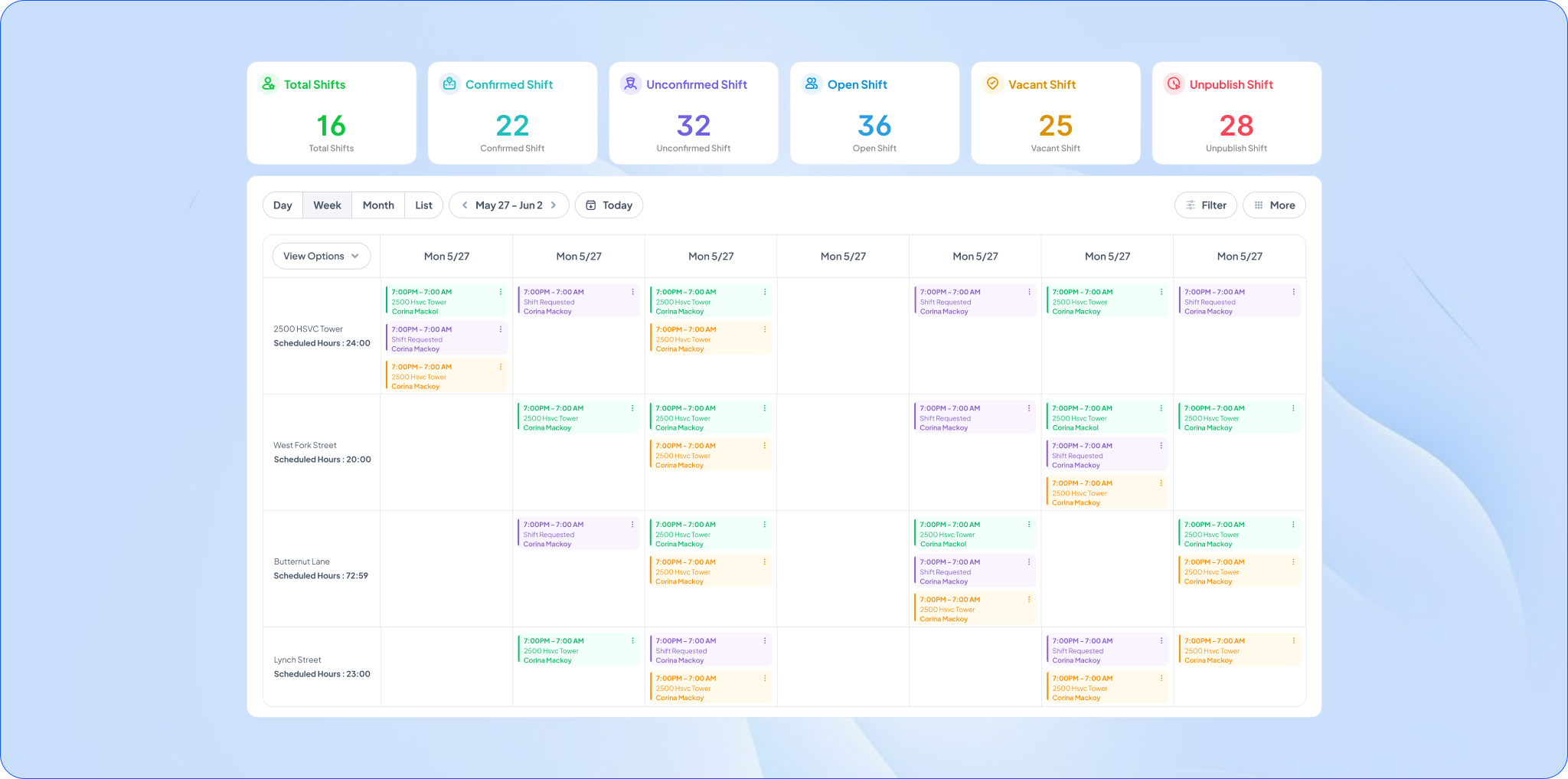
The GuardsPro Scheduler module gives managers complete visibility into upcoming shifts, allowing them to assign guards, monitor staffing levels, and quickly identify potential conflicts before they become last minute shift gaps.
Instead of relying on spreadsheets or manual updates, schedules remain centralized and accessible for both administrators and guards.
Standardize Scheduling with Shift Templates
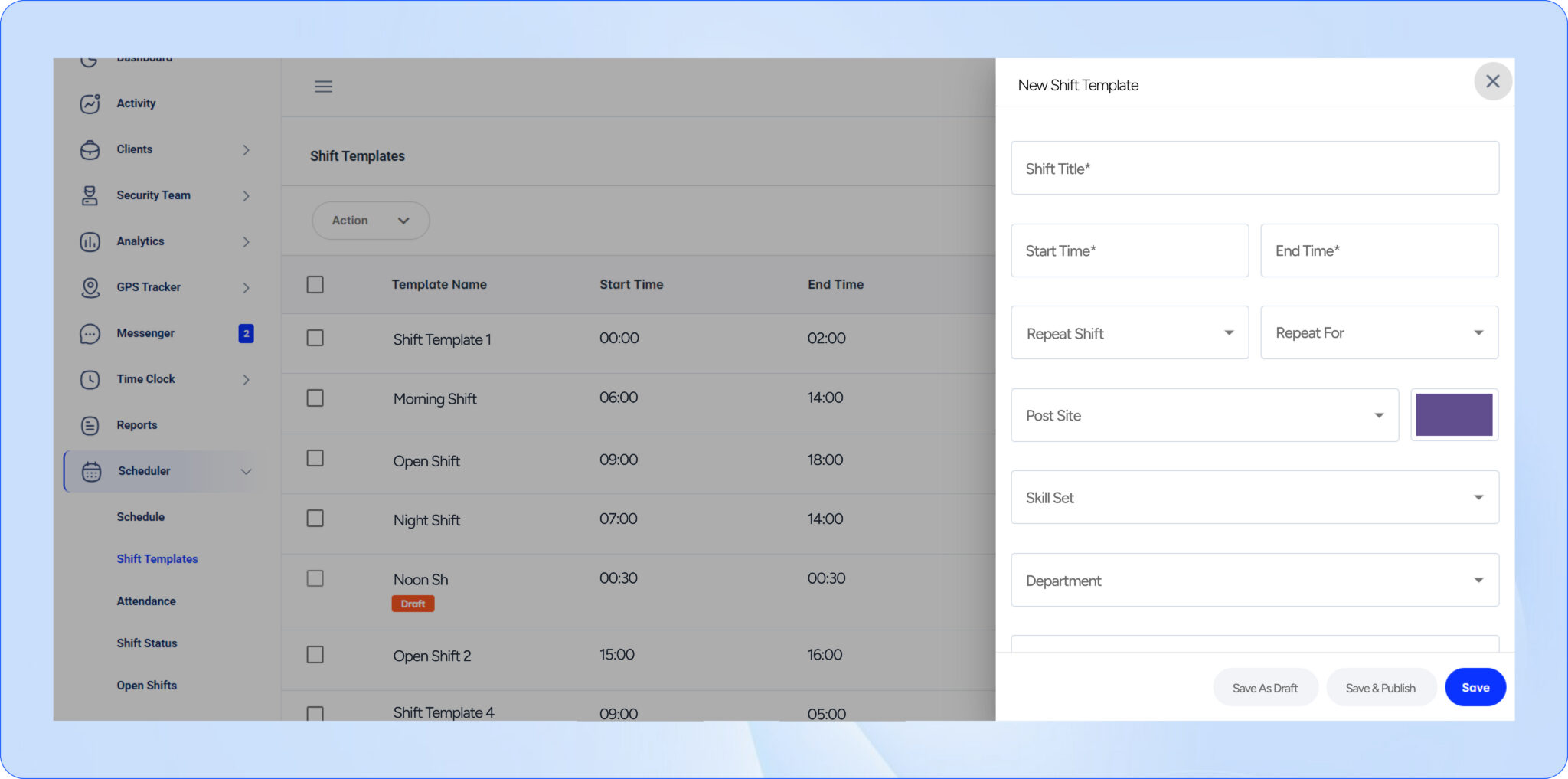
Many missed shifts happen because schedules are recreated manually every week, increasing the chance of errors and inconsistencies.
With Shift Templates, you can build recurring schedules once and reuse them whenever needed. Whether you’re staffing office buildings, residential communities, warehouses, or mobile patrol routes, templates ensure every recurring shift follows the same structure.
This saves valuable administrative time while reducing common shift scheduling problems caused by manual scheduling.
Monitor Attendance in Real Time
Knowing who is actually on site is just as important as creating the schedule.
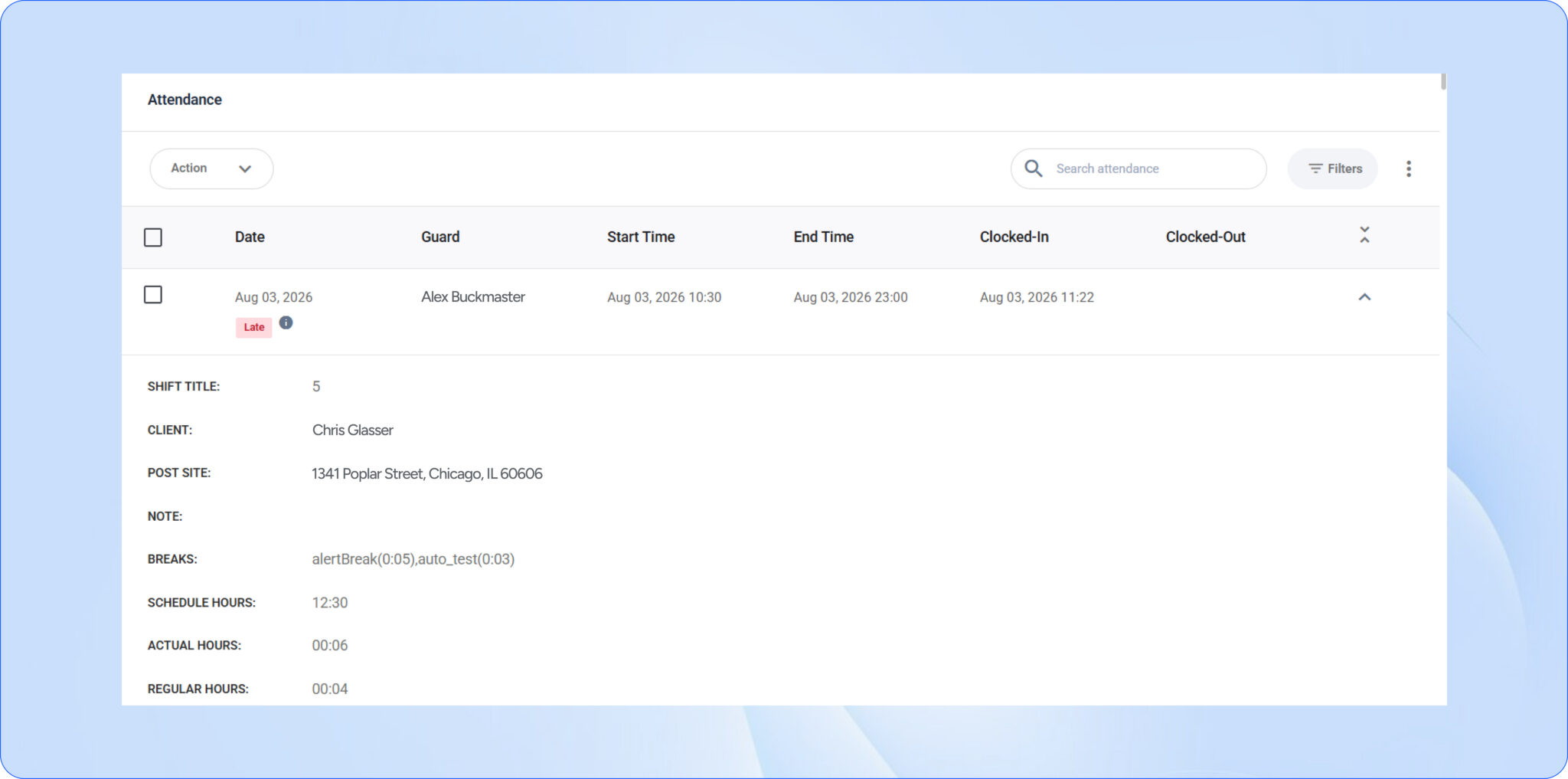
The Attendance module provides real-time visibility into guard clock-ins and clock-outs, helping supervisors identify late arrivals or missed shifts immediately instead of discovering problems hours later.
Having live attendance information allows managers to respond quickly before guard shift coverage issues affect service delivery.
Track Every Shift from Start to Finish
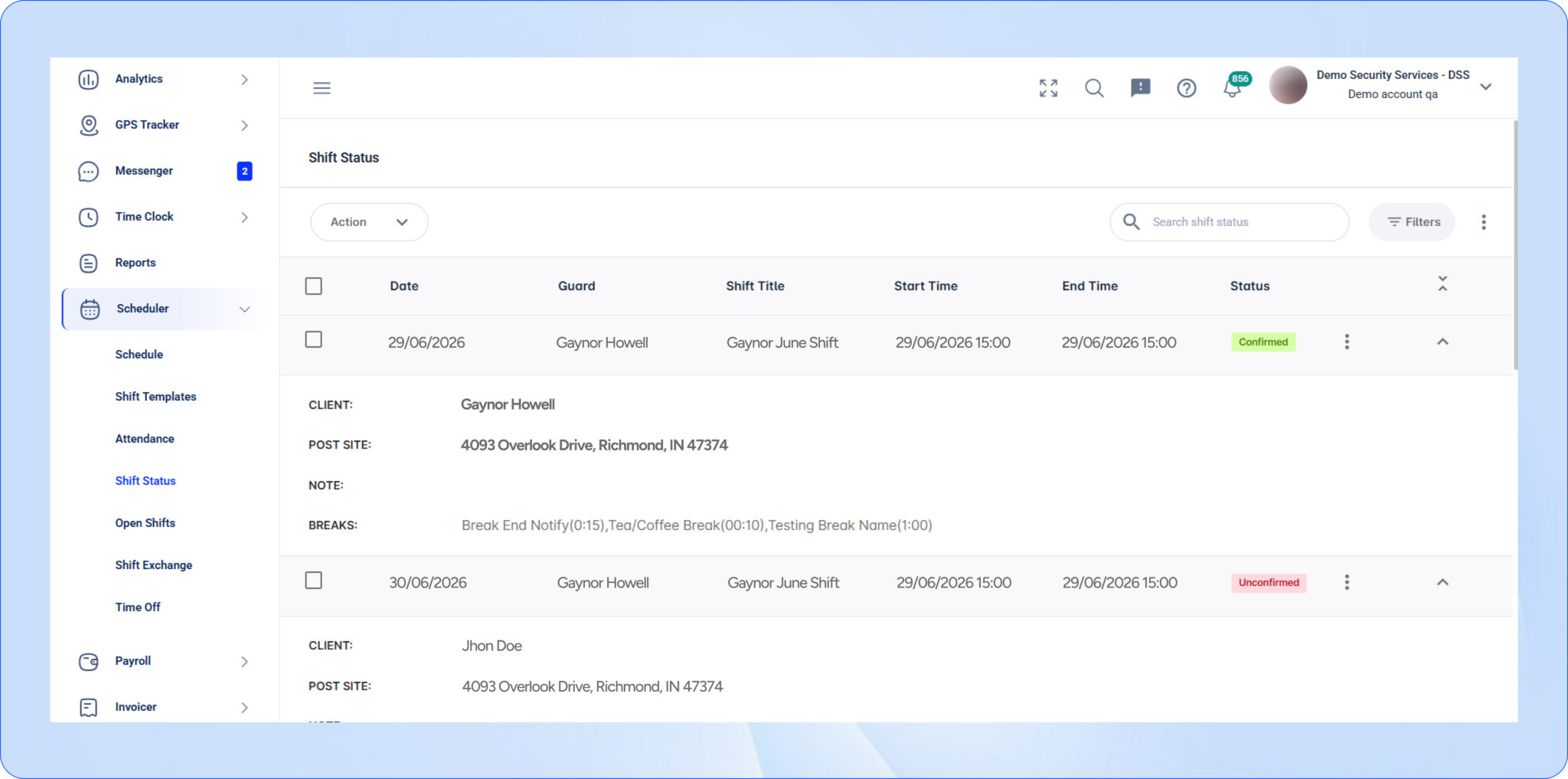
Scheduling a guard is only part of the process. Managers also need visibility into the status of every assigned shift.
The Shift Status feature lets supervisors quickly see whether shifts are upcoming, active, completed, or require attention. This provides a clear operational overview and helps identify staffing gaps before they become larger problems.
Greater visibility also improves overall security staffing reliability, especially for companies managing multiple client sites.
Fill Open Shifts Faster
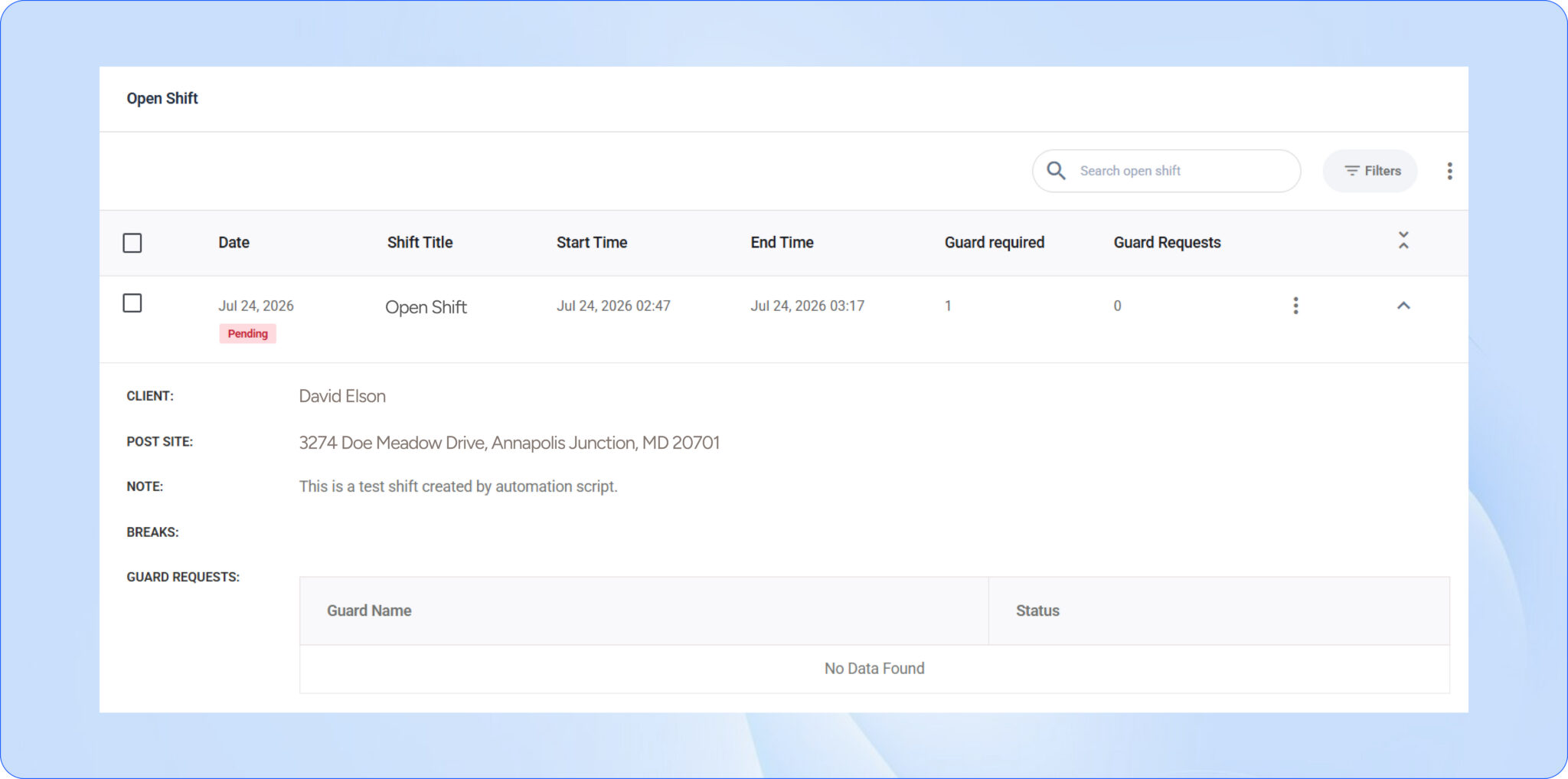
Unexpected absences happen, but replacing guards shouldn’t become a manual process.
With Open Shifts, managers can quickly make vacant shifts available, allowing qualified guards to accept available work without lengthy phone calls or back-and-forth communication.
This helps minimize downtime, reduces client risk, and keeps sites fully staffed even when last-minute changes occur.
Simplify Shift Exchanges
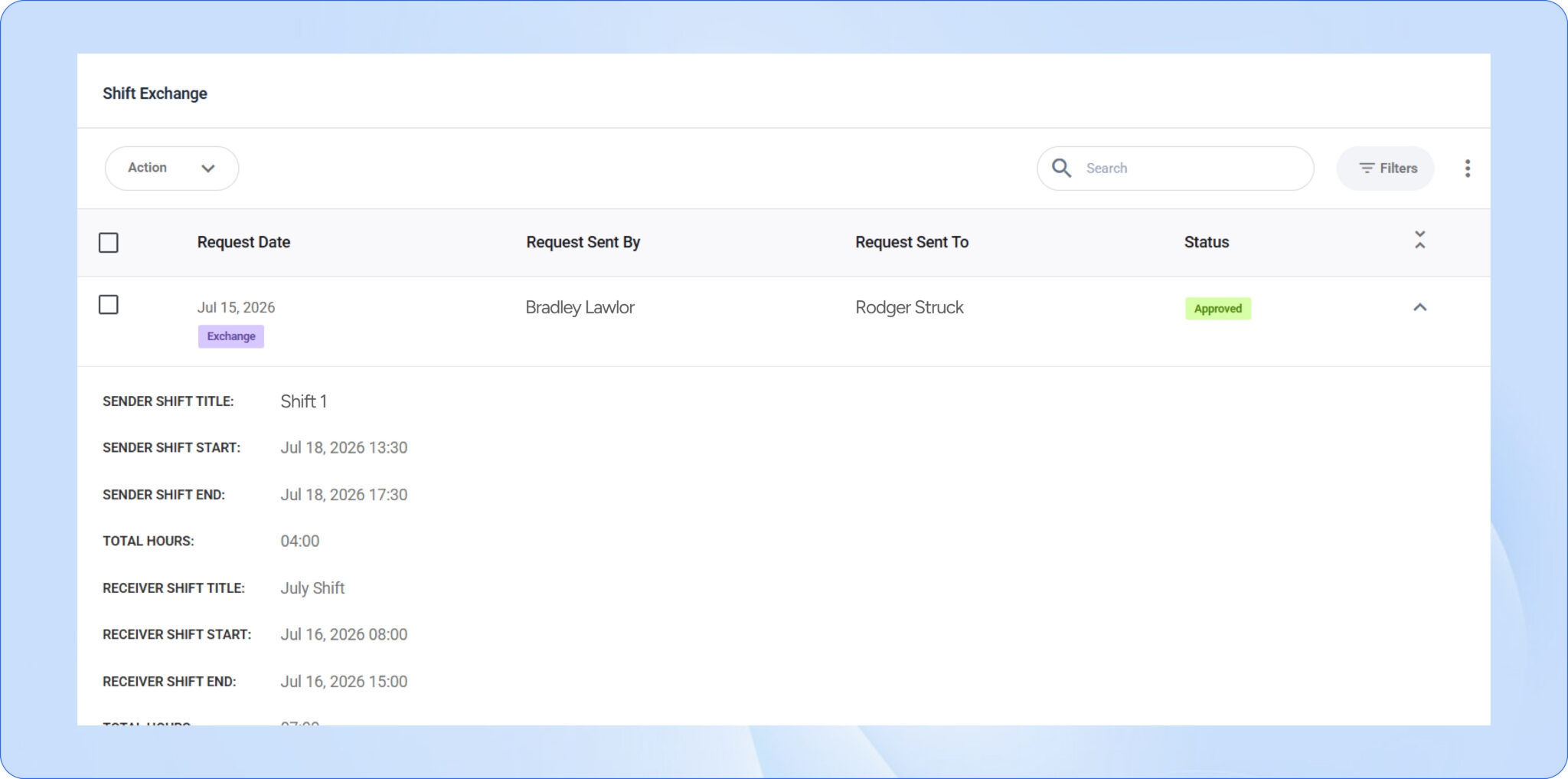
Guards occasionally need to swap shifts because of personal commitments or emergencies.
Instead of managing shift swaps through text messages or phone calls, Shift Exchange provides a structured process for exchanging assignments while maintaining management oversight.
This gives guards greater flexibility while ensuring every shift remains properly covered.
Manage Time Off Before It Creates Coverage Gaps
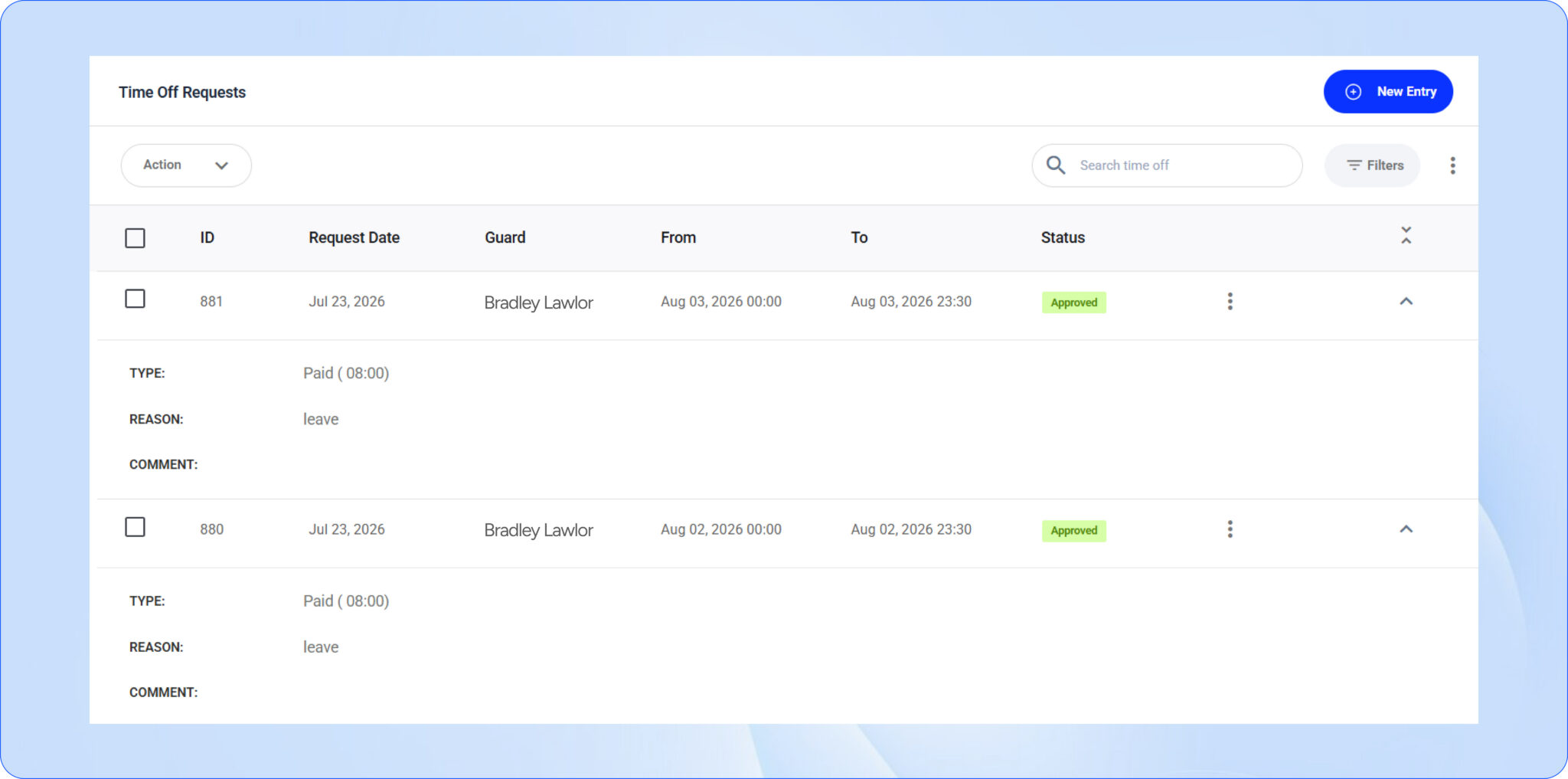
Many no-shows aren’t truly unexpected, they result from leave requests that weren’t properly planned for.
The Time Off module allows managers to review, approve, and track employee leave from one centralized location. Having visibility into upcoming absences makes it easier to schedule replacement guards well in advance and avoid unnecessary staffing shortages.
Planning ahead significantly reduces the likelihood of last-minute coverage issues.
Build Better Attendance Through Visibility
Improving security guard attendance isn’t about reacting after a shift is missed, it’s about preventing problems before they happen.
When scheduling, attendance, leave management, shift exchanges, and open shifts are managed within one platform, supervisors gain the visibility needed to make proactive staffing decisions instead of constantly reacting to emergencies.
This creates smoother operations, stronger accountability, and greater confidence for both your team and your clients.
How GuardsPro Helps Keep Every Shift Covered
GuardsPro brings scheduling, attendance, and workforce management together in one platform, giving security companies the tools they need to reduce no-shows and improve operational efficiency.
With GuardsPro, you can:
- Create and manage schedules from one centralized dashboard.
- Standardize recurring assignments using Shift Templates.
- Monitor live attendance across every client site.
- Track the status of every scheduled shift.
- Fill Open Shifts quickly when unexpected absences occur.
- Manage Shift Exchanges through a structured approval process.
- Plan staffing more effectively with integrated Time Off management.
Instead of constantly responding to staffing emergencies, your team can focus on delivering reliable security services.
Keep Every Site Protected
Learning how to reduce security guard no shows starts with improving the way you schedule, communicate, and monitor your workforce.
By combining smarter scheduling with real-time attendance tracking and proactive workforce management, GuardsPro helps security companies reduce staffing disruptions, improve accountability, and deliver more reliable service across every client site.
Want to give GuardsPro a try?
Prefer a walkthrough?
Book a live demo and explore how GuardsPro helps you manage scheduling, reporting, and operations across all your sites.
Have questions or feedback?
Get in touch anytime; we’re here to help, and your input helps us keep improving for teams like yours.
Frequently Asked Questions
Why do security guards no-show for shifts?
Security guard no-shows can happen for several reasons, including poor communication, scheduling conflicts, burnout, transportation issues, or simply forgetting a scheduled shift. Clear scheduling processes and automated reminders can significantly reduce these occurrences.
How can scheduling software help prevent no shows?
Scheduling software keeps guards informed through real-time schedule updates, automated shift reminders, and instant notifications. It also allows supervisors to monitor attendance and quickly respond if a guard hasn’t clocked in on time.
What should a security company do when a guard fails to show up?
When a guard misses a shift, supervisors should immediately verify the absence, notify the client if necessary, and assign a replacement guard. Having backup staff, open shift notifications, and real-time scheduling tools helps minimize disruption.
Does guard engagement affect attendance rates?
Yes. Guards who have clear communication, easy access to their schedules, and efficient tools to manage their work are generally more engaged and less likely to miss shifts. Improving engagement often leads to better attendance and accountability.
How can security companies track patterns in missed shifts?
Using digital attendance and reporting software allows companies to monitor attendance history, late arrivals, overtime, and missed shifts over time. These insights help identify recurring patterns so managers can address potential issues before they become ongoing problems.