
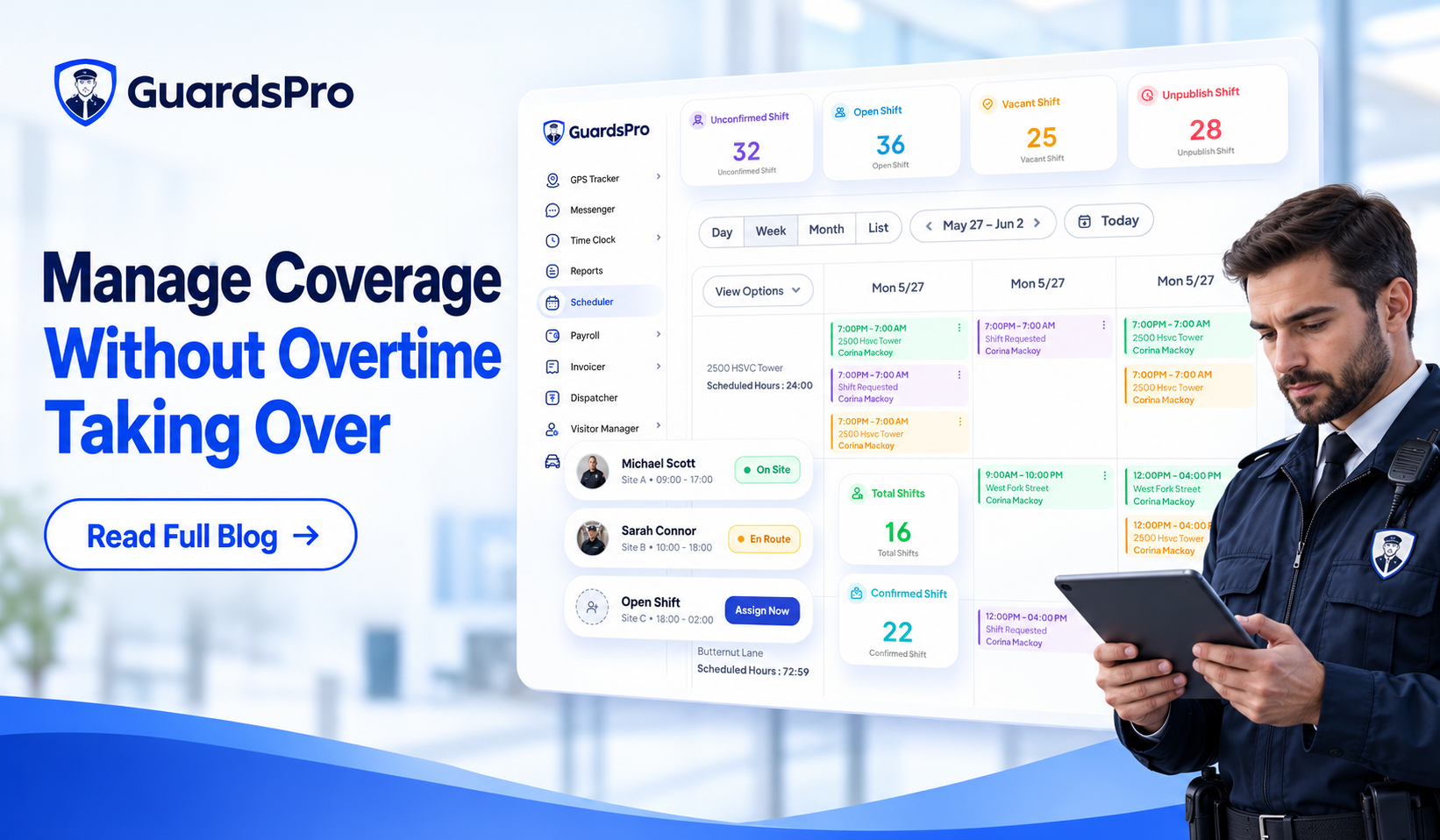
A guard calls out two hours before the shift.
The site still needs coverage.
So the supervisor calls the same dependable officer who covered the last open shift.
Problem solved, for tonight.
But when that becomes the normal way of filling gaps, security guard overtime can quickly become part of the staffing model instead of an occasional exception.
That creates two problems at once.
Labor costs rise, while the same guards may repeatedly carry longer hours and last-minute coverage.
The answer is not simply cutting overtime hours. A security company still has contractual coverage requirements, client expectations, and sites that cannot be left understaffed.
The better approach is to reduce avoidable overtime while improving the way available hours are distributed across the workforce.
In the U.S., covered nonexempt employees generally must receive at least one-and-a-half times their regular rate for hours worked beyond 40 in a workweek, although state and local requirements can differ. U.S. Department of Labor
Here are seven practical ways security companies can control overtime without sacrificing site coverage.
1. Find Out Where Overtime Is Actually Coming From
Before reducing overtime, find the pattern behind it.
Is one site constantly creating extra hours?
Are weekend shifts harder to fill?
Does overtime spike whenever guards request time off?
Are a few reliable guards repeatedly being asked to cover gaps?
Or is the company genuinely operating with fewer guards than its contracts require?
Industry guidance consistently points to poor scheduling visibility, callouts, turnover, and persistent staffing gaps as common drivers of excessive overtime. Therms
Looking only at the total overtime number does not tell you enough.
Managers should review overtime by guard, post site, shift, and time period. That makes it easier to distinguish an occasional emergency from a recurring staffing problem.
GuardsPro includes analytics and other security management features that can help teams review workforce and scheduling activity more systematically.
Once you know where the extra hours are coming from, you can fix the cause instead of simply telling schedulers to “use less overtime.”
2. Schedule Around Availability and Hours Already Assigned
One of the easiest ways to create unnecessary overtime is to assign another shift without seeing the guard’s existing workload.
A scheduler may know that a guard is dependable.
But is that guard already approaching overtime?
Is another qualified guard available?
How many hours has each person already been scheduled?
Good security guard scheduling requires those questions to be answered before the shift is assigned.
With the GuardsPro Scheduler, managers can view guard availability, scheduled hours, pay rates, and overtime information when making assignments. GuardsPro’s support documentation also confirms that schedulers can use scheduled hours and overtime when deciding which guards to assign. GuardsPro Support Center
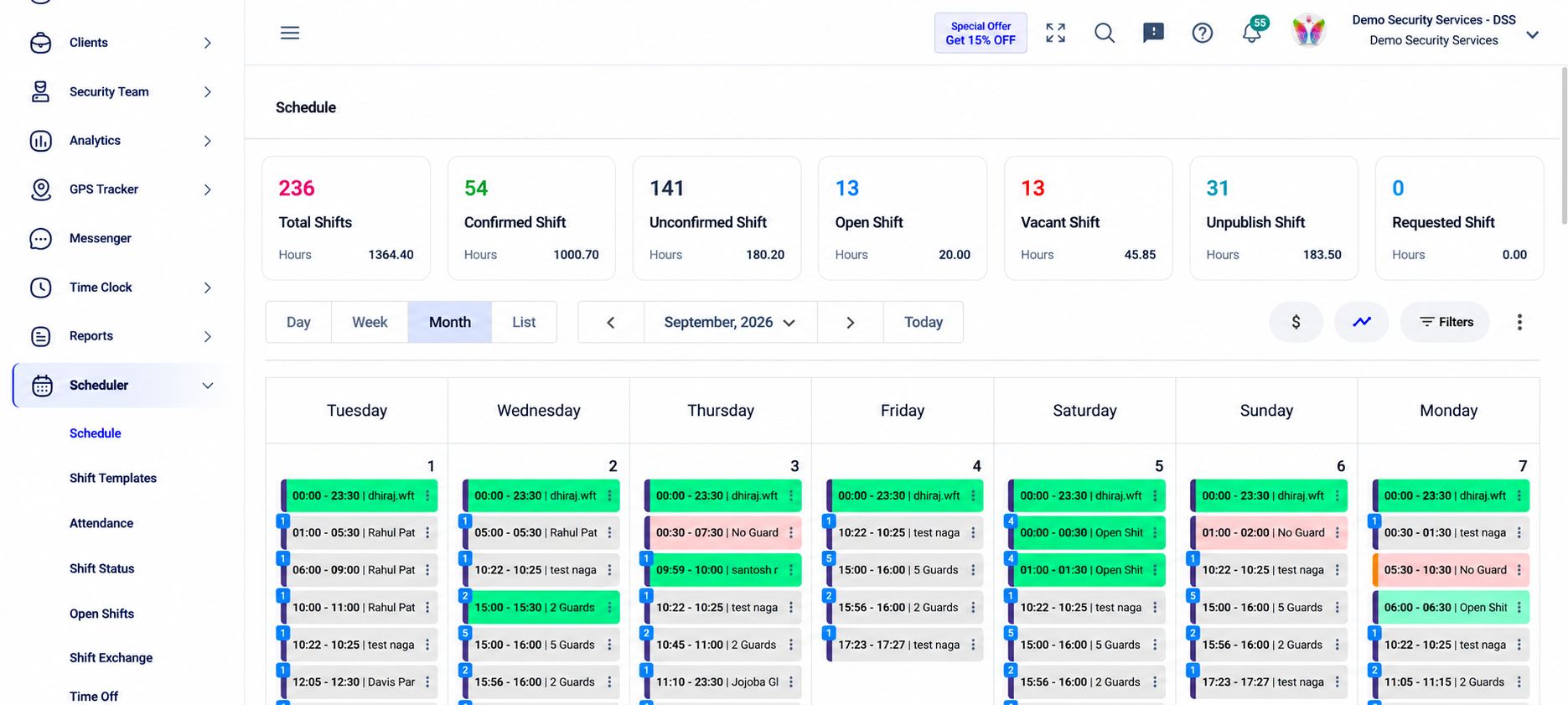
That makes it easier to distribute regular hours across available guards instead of automatically giving additional work to the same people.
The goal is not equal hours at all costs.
It is better visibility before another shift creates overtime.
3. Use Open Shifts Before Extending Someone Else’s Week
Last-minute coverage is one of the biggest pressure points in security scheduling.
A guard calls out and the natural reaction is often:
Who can I call right now?
That can quickly turn into asking someone already working a full schedule to take another shift.
Open shifts create another option.
Instead of contacting guards individually, managers can make an uncovered shift available to eligible guards who may already be looking for additional hours.
Through the GuardsPro Guard Mobile App, guards can view open shifts and request available work. Managers can then approve the request, or companies can configure automatic assignment for open shifts when appropriate. GuardsPro Support Center.
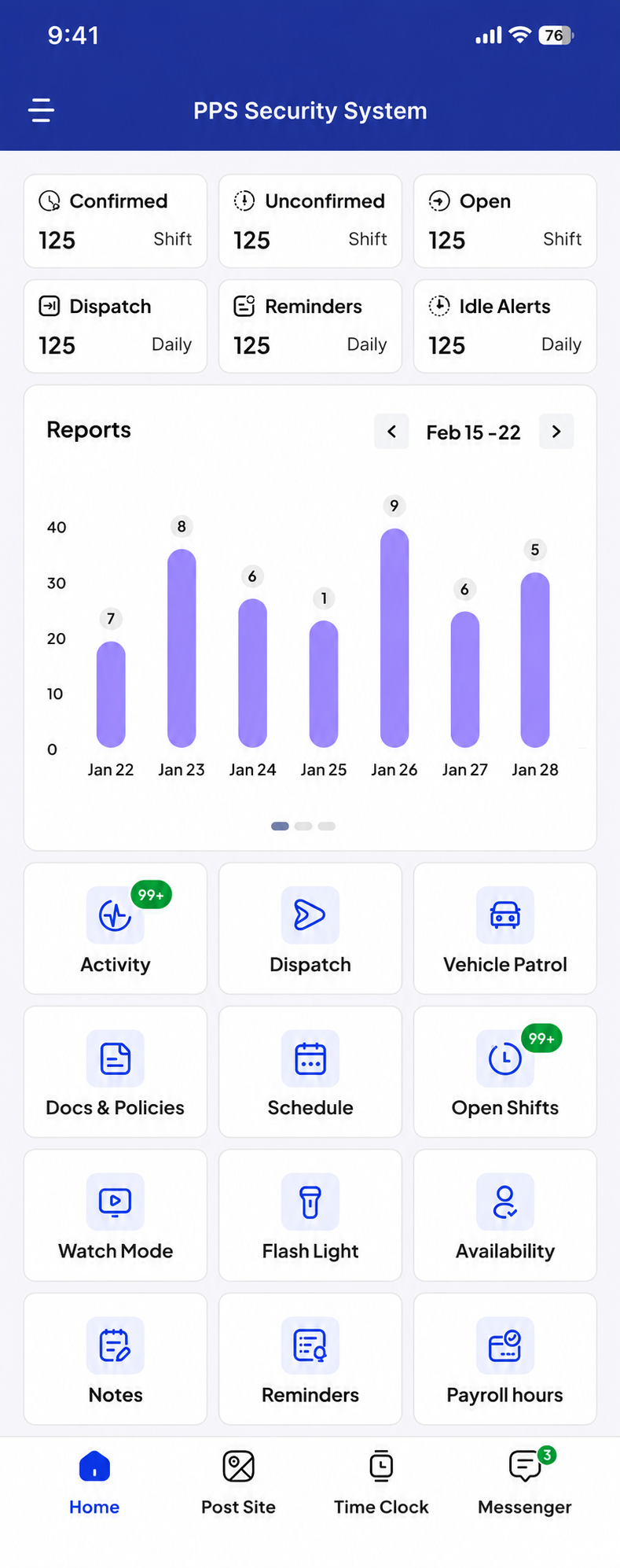
This does not mean every open shift will avoid overtime.
A manager still needs to consider the hours of whoever accepts it.
But it gives the scheduling team a wider pool of options before defaulting to the officer who always covers the gap.
It can also reduce the time supervisors spend calling guards one by one.
4. Plan Around Availability Before the Schedule Is Published
Overtime often starts earlier than the callout itself.
It starts when the original schedule was built without enough information about who could actually work.
If guards cannot communicate availability clearly, supervisors may create a schedule that needs several corrections later.
Then comes the chain reaction:
A guard cannot work.
The assignment needs to change.
Another guard already has a full week.
Overtime becomes the fastest solution.
GuardsPro allows guards to define their availability by day and time through the mobile app, with changes available for manager approval. GuardsPro Support Center
That gives schedulers more useful information before making assignments.
The broader GuardsPro guard management system also connects scheduling with Time Clock, attendance, and other operational information, making it easier to plan around the workforce rather than treating each shift as an isolated assignment.
Better availability information will not eliminate unexpected absences.
But it can reduce the avoidable schedule changes that happen because a guard was assigned when they were never realistically available.
5. Prepare for Callouts Without Overworking the Same Guards
A security company cannot prevent every no-show, sick day, emergency, or last-minute absence.
It can decide how prepared it is when one happens.
If every callout immediately creates overtime, the company may need a better backup strategy.
That could include keeping part-time guards available for additional hours, identifying officers willing to pick up specific shifts, maintaining qualified backup options for difficult sites, or reviewing which locations repeatedly need emergency coverage.
The important part is making sure backup coverage is actually suitable for the assignment.
A guard may have free hours but still lack the required training, license, experience, or familiarity for that post.
GuardsPro includes skill sets, guard availability, open shifts, time off, shift exchange, and other workforce tools within its wider security guard management feature set.
If no-shows are a major reason for your overtime, GuardsPro’s guide to reducing security guard no-shows and last-minute shift gaps also explains how scheduling, availability, open shifts, and attendance visibility can help companies manage coverage more proactively.
The objective is to have more than one answer when someone cannot work.
6. Watch Actual Hours Not Just Scheduled Hours
A schedule may look perfect at the beginning of the week.
Actual working hours can still tell a different story.
A guard stays late because relief is delayed.
Someone clocks in early.
A shift runs beyond its planned time.
Another officer covers part of an assignment unexpectedly.
Small differences can accumulate.
That is why security workforce management needs to connect scheduling with actual attendance and time records.
GuardsPro’s Time Clock records guard hours at post sites, while its scheduling tools provide shift and attendance visibility. Its features also include attendance reconciliation and overtime pay-rate controls. GuardsPro.
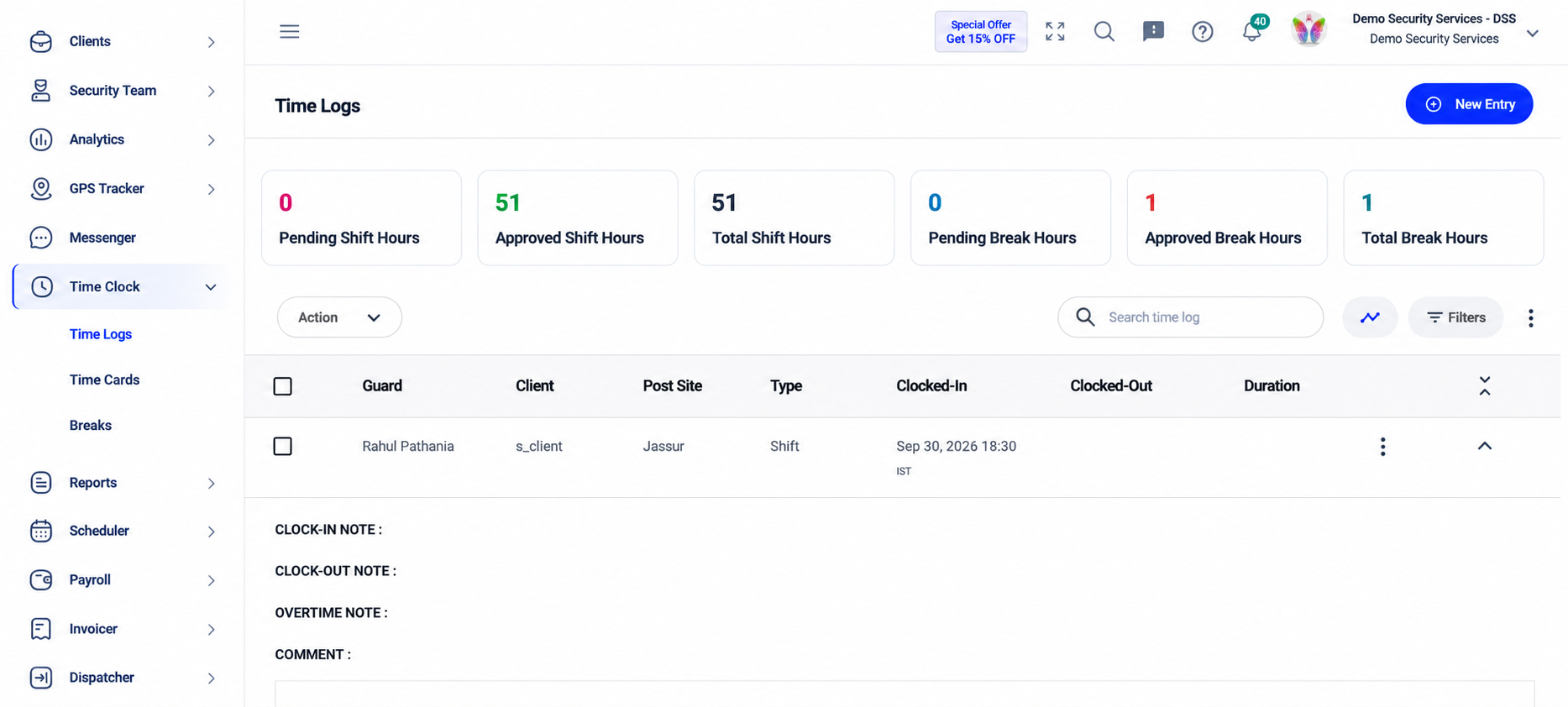
Accurate time records matter for more than controlling security guard overtime costs. Employers also need reliable records of hours worked to meet applicable wage-and-hour requirements. U.S. Department of Labor
The key is to review the difference between:
Hours scheduled
and
Hours actually worked
If the same site repeatedly runs beyond planned hours, the underlying issue may need to be fixed rather than continuing to absorb the overtime.
7. Recognize When You Actually Need More Guards
Scheduling software can improve workforce utilization.
It cannot create staff who do not exist.
If every available guard is already carrying a full schedule and client sites still need more hours covered, excessive overtime may be a staffing problem rather than a scheduling problem.
TEAM Software makes the same point in its overtime guidance: if a company continually struggles to cover required shifts without sending employees into overtime, additional hiring may be necessary. TEAM Software
This is an important distinction.
You do not want to “reduce overtime” by leaving a shift uncovered.
You also do not want to keep solving permanent staffing shortages with temporary overtime.
Look for signs such as:
-
The same sites generate overtime every week.
-
Open shifts regularly have too few available guards.
-
Approved time off immediately creates coverage problems.
-
Part-time and regular-hour capacity is already being fully used.
-
Overtime remains high even after schedules are optimized.
At that point, hiring may cost less in the long run than continuing to pay premium hours and putting additional workload on the existing team.
Reducing Overtime Should Never Mean Reducing Coverage
This is where security companies need to be careful.
A low overtime number does not automatically mean the workforce is being managed well.
If overtime drops because managers leave shifts open, reduce patrol requirements, or operate below contractual staffing levels, the company has simply exchanged one problem for another.
A better goal is:
Right coverage. Right guard. Right number of hours.
Modern security scheduling software can support that by making open shifts, attendance, shift status, availability, and scheduling information easier to manage together.
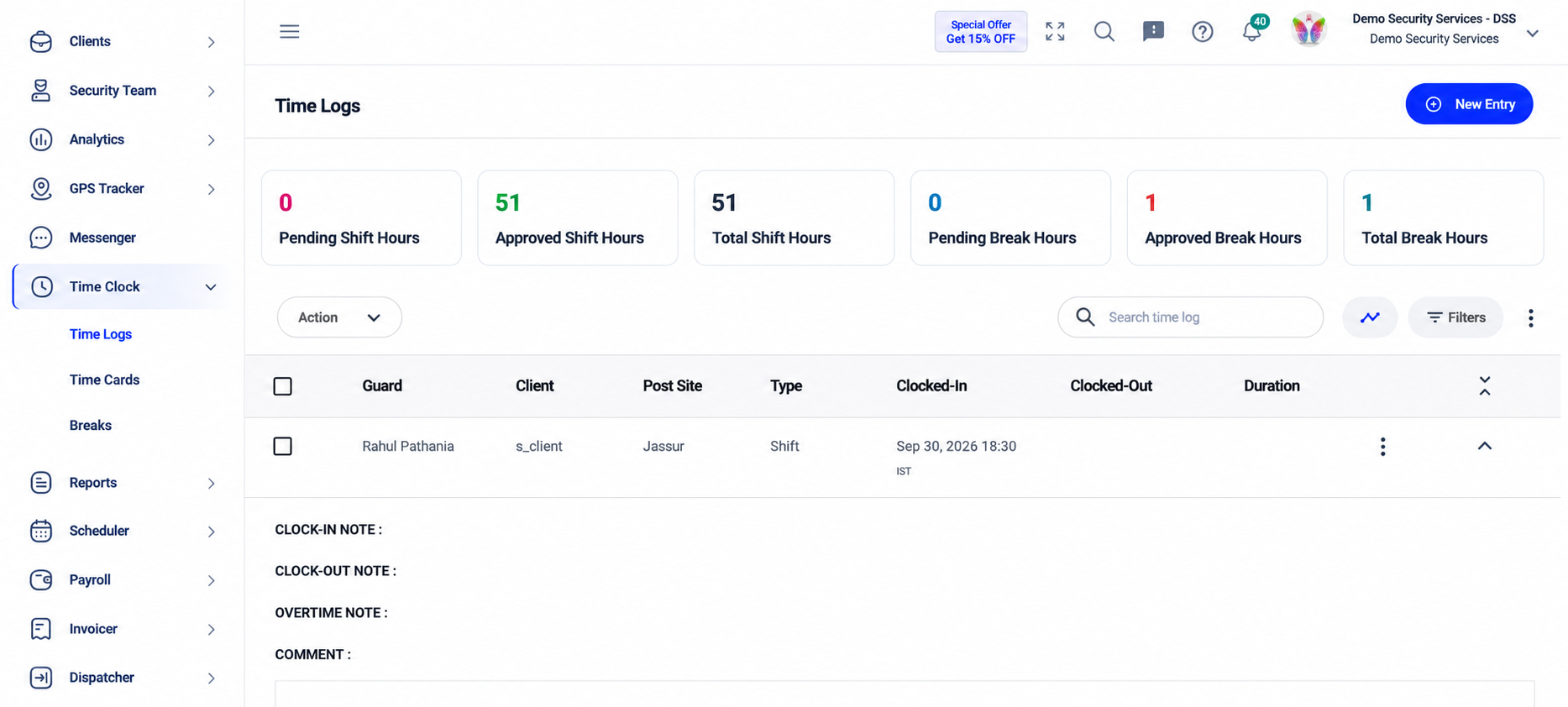
Managers still need to make the final decision.
Sometimes overtime is justified.
An emergency, major event, unexpected absence, or specialized assignment may leave no better alternative.
The goal is not zero overtime.
It is less unnecessary overtime.
Build a More Sustainable Scheduling Process
The strongest overtime strategy starts before anyone reaches an overtime threshold.
Know guard availability.
Review scheduled hours.
Plan leave early.
Use open shifts.
Keep backup coverage available.
Compare scheduled hours with actual attendance.
And pay attention when one post site repeatedly creates the same staffing problem.
GuardOwl and THERMS both emphasize proactive scheduling and workforce visibility as key ways to prevent overtime from becoming the default response to coverage gaps. Therms
That is the difference between managing overtime after payroll and managing it while there is still time to make a better scheduling decision.
The Bottom Line
Security guard overtime is not always avoidable.
But chronic overtime is often a sign that something earlier in the workforce process needs attention.
The problem may be limited visibility into guard hours.
It may be poor availability information.
It may be last-minute callouts.
It may be uneven distribution of shifts.
Or it may simply be that the company does not have enough qualified guards for the coverage it has committed to provide.
The answer is not to cut hours blindly.
It is to improve security guard scheduling so managers can see problems earlier and use regular-hour capacity more effectively.
Reduce the overtime that can be avoided.
Keep the overtime that is genuinely necessary.
And never solve the labor-cost problem by leaving client sites without the coverage they require.
Reduce Overtime Without Losing Coverage With GuardsPro
GuardsPro helps security companies manage scheduling, guard availability, open shifts, attendance, time off, shift exchanges, and workforce hours through a more connected scheduling process.
Instead of waiting until a staffing gap turns into another overtime shift, operations teams can get better visibility into who is available, who is already scheduled, and where coverage still needs attention.
You can start your free 30-day trial of GuardsPro, explore GuardsPro, or book a live demo to see how smarter scheduling can support your workforce.
Sign up within 15 days to unlock an exclusive 15% discount on your subscription.
Have questions before getting started? Contact the GuardsPro team.

FAQs
Why is security guard overtime so expensive?
Overtime increases direct labor costs because eligible workers may need to be paid at a premium rate. Frequent overtime can also indicate scheduling, staffing, or attendance problems that require additional management effort.
How can security companies reduce guard overtime?
Companies can reduce avoidable overtime by tracking scheduled and actual hours, using guard availability when assigning shifts, distributing work across employees with regular-hour capacity, using open shifts, planning time off early, and identifying sites with recurring staffing shortages.
Can a security company reduce overtime without understaffing?
Yes. The goal should be to redistribute available regular hours and improve scheduling before reducing required coverage. If there are not enough qualified guards to meet contracted staffing levels without chronic overtime, additional hiring may be necessary.
How can scheduling software help reduce security guard overtime?
Security scheduling software can give managers visibility into availability, scheduled hours, attendance, open shifts, and overtime before assignments are made. This helps schedulers identify alternatives instead of discovering excess hours after payroll.
Do open shifts help control overtime?
They can. Open shifts give eligible available guards an opportunity to request uncovered work rather than requiring supervisors to repeatedly contact the same employees. Managers should still check the accepting guard’s existing hours before finalizing the assignment.
When should a security company hire more guards instead of using overtime?
If required shifts regularly cannot be covered without pushing existing guards into overtime, the company may have a structural staffing shortage. Repeated overtime at the same locations or across the same shifts is a strong reason to review staffing levels.