One guard calls out.
A shift opens up.
A client wants last night’s report.
A supervisor needs to know whether a patrol was completed.
And payroll needs accurate hours before the day ends.
When all of that is being managed through spreadsheets, calls, messages, and separate systems, even a normal day can create unnecessary work.
That is where security workforce management software can make a difference.
The right platform can connect scheduling, timekeeping, guard activity, patrols, reporting, client visibility, and other operational workflows. But the right choice depends on what your security company actually needs.
Some platforms focus heavily on patrol verification. Others extend into payroll, billing, HR, or enterprise operations.
Here is a closer look at five security workforce management platforms to compare in 2026.
Security Guard Software at a Glance
|
Platform |
Main Focus |
Pricing Model |
Good Fit to Explore For |
|---|---|---|---|
|
GuardsPro |
Guard, field, and back-office operations |
From $5/user/month |
Small, growing, and multi-client security firms |
|
TrackTik |
End-to-end enterprise security operations |
Custom by sites and modules |
Larger or operationally complex companies |
|
Silvertrac |
Guard tours, reporting, GPS, and dispatch |
Contact for pricing |
Field-focused guard operations |
|
Belfry |
Workforce management with payroll, HR, and billing |
Per active employee |
Companies wanting operations and administration together |
|
OfficerReports |
Reporting, patrols, and timekeeping |
From $70/site/month |
Site-focused security providers |
Pricing and product information below reflect publicly available information reviewed in September 2026 and may change.
1. GuardsPro
A Connected Platform for Everyday Security Operations
GuardsPro is built specifically for security guard companies that want to connect what happens in the field with what managers need in the back office.
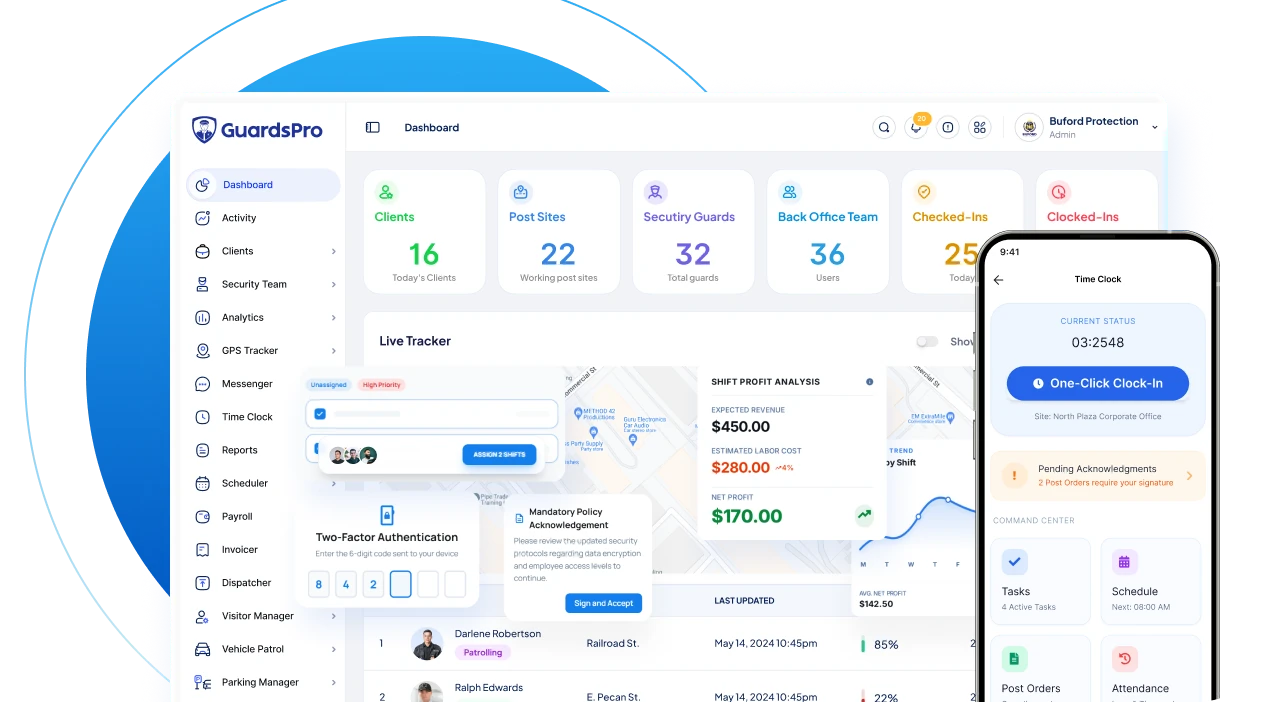
Its security management features cover core workflows such as guard and client management, reporting, Time Clock, GPS live tracking, Post Orders, analytics, licenses, client access, and operational records. Advanced and Professional plans expand into capabilities including GPS tracking history, geofencing, Messenger, site tours, tasks, integrations, and additional management tools.
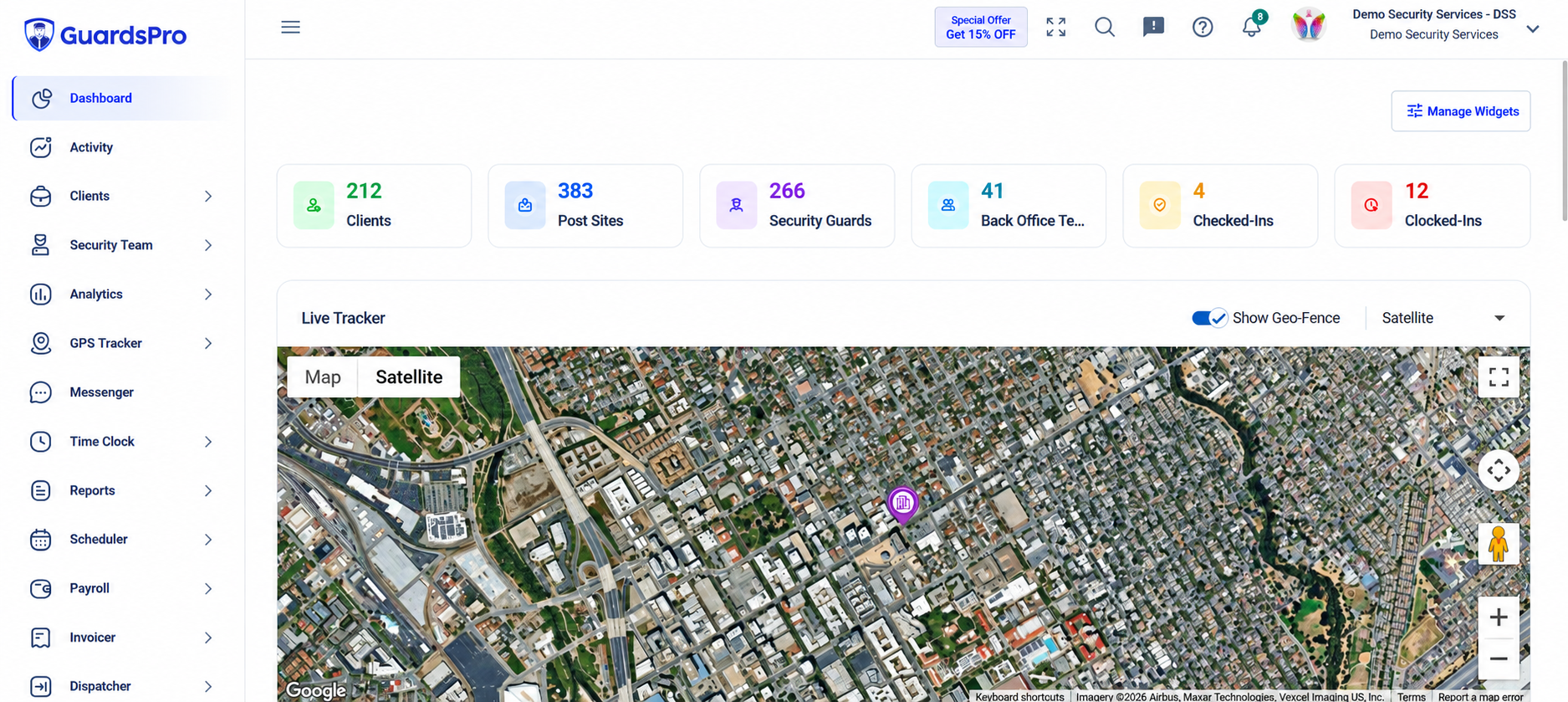
That makes GuardsPro less about solving one isolated problem and more about bringing several common security workflows into the same system.
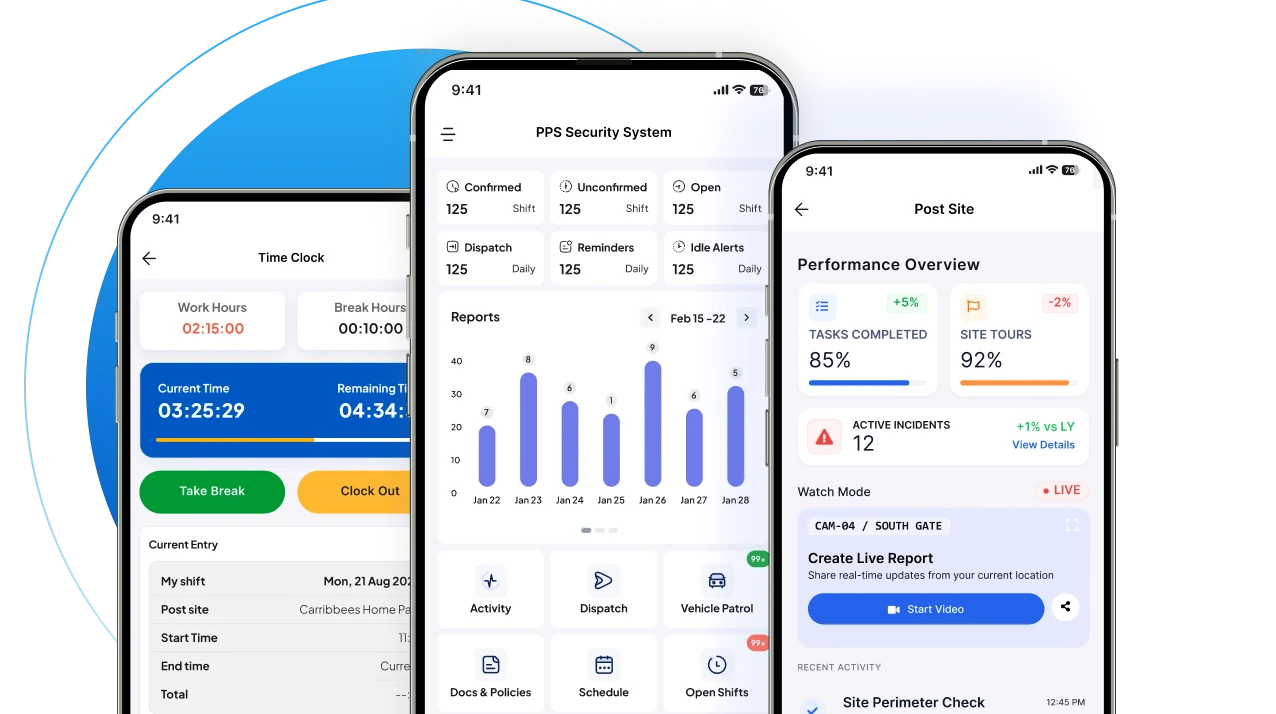
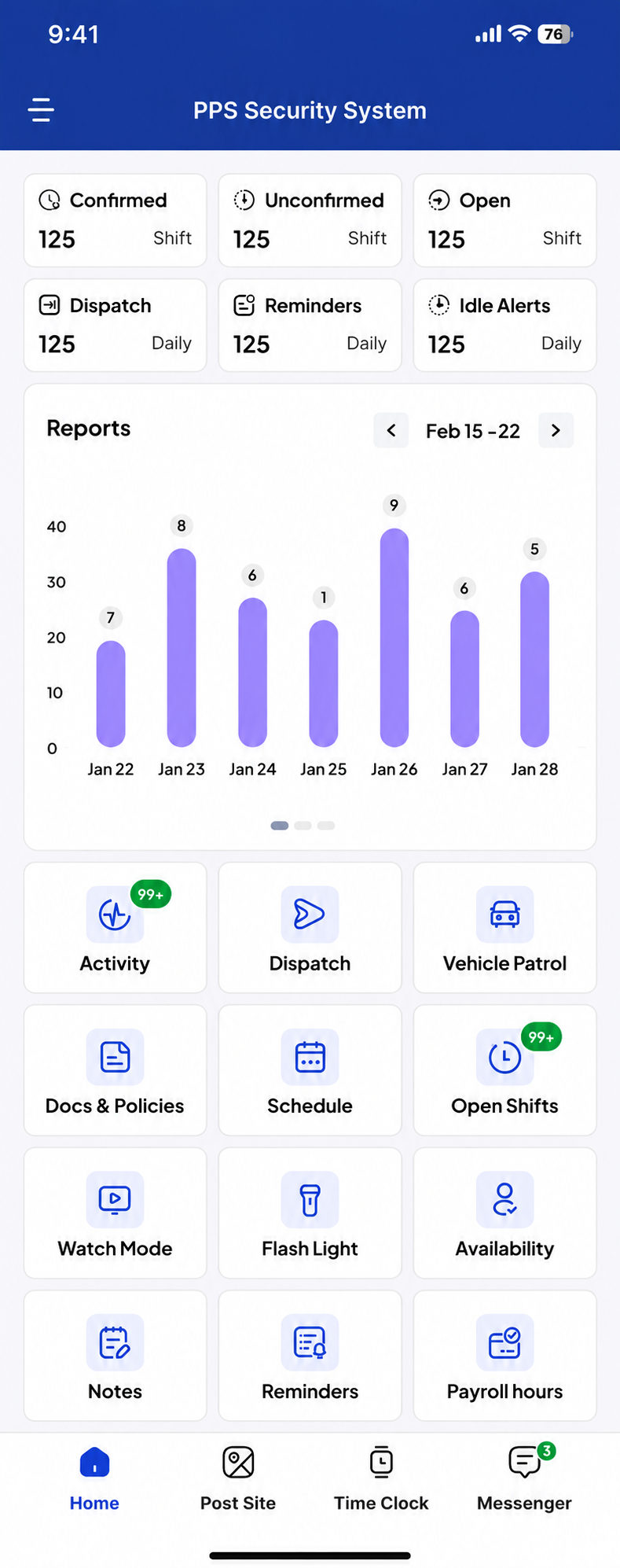
For guards in the field, the GuardsPro Guard Mobile App connects schedules, reporting, Post Orders, tours, tasks, check-in and check-out, and other daily responsibilities with the back office.
Clients can also be given controlled access to relevant operational information through the GuardsPro Client Web Portal, helping security companies provide more visibility without manually sending every update.
Pricing
GuardsPro is one of the platforms in this comparison with publicly listed subscription prices.
Its current monthly plans are $5 per user for Essential, $8 for Advanced, and $10 for Professional, with a minimum of three users. Scheduler is available as a $2-per-user monthly add-on, while several other optional modules are priced separately.
Companies can review the current GuardsPro pricing and plan comparison before deciding which level fits their operation.
A good fit to explore if: You want a security-specific platform that can cover core guard management first and expand into more operational workflows as your company grows.
2. TrackTik
Built for Broader and More Complex Security Operations
TrackTik, now part of Trackforce, takes a wider enterprise approach to security workforce management.
The platform brings together scheduling, time and attendance, guard tours, incident reporting, mobile operations, command-center visibility, billing, payroll preparation, business intelligence, and integrations. Its guard-management tools also connect field activity with a mobile app and centralized operational view.
This breadth becomes particularly relevant for companies managing large workforces, several regions, complex billing arrangements, or deeper back-office processes.
TrackTik also integrates with payroll, HR, accounting, and other systems, including products such as ADP, Paycor, QuickBooks, Sage Intacct, and Xero.
Pricing
Trackforce does not publish a standard per-user TrackTik price. Its current pricing model is based on site count and the modules an organization uses, with customers requesting a tailored quote.
A good fit to explore if: Your company needs a broad enterprise security operations system and expects scheduling, field operations, billing, payroll, analytics, and integrations to work together.
If you are specifically researching a TrackTik alternative, compare implementation requirements and the modules you will actually use, not simply the total number of available features.
3. Silvertrac
Strong Focus on Field Accountability
Silvertrac keeps the focus closer to what guards are doing in the field.
Its current offering includes guard tours, checkpoints, GPS and geofencing, incident reporting, Daily Activity Reports, dispatch, tasks, two-way communication, mobile patrol, parking management, and client reporting.
That makes the platform particularly relevant when the main operational questions are:
Did the officer complete the patrol?
Were the checkpoints visited?
What happened during the shift?
Can we show the client proof?
Silvertrac also supports checkpoint instructions, live guard-location information, off-course alerts, rich-media incident reporting, and automated Daily Activity Reports.
Pricing
Silvertrac does not display a standard dollar amount on its current public product page. Trackforce describes Silvertrac as using monthly payments with no contracts or hidden fees, so companies should confirm the applicable price for their operation.
A good fit to explore if: Patrol verification, reporting, GPS visibility, dispatch, and client proof are your main priorities.
For companies looking at a Silvertrac alternative, the deciding factor may be whether you also need broader scheduling, workforce administration, payroll, or other back-office tools.
4. Belfry
Workforce Management Meets Payroll and HR
Belfry approaches security management from both the operational and administrative sides.
Its platform covers scheduling, timekeeping, field operations, payroll and HR, and billing. Scheduling tools include guard qualification matching, mobile shift offers, overtime visibility, automatic updates, and missed clock-in alerts.
Its payroll and HR capabilities go further, connecting approved timesheets with payroll and supporting direct payroll processes, employee information, tax-related workflows, and ACA reporting tools.
For security companies trying to reduce the number of separate systems used for workforce administration, that broader approach can be appealing.
Pricing
Belfry charges per active employee per month. Companies can choose packages or create a custom setup around the modules they need, but the current public pricing page does not publish a specific dollar amount.
A good fit to explore if: Payroll, HR, billing, scheduling, and field operations all need to be brought closer together.
If you are comparing a Belfry alternative, first decide whether those built-in administrative capabilities are essential or whether your main need is day-to-day guard and field management.
5. OfficerReports
Straightforward Reporting and Patrol Management
OfficerReports is more focused on core site-level security workflows.
Its Standard Subscription includes security guard reporting, guard tour tracking, and time-and-attendance tools. Features include Daily Activity Reports, incident reports, Post Orders, QR and NFC patrol verification, GPS tracking, schedules, payroll calculations, clock-in controls, and open-post alerts.
Its pricing model is also different from most per-user security platforms because it is primarily based on the number of client sites.
Pricing
Current Standard Subscription pricing starts at $70 per site per month for 2–15 sites, falling to $65 for 16–50 sites and $60 for 51–100 sites. The company currently offers a 14-day free trial.
OfficerReports also offers a separate Mobile Patrol Subscription for officers moving between client locations.
A good fit to explore if: Your main priorities are reporting, patrol verification, attendance, and site-level management, and site-based pricing makes more sense for your operation.
What Should You Actually Compare?
It is easy to get distracted by long feature lists.
A better security guard software comparison starts with the problems your operations team is already dealing with.
If uncovered shifts and callouts are taking up your day, pay close attention to scheduling, availability, attendance, and open-shift management.
If clients regularly ask for proof of service, focus on GPS tracking, patrol verification, reporting, and client access.
If payroll and administration are consuming hours every week, workforce records, timekeeping, payroll integrations, billing, and HR functionality become more important.
And if guards struggle to use the mobile app, even an impressive back-office system will have trouble delivering the results you expect.
A useful way to think about it is:
Back office: Can managers control the operation?
Field: Can guards use it easily during a shift?
Clients: Can you provide the visibility they expect?
Those three experiences matter more than simply choosing the platform with the longest feature list.
Guard Tour Software or Full Workforce Management?
This is another important distinction.
Guard tour software primarily helps verify patrol activity—where guards went, which checkpoints were completed, and what happened during the tour.
A security workforce management system goes further by connecting patrols with areas such as workforce records, scheduling, timekeeping, reporting, guard management, client information, and other back-office workflows.
GuardsPro explains this distinction further in its guide to guard tour systems and security guard management software.
Before comparing vendors, decide whether you are trying to solve a patrol problem, or manage more of the entire security operation.
Which Type of Platform Fits Your Operation?
For a smaller security company, ease of setup and predictable entry pricing may matter more than enterprise-level financial modules.
For a growing company managing several guards and clients, connecting reporting, tracking, patrols, workforce information, and client access may become more important. GuardsPro’s broader guard tour and workforce management system is designed to bring many of those workflows together.
Larger companies may need deeper billing, payroll, analytics, integrations, regional management, and enterprise controls, making platforms such as TrackTik or Belfry worth closer evaluation.
Teams focused mainly on proving patrol completion and documenting field activity may find Silvertrac or OfficerReports more closely aligned with what they need.
So company size matters, but operational complexity matters more.
The Bottom Line
There is no one best security workforce management software for every security company.
These platforms solve overlapping problems, but their emphasis differs.
GuardsPro connects guard, field, client, and back-office workflows with publicly listed per-user plans.
TrackTik provides a broad enterprise security operations environment.
Silvertrac keeps a strong focus on patrols, reporting, dispatch, and field accountability.
Belfry combines security operations with payroll, HR, and billing.
OfficerReports offers a more site-focused model around reporting, patrol verification, and timekeeping.
The most useful question is not:
“Which platform has the most features?”
It is:
“Which platform removes the most friction from the way our security company actually works?”
That is the comparison that matters.
subscription.
See How GuardsPro Fits Your Security Workforce
GuardsPro helps connect field activity with everyday security management, from reporting, GPS tracking, and patrols to guard records, client access, workforce management, and optional operational modules.
You can start your free 30-day trial, explore GuardsPro, or book a live demo to see how the platform fits your operation.
Sign up within 15 days to unlock an exclusive 15% discount on your subscription.
Have questions before getting started? Contact the GuardsPro team.
FAQs
What is the best security workforce management software in 2026?
The right platform depends on what a security company needs to manage. GuardsPro, TrackTik, Silvertrac, Belfry, and OfficerReports offer different combinations of scheduling, tracking, patrols, reporting, payroll, billing, client access, and workforce management.
How do I choose the right security guard management software?
Start with the workflows creating the most manual work. Compare scheduling, timekeeping, GPS tracking, reporting, patrol management, mobile usability, client access, integrations, scalability, pricing, and support. A demo or trial can also help you see how well the system works for managers and guards.
What is the best security guard software for small companies?
Smaller companies may benefit from software with predictable entry pricing and the ability to expand gradually. GuardsPro currently starts at $5 per user per month with a three-user minimum, while OfficerReports uses site-based pricing starting at $70 per site for its Standard Subscription.
How much does security guard management software cost?
Pricing depends on the platform and billing model. GuardsPro currently lists plans at $5, $8, and $10 per user per month. OfficerReports starts at $70 per site per month for 2–15 sites. Trackforce uses site-and-module-based custom quotes, while Belfry charges per active employee without publishing a standard dollar amount.
Is there free security guard management software?
Fully featured permanent free plans are uncommon among dedicated security-management platforms, but trials are available. GuardsPro currently offers a 30-day free trial, while OfficerReports offers 14 days.