
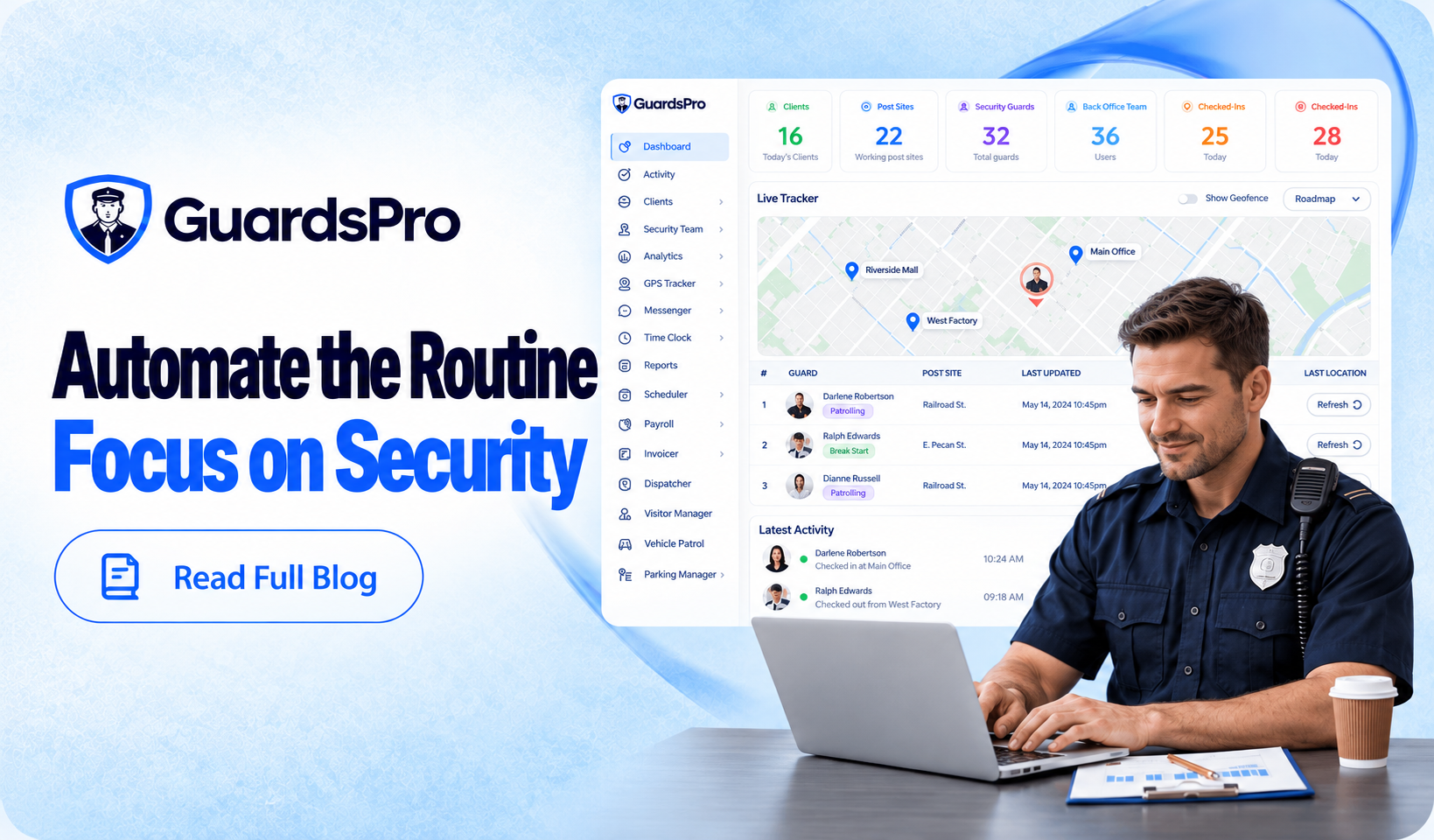
Security operations involve a lot of repetitive work.
Schedules need updating. Guards need reminders. Attendance needs checking. Reports need to reach clients. Licenses need monitoring. Payroll information needs preparing.
These tasks are important, but managers should not have to repeat the same manual steps every day.
That is where security process automation can help.
With GuardsPro, security companies can automate or simplify parts of scheduling, reporting, attendance, reminders, license management, payroll preparation, and other everyday workflows through its broader security management features.
The goal is not to automate every decision.
It is to reduce routine work so managers have more time for guards, clients, incidents, and situations that actually require their attention.
Here are 10 practical benefits.
1. Spend Less Time on Repetitive Admin Work
A large part of back-office work involves small tasks repeated across multiple guards and sites.
Confirm a shift. Check attendance. Send a reminder. Forward a report. Update a record. Repeat.
Automation helps reduce how often managers need to step into these routine processes manually.
For example, GuardsPro can support automated shift confirmations, notifications, reminders, and other recurring workflows.
That means operations teams can spend more time managing exceptions instead of repeatedly handling normal activity.
2. Make Scheduling Easier to Manage
Security schedules rarely stay exactly as planned.
A guard calls out. Someone requests time off. An open shift appears. A client asks for additional coverage.
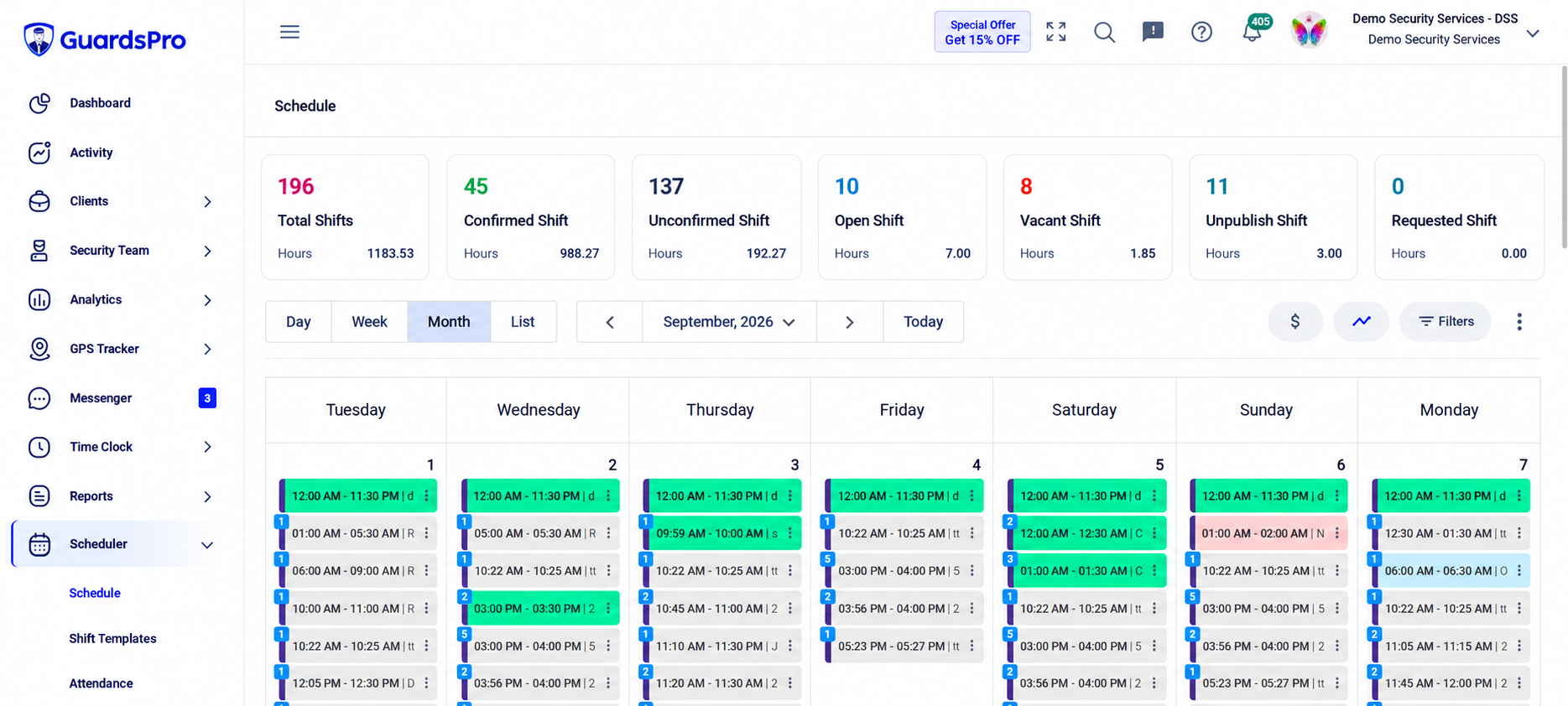
The GuardsPro Scheduler helps managers organize shifts, use recurring schedules, manage availability, review open shifts, and keep workforce coverage easier to manage.
Automation can also reduce some of the routine follow-up surrounding shifts by keeping guards informed when schedules or assignments require their attention.
Instead of manually communicating every small change, managers can focus on the coverage problems that actually need intervention.
3. Reduce Manual Attendance Work
Even when the schedule is correct, attendance can create additional administration.
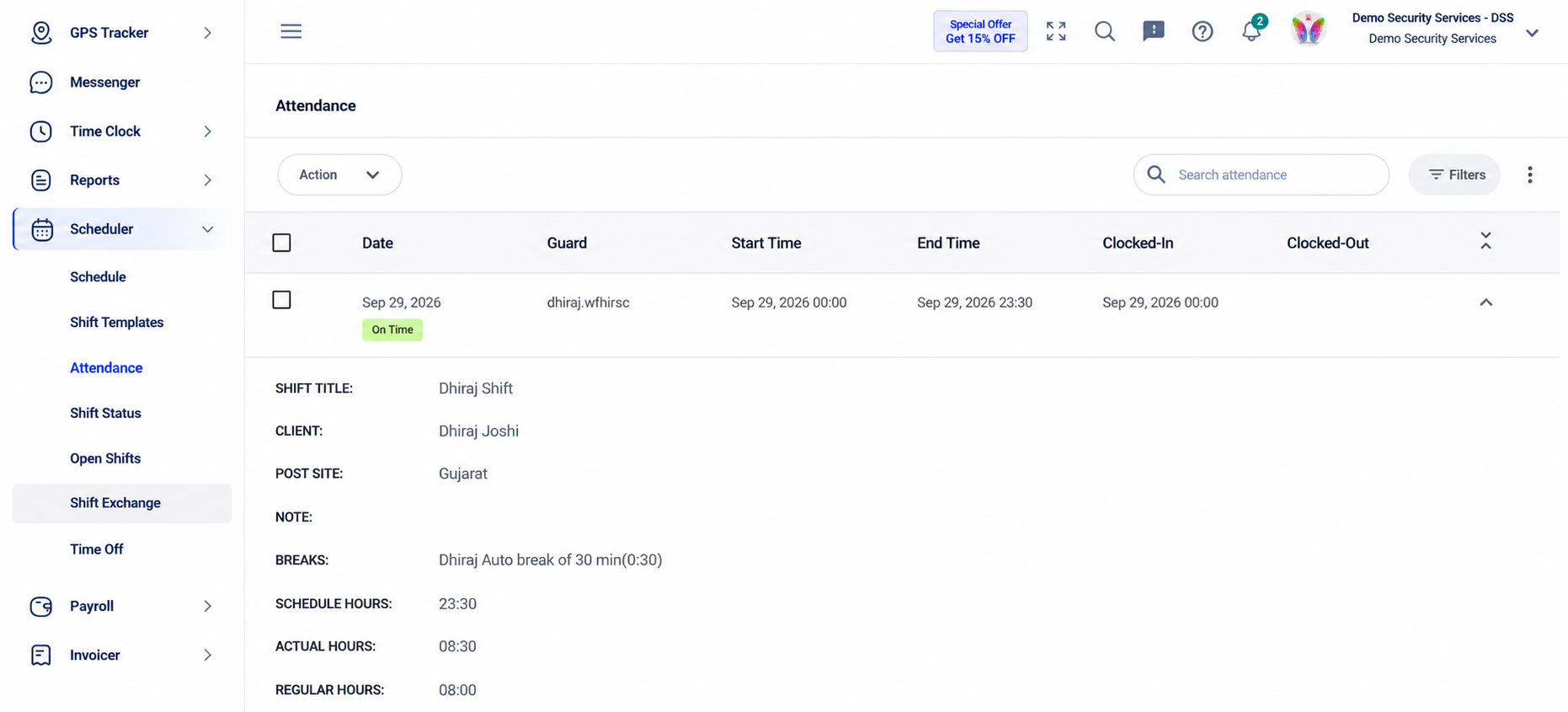
A guard clocks in slightly early. Another clocks out a few minutes late. Someone then needs to compare those records against the scheduled shift.
GuardsPro can help streamline attendance management by connecting scheduled shifts, clock-in and clock-out activity, and attendance records.
This makes it easier for managers to focus on genuine exceptions rather than reviewing every routine entry manually.
Cleaner attendance records can also make later payroll processing easier.
4. Keep Guards on Track With Reminders
Managers should not need to personally remind every guard about every upcoming action.
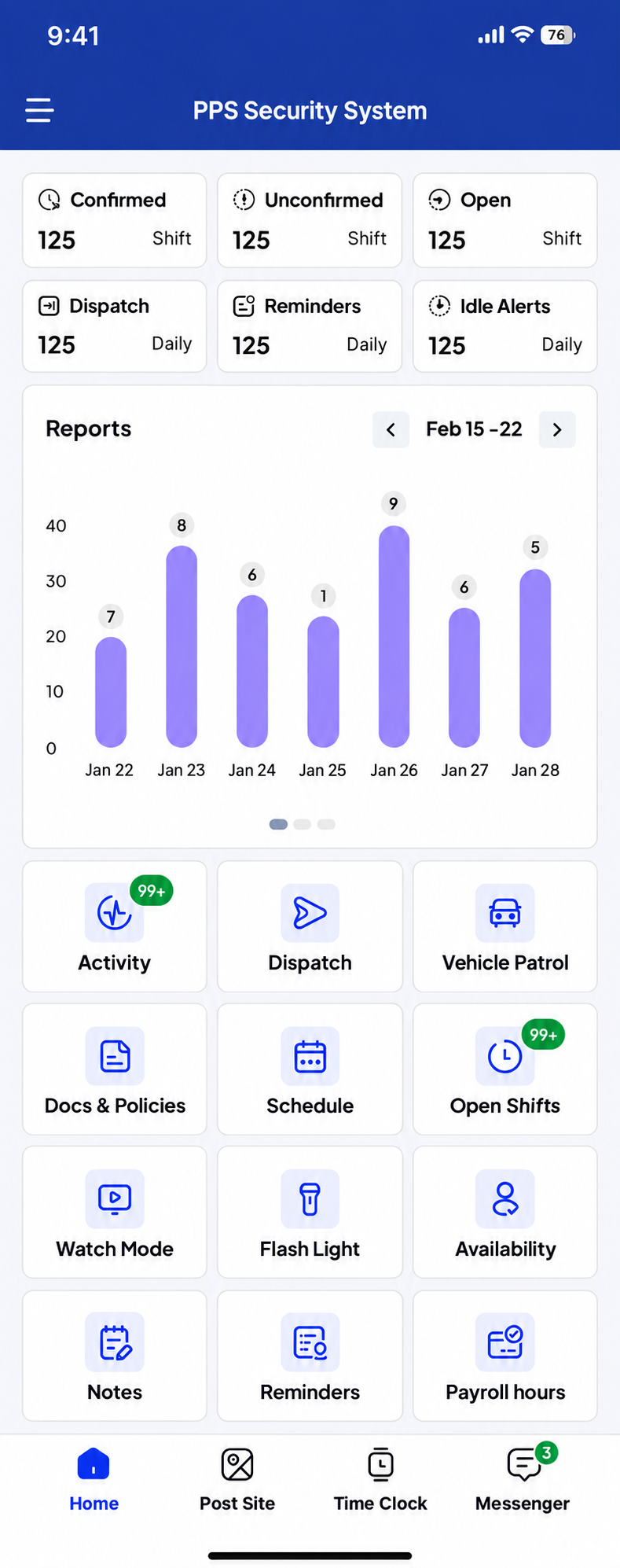
GuardsPro allows reminders and notifications to become part of the normal workflow.
Through the GuardsPro Guard Mobile App, guards can receive relevant information about shifts, assignments, tours, tasks, and other field activities.
This can reduce the amount of routine chasing required from supervisors while still keeping guards informed about what needs attention.
Automation becomes particularly useful when a company is managing many guards across several post sites.
5. Send Client Reports More Consistently
Client reporting can take more time than it appears.
A guard submits a report. Someone reviews it. Someone finds the client’s details. Then the report needs to be sent.
And tomorrow, the process starts again.
GuardsPro can automate recurring report delivery so selected reports reach the appropriate recipients according to a defined reporting schedule.
Its broader security guard reporting tools also help keep field reports connected to the rest of the operation.
This can make client communication more consistent while reducing the need to manually distribute routine reports one by one.
6. Bring Important Exceptions to Managers Faster
Automation is not only useful for completing tasks.
It can also help managers notice when something requires attention.
Instead of constantly checking whether a guard clocked in, whether a shift changed, or whether activity occurred, notifications can help surface relevant events.
That changes the manager’s role from:
“I need to keep checking.”
to:
“I need to respond when something needs attention.”
For operations teams managing multiple guards and sites, that difference can save significant time throughout the day.
7. Stay Ahead of License Expirations
Guard credentials are another area where relying on memory can create unnecessary problems.
Different guards may have different licenses, certifications, and expiration dates.
As the workforce grows, tracking all of those dates manually becomes harder.
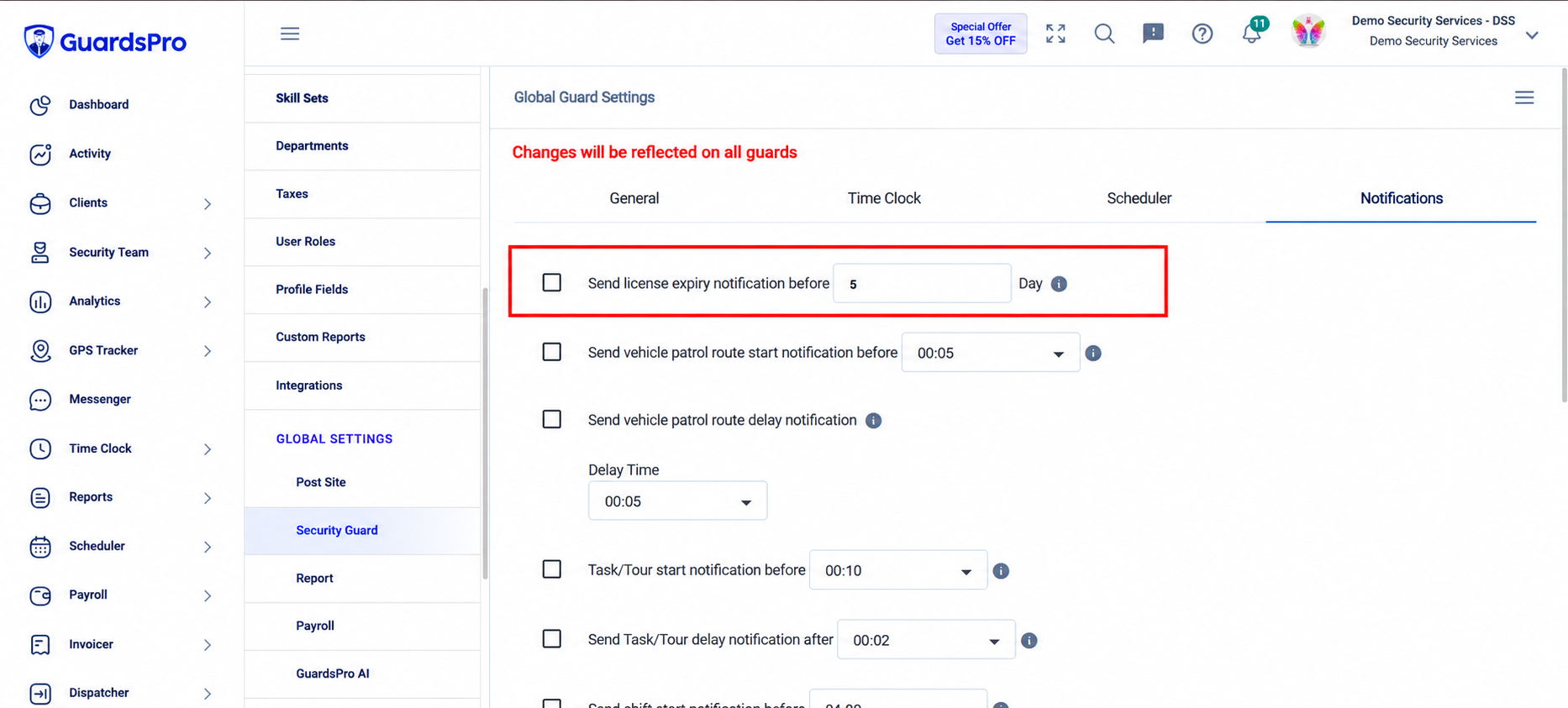
GuardsPro helps companies organize guard license information and monitor upcoming expiration dates, giving teams more time to deal with renewals before they become urgent.
Automation does not renew the license for you.
It solves another important problem:
remembering that action needs to happen.
For a deeper look at this workflow, GuardsPro has also explained how security license management can be simplified when credentials and expiration information are kept more organized.
8. Simplify Payroll Preparation
Payroll often depends on information the company has already collected elsewhere.
Hours worked. Time cards. Overtime. Attendance.
Re-entering the same information into another system creates unnecessary work and another opportunity for mistakes.
GuardsPro can connect approved time information with payroll workflows and integrations, helping companies move data from operations toward payroll with fewer manual steps.
This is where automation provides a very practical benefit:
Enter information once. Use it where it is needed.
Managers still review the information, but they do not need to recreate the same data repeatedly.
9. Create More Consistent Processes Across Sites
Manual processes often depend on the person handling them.
One supervisor may follow one workflow while another handles the same task differently.
That becomes harder to manage as a security company grows.
Automation helps create repeatable processes.
Schedules can follow recurring patterns. Reports can follow established formats. Reminders can be scheduled. Post Orders can stay available digitally. Client reports can follow defined delivery routines.
This makes it easier to maintain consistency when new guards, supervisors, clients, or post sites are added.
Instead of reinventing each process every time the operation grows, the company can build workflows that are easier to repeat.
10. Give Managers More Time for Higher-Value Work
The biggest benefit of security process automation is not saving a few clicks.
It is deciding where managers should spend their time.
Operations managers add more value when they are solving coverage problems, reviewing incidents, coaching guards, communicating with clients, and improving service.
They add less value when they are repeatedly forwarding reports or checking routine information that a system can already manage.
By bringing scheduling, timekeeping, reporting, guard activity, and other workflows into one security management platform, GuardsPro can reduce some of the manual work surrounding everyday operations.
Automation should not remove people from security management.
It should remove unnecessary work around them.
What Should You Automate First?
Trying to automate everything at once is rarely necessary.
Start with the processes your team repeats most often.
If supervisors spend too much time sending reports, start with report delivery.
If they constantly remind guards about routine actions, use reminders and notifications.
If attendance requires frequent manual review, look at how timekeeping can be streamlined.
If payroll means entering the same information twice, consider integrations.
A useful rule is:
Automate the repetitive work. Keep human judgment where it matters.
That makes automation easier to introduce without making the operation unnecessarily complicated.
The Bottom Line
Process automation is not about putting a security company on autopilot.
It is about reducing the repetitive work surrounding everyday operations.
With GuardsPro, security companies can simplify or automate parts of scheduling, attendance, reminders, notifications, client reporting, license monitoring, payroll preparation, and other recurring workflows.
The benefit is straightforward:
Less time managing repetitive steps. More time managing the operation.
And as a company adds more guards, clients, and post sites, those efficiencies become increasingly valuable.
Improve Guard Performance Visibility With GuardsPro
GuardsPro helps security companies connect guard performance with the operational activity behind it, from attendance and patrols to reports, tasks, tracking, and workforce data.
Use clearer performance information to strengthen accountability, identify coaching opportunities, and maintain more consistent service across your security operation.
Start your free 30-day trial of GuardsPro and see how better operational visibility can help you manage your guard force.
Sign up within 15 days to unlock an exclusive 15% discount on your subscription.
Prefer a walkthrough? Book a live demo to explore how GuardsPro can help you manage guard performance and day-to-day security operations.
Have questions about your team’s needs? Contact us to discuss how GuardsPro can support your operation.
FAQs
What is security process automation?
Security process automation means using software to automate or simplify repetitive security-management activities such as notifications, report distribution, attendance processing, scheduling workflows, reminders, and data transfer.
What processes can GuardsPro automate?
GuardsPro can help automate or streamline areas such as shift notifications, attendance workflows, scheduled reminders, client report distribution, license-expiration monitoring, and payroll preparation.
Can GuardsPro automatically send reports to clients?
Yes. Recurring report delivery can be configured so relevant reports are sent to selected recipients based on the reporting schedule established by the company.
Can GuardsPro help automate guard reminders?
Yes. Reminders and notifications can help keep guards informed about relevant upcoming activities without supervisors having to manually follow up every time.
How does automation help security companies grow?
As guard and client numbers increase, repetitive administrative work also increases. Automation allows companies to handle more routine activity through repeatable workflows instead of increasing manual work at the same rate.
Does automation replace security managers?
No. Automation is most useful for routine and repeatable work. Managers are still required for decisions involving staffing, incidents, guard performance, client relationships, and situations requiring context or judgment.