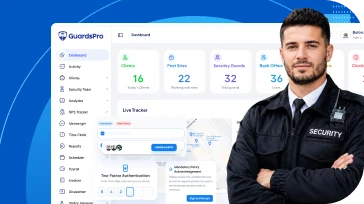
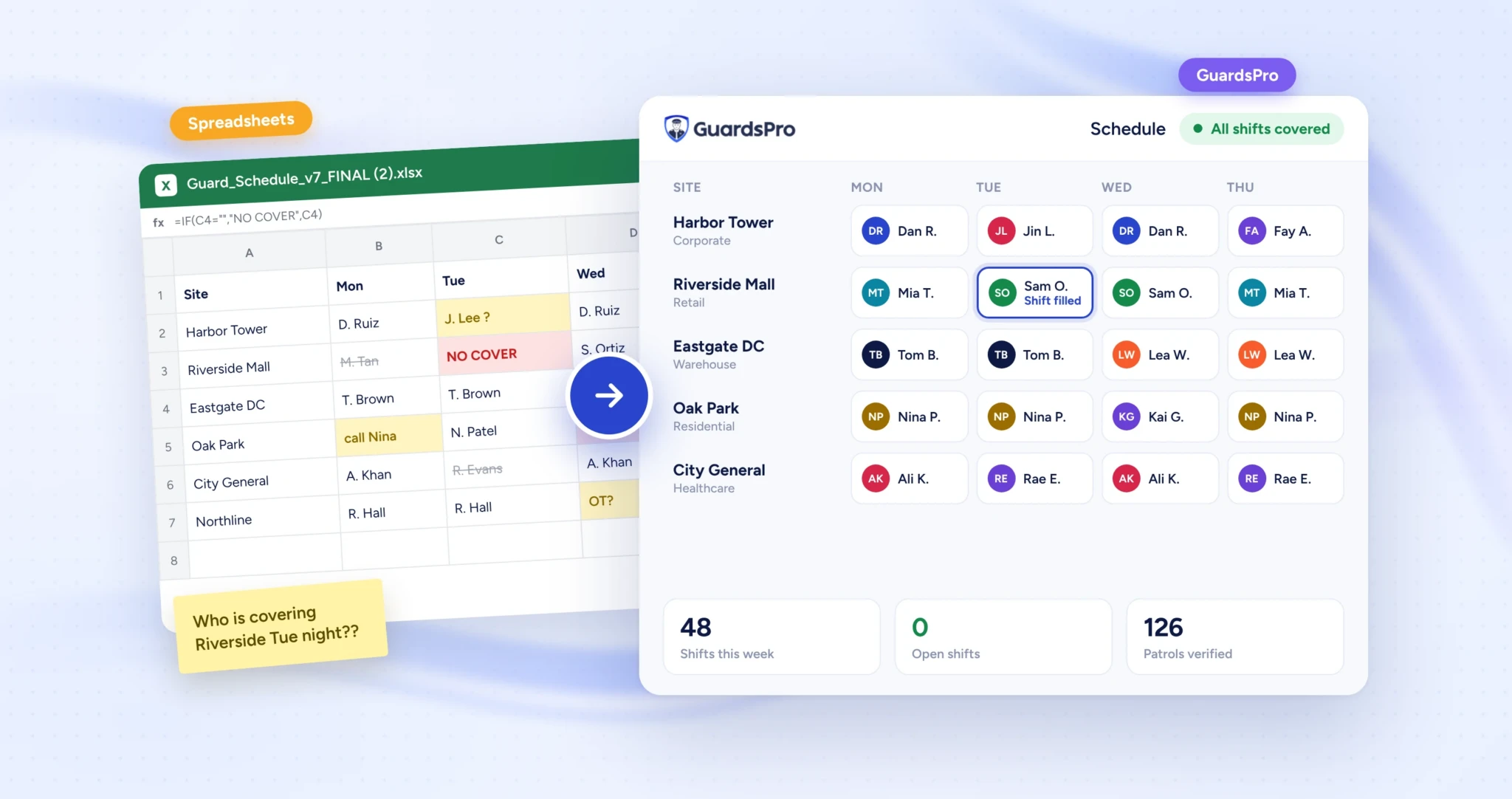
Almost every security company starts on spreadsheets. A schedule in Excel, a shared Google Sheet for timesheets, a folder of incident reports and a group chat for everything else. It is free, everyone knows how to use it and, for the first few guards and sites, it works.
Then the business grows. A second supervisor starts editing the schedule. A client asks for last month’s patrol records. A guard calls off at 5 a.m. and nobody can see who is free. The spreadsheet has not broken, but it has quietly become the most expensive tool you own.
This guide shows you how to tell when that moment has arrived, what spreadsheets really cost you, what to move first and how to switch to security management software without disrupting a single shift.
Quick answer: Switch when spreadsheets start costing you more time, money or client trust than software would. For most security companies that happens at around 15 to 25 guards, 3 or more sites, or more than one person editing the schedule. The clearest signs are conflicting file versions, frequent last-minute coverage gaps, reports collected by hand and clients asking for proof you cannot easily give.
Why Spreadsheets Work at First
Spreadsheets deserve credit. When you run a handful of guards on one or two sites, a simple grid of names, dates and shifts is fast to set up and easy to change. You know every guard personally, you talk to the client every week and you can hold most of the operation in your head.
The trouble is that spreadsheets were built for numbers, not for people working in the field. They do not know where a guard is, whether a patrol happened, who is qualified for a post or that a shift is about to go uncovered. As long as you can fill those gaps yourself, the spreadsheet looks fine. When you cannot, the gaps start showing up as overtime, missed posts and unhappy clients.
9 Signs You Have Outgrown Spreadsheets
You do not need all nine. If three or more sound familiar, the spreadsheet is already holding your company back.
1. There is more than one version of the truth
“Schedule_v7_FINAL” and “Schedule_v7_FINAL_new” are both open on different laptops. Supervisors copy the file to make changes, and guards are working from a screenshot sent two days ago. When nobody is sure which file is right, mistakes become a matter of time.
2. Shift changes eat your day
Every call-off starts a chain of phone calls and texts to find a replacement, then a manual update to the sheet, then another message to tell the site. If your schedulers spend more time chasing coverage than planning it, you have outgrown the tool.
3. You cannot see what is happening in the field
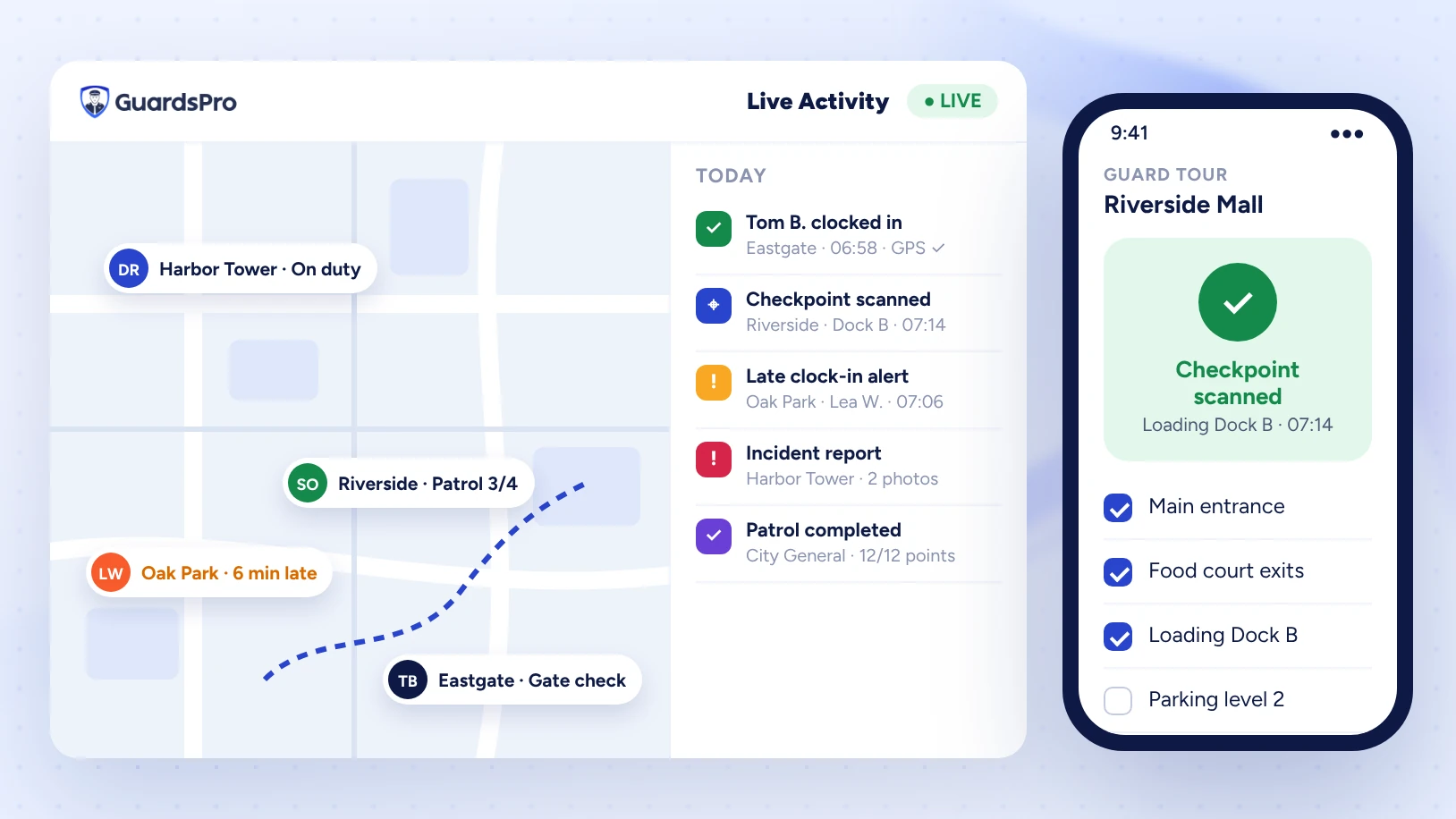
A spreadsheet tells you who should be on site, not who is. You find out a guard arrived late, skipped a patrol or left early only when a client complains. Without live check-ins, GPS and checkpoint scans, you are managing on trust and guesswork.
4. Reports are collected by hand
Daily activity reports arrive as paper forms, photos in WhatsApp or emails with attachments. Someone retypes them, formats them and sends them to the client days later. Reports that are late, inconsistent or missing photos weaken your position when something goes wrong.
5. Overtime surprises you at payroll
When hours live in a sheet, you only see overtime after it has happened. By then the shift is worked and the cost is fixed. Software warns you before you schedule a guard into overtime, while there is still time to choose someone else.
6. Clients want more visibility than you can give
Clients increasingly expect to see patrol proof, incident reports and post activity without calling your office. If every client request means digging through folders and building a PDF, you are spending margin on admin work and still looking slower than competitors who offer a client portal.
7. Compliance and licensing are tracked from memory
Guard licenses, training certificates and site-specific requirements expire on different dates. In a spreadsheet, nobody is reminded until a guard with an expired license is already on post. That is a legal and contract risk, not just an admin one.
8. Payroll and billing do not match the schedule
The schedule says one thing, the timesheets say another and the invoice says a third. Every month someone reconciles them by hand. Errors here cost you money twice: once in payroll and again in disputes with clients.
9. Growth adds admin faster than revenue
Each new contract should make you more profitable. If every new site means another tab, another supervisor working evenings and another chance for something to slip, your systems are capping your growth.
Quick Self-Check: Is It Time to Switch?
Tick each statement that is true for your company today.
| Statement | What it usually means |
|---|---|
| More than one person edits the schedule | Version conflicts and lost changes are likely |
| You fill at least one last-minute gap per week | Coverage depends on phone calls, not visibility |
| You cannot prove a patrol happened without asking the guard | Clients and insurers have to take your word for it |
| Reports reach clients more than 24 hours after a shift | Your service looks slower than it is |
| Overtime is found at payroll, not before the shift | Labor cost is out of your control |
| License or training expiry is tracked by memory or a separate sheet | Compliance risk on every post |
| You run 3 or more sites or more than 15 guards | Manual coordination grows faster than headcount |
The Hidden Cost of Staying on Spreadsheets
Spreadsheets look free because there is no invoice. The cost shows up as hours, overtime and lost contracts instead. Here is a simple way to estimate yours, using an example company with 25 guards across 6 sites. Replace the numbers with your own.
| Where time and money go | Example estimate |
|---|---|
| Building and fixing the schedule | 6 hours per week |
| Finding cover for call-offs | 4 hours per week |
| Collecting, retyping and sending reports | 5 hours per week |
| Reconciling timesheets for payroll and billing | 3 hours per week |
| Answering client requests for proof or reports | 2 hours per week |
| Total admin time | 20 hours per week, about 1,000 hours a year |
| Avoidable overtime (one extra shift a week at time and a half) | Often more than the cost of software on its own |
| One lost contract because of a missed post or late report | Months of revenue |
Expert Tip: Track admin time honestly for two weeks before you decide. Ask your schedulers and supervisors to note how long they spend on coverage, reports and timesheets each day. Real numbers make the decision, and the budget conversation, much easier.
Spreadsheets vs Security Management Software
| Task | Spreadsheets | Security management software |
|---|---|---|
| Scheduling | Manual grid, easy to double-book, hard to share | Drag-and-drop schedule with conflict and overtime warnings |
| Call-offs and open shifts | Phone calls and texts until someone says yes | Open shift sent to qualified, available guards in one click |
| Attendance | Guards report their own hours | GPS-verified clock-in and clock-out on the guard’s phone |
| Patrols | No proof unless the guard writes it down | Checkpoint scans with time and location |
| Reports | Paper, photos and emails retyped later | Incident and daily reports with photos, sent instantly |
| Client communication | PDFs and phone calls on request | Client portal with live reports and patrol history |
| Compliance | Separate list, checked when someone remembers | Licenses and training stored per guard |
| Growth | Every new site adds tabs and admin hours | New sites added in minutes with their own post orders |
What to Move First
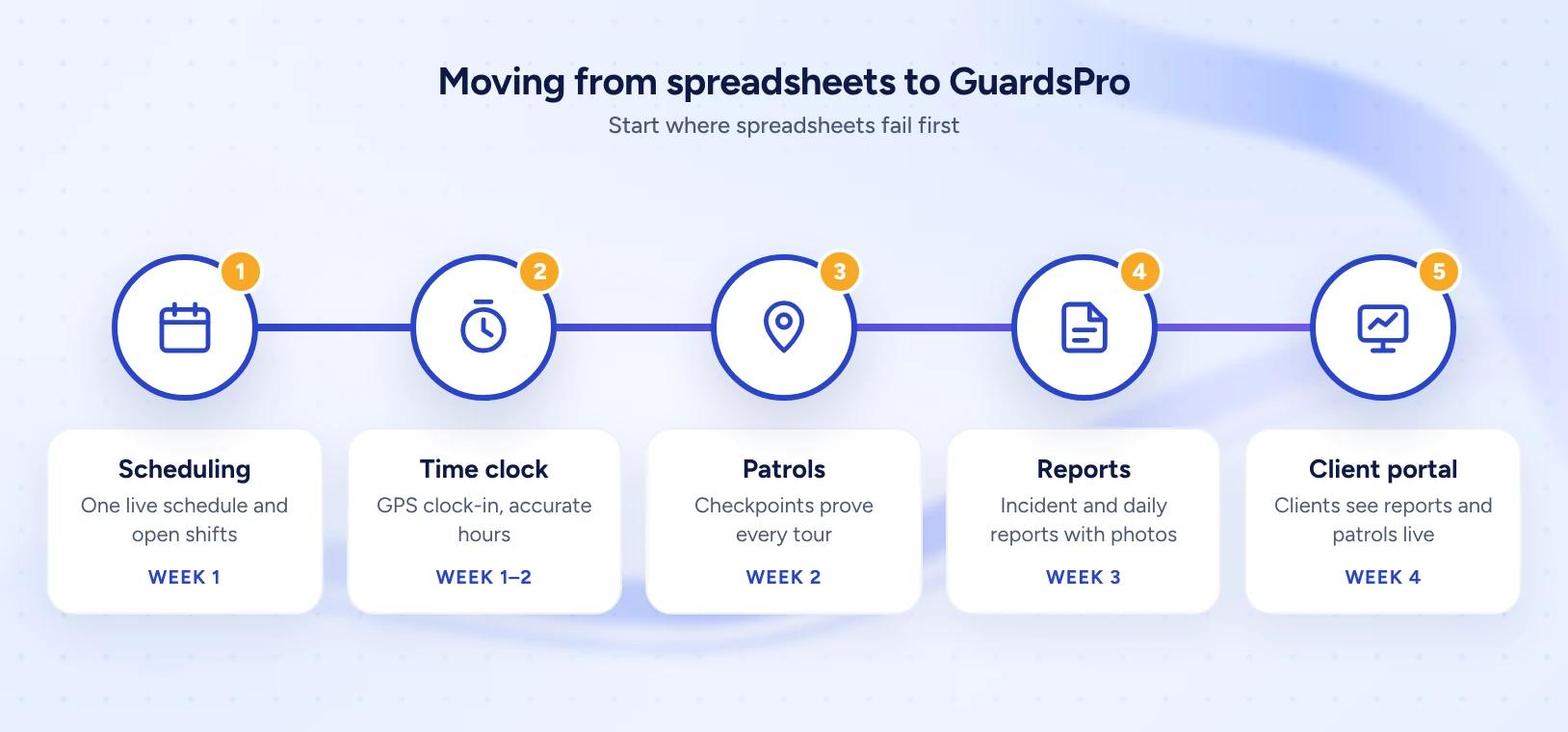
You do not have to move everything at once. Start with the workflows that change most often, involve the most people and depend on live information from the field. Those are where spreadsheets fail first and software pays off fastest.
- Scheduling and open shifts. The schedule changes daily and affects everyone. Moving it first removes version conflicts immediately.
- Time and attendance. GPS clock-in gives you accurate hours for payroll and shows you late arrivals in real time.
- Patrols and checkpoints. Proof of patrol is what clients ask for most, and the hardest thing to provide from a spreadsheet.
- Incident and daily activity reports. Standard forms on the guard’s phone make reports consistent, complete and fast.
- Client access. Once reports and patrols are digital, give clients a portal so they can see them without calling you.
How to Switch Without Disrupting Your Operation
A good switch takes about a month and runs alongside your current process until the team is comfortable. Here is a simple four-week plan.
| Week | What to do | Done when |
|---|---|---|
| Week 1: Set up | Add your sites, post orders, guards and their licenses. Import next month’s schedule. | Every site and guard is in the system |
| Week 2: Pilot | Run one site fully in the software, guards clock in and scan checkpoints on their phones. Keep the spreadsheet as a backup. | One full week of shifts with no gaps |
| Week 3: Roll out | Move the remaining sites. Train supervisors on open shifts and reports. Short guard briefings at shift change. | All guards have logged in and clocked a shift |
| Week 4: Switch off | Stop updating the spreadsheet. Invite clients to the portal and send the first reports from the new system. | The spreadsheet is archived, read-only |
Expert Tip: Choose a pilot site with a supportive client and at least one guard who is comfortable with apps. Early wins on that site will help convince the rest of the team.
Features to Look For in Security Management Software
Not every workforce tool is built for security. Look for software designed around guards, sites and clients, not just shifts.
Scheduling with open shifts
Build schedules fast, see coverage gaps and send open shifts to qualified guards who are available.
Guard mobile app
Clock in, read post orders, scan checkpoints and file reports from one app on the guard’s phone.
GPS and checkpoint tracking
Prove that patrols happened, where and when, with scans and location history.
Incident and daily activity reports
Standard forms with photos, signatures and timestamps that reach supervisors instantly.
Client portal
Give clients live access to reports, patrol history and incidents for their own sites.
Time clock and overtime alerts
Accurate hours for payroll and warnings before a shift pushes a guard into overtime.
How GuardsPro Replaces the Spreadsheet
GuardsPro is a security management platform that brings scheduling, guard tours, reporting and client communication into one system. This is how it maps to the jobs your spreadsheets do today.
| Spreadsheet job | In GuardsPro |
|---|---|
| Schedule tab per site | Scheduler with every site, shift and open shift in one view |
| Timesheet sheet | Guard Mobile App clock-in with GPS, approved hours in one place |
| Patrol log | Checkpoints and GPS tracking on every tour |
| Report folder | Incident and daily reporting with photos, sent in real time |
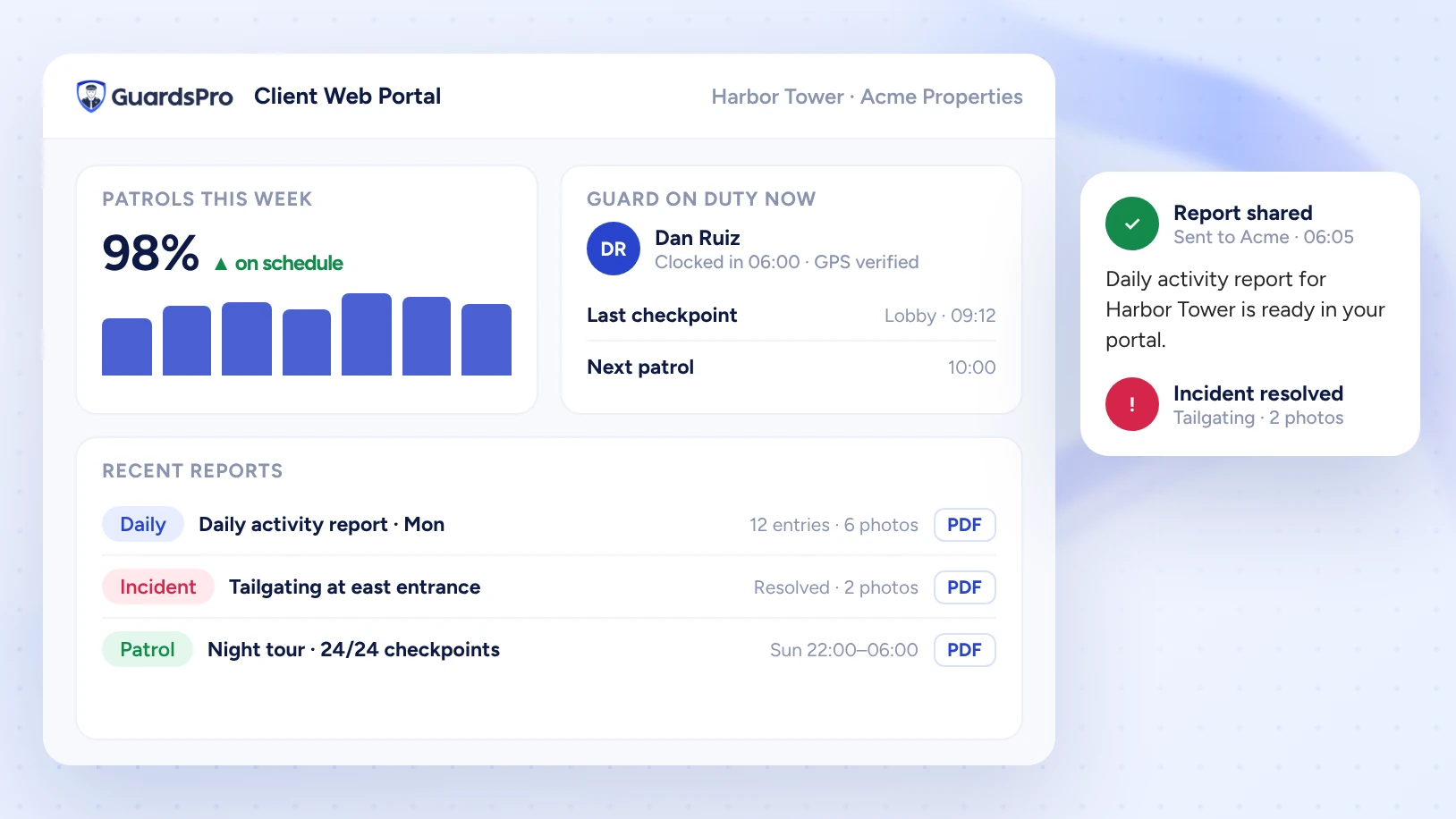
| Client email thread | Client Web Portal and Client App with live reports |
| Post order documents | Post orders attached to each site, shown to the guard on shift |
Want a closer look at the numbers behind the switch? Read how to reduce guard overtime without understaffing your sites, or compare tools in our guide to the best security workforce management software in 2026.
Common Mistakes When Moving Off Spreadsheets
- Moving everything on day one. Start with scheduling and attendance, then add the rest. Big-bang changes overwhelm guards.
- Copying the spreadsheet into the new tool. Use the switch to clean up sites, post orders and guard records instead of importing old mistakes.
- Skipping guard training. A ten-minute briefing at shift change does more than a long manual nobody reads.
- Running two systems forever. Set a date to make the spreadsheet read-only, or people will keep updating both.
- Forgetting the client. The portal is a selling point. Show it to clients and use it in renewals and new bids.
The Bottom Line
Spreadsheets are a fine way to start a security company and a poor way to grow one. The right time to switch is not when the spreadsheet finally breaks, but when it starts costing you more in admin hours, overtime and client trust than software would. For most companies that point comes earlier than they think.
Count your ticks on the self-check, estimate your hidden costs and start with the workflow that hurts most, usually scheduling. A month from now, you can be running every site from one screen.
Ready to switch? See your schedule, guards, patrols and reports in one place. Start your free 30-day GuardsPro trial or book a demo and we will help you move your first site off spreadsheets.
Frequently Asked Questions
When should a security company stop using spreadsheets?
When spreadsheets cost more in time, overtime and client trust than software would. Common triggers are more than one person editing the schedule, regular last-minute coverage gaps, reports collected by hand, clients asking for patrol proof, and growing past about 15 to 25 guards or 3 sites.
Is Excel good enough for security guard scheduling?
Excel can work for a small team on one or two sites. It cannot show live attendance, prove patrols, warn you about overtime or send open shifts to available guards, so it becomes risky and slow as the number of guards, sites and schedulers grows.
What is security management software?
It is software built for security companies that combines guard scheduling, time and attendance, guard tours and checkpoints, incident and daily activity reporting, and client communication in one system, usually with a mobile app for guards and a portal for clients.
How long does it take to switch from spreadsheets to software?
Most small and mid-sized security companies can switch in about four weeks: one week to set up sites and guards, one week to pilot a site, one week to roll out and one week to retire the spreadsheet.
Will my guards be able to use a guard app?
Yes, if the app is simple. Guards mainly need to clock in, read post orders, scan checkpoints and file reports. A short briefing at shift change is usually enough, and guards quickly prefer it to paper forms and phone calls.
Is security management software worth the cost for a small company?
Usually yes once you pass a few sites. Saving even a few admin hours a week and avoiding one overtime shift often covers the monthly cost, and client-facing features like live reports help you win and keep contracts.