[ez-toc]
Security companies manage multiple sites, guards, schedules, patrols, incidents, and client requirements at the same time. The challenge is not simply collecting all this information. It is knowing what is happening right now and identifying issues before they affect service delivery.
That is where a security operations dashboard becomes valuable.
A centralized dashboard gives security managers a real-time view of their workforce and field operations. Instead of switching between spreadsheets, phone calls, messaging apps, and separate systems, teams can monitor critical operational information from one place.
But what exactly should a security operations dashboard show?
From guard attendance and GPS locations to schedules, incidents, and reports, the right information can help managers respond faster and maintain better control over daily security operations.
What Is a Security Operations Dashboard?
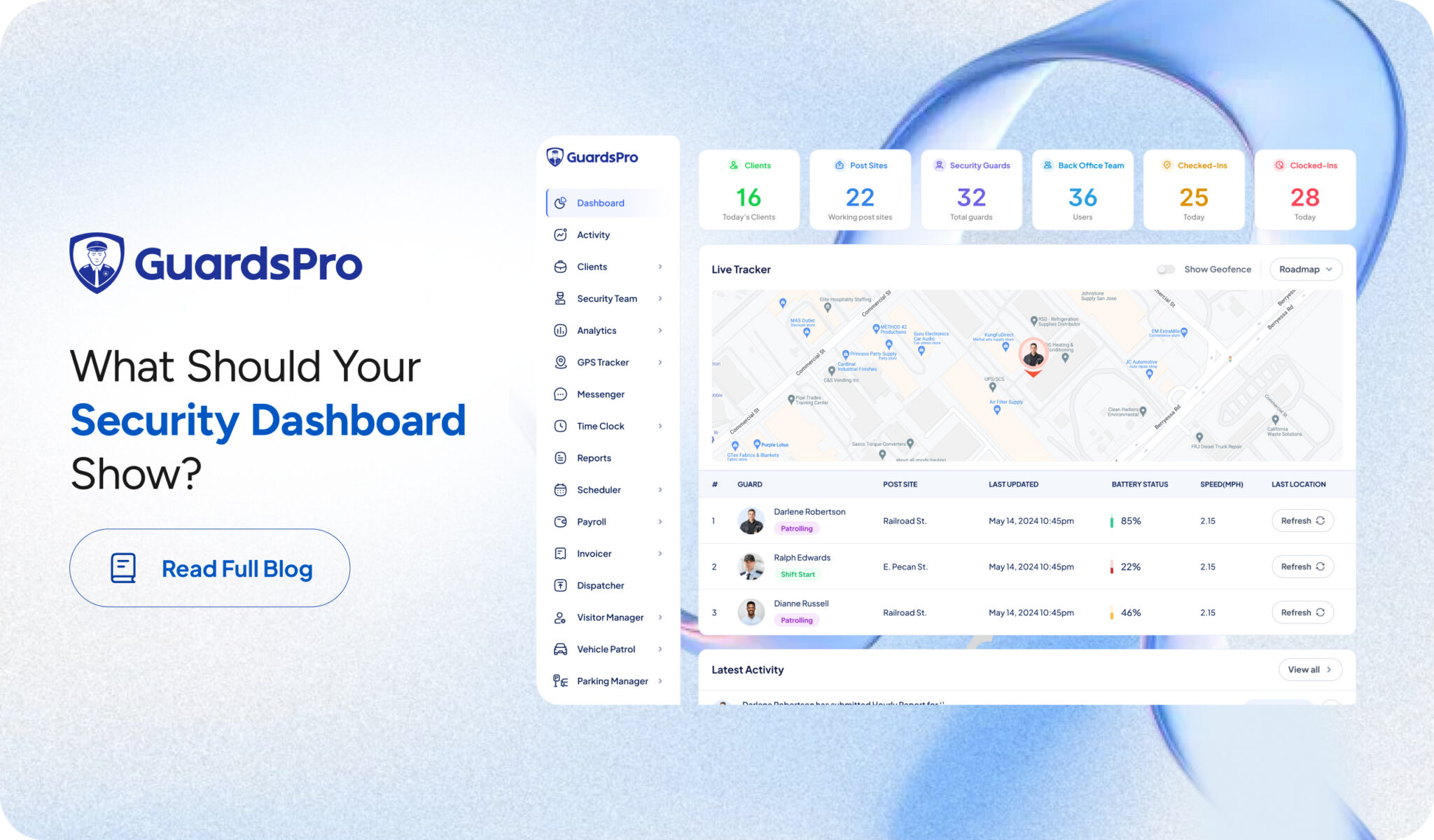
A security operations dashboard is a centralized interface that brings together important information about a security company’s workforce and field activities.
It can provide managers with visibility into areas such as:
- Guard attendance and time logs
- Guard locations and GPS activity
- Site assignments and schedules
- Patrols and site tours
- Incidents and security reports
- Tasks and operational activities
- Communication between office teams and guards
- Workforce performance and KPIs
Unlike static reports that show what happened in the past, a well-designed security management dashboard helps managers understand current activity and take action when something needs attention.
The goal is not to display every available data point. The goal is to put the information managers need most in front of them at the right time.
8 Things to Monitor on a Security Operations Dashboard
A dashboard should focus on information that helps managers make operational decisions. Here are eight areas worth monitoring in real time.
1. Guard Attendance and Time Logs
Knowing whether guards have arrived at their assigned sites is one of the most important parts of workforce management.
A security guard dashboard should provide visibility into attendance and time activity, including:
- Guards who have clocked in
- Guards who have not yet clocked in
- Clock-in and clock-out times
- Late arrivals
- Early departures
- Active shifts
- Time logged at individual sites
This gives managers an immediate understanding of workforce coverage.
For example, if a guard is scheduled to start at 8:00 AM but has not clocked in by 8:15, the operations team can investigate instead of discovering the missed shift hours later.
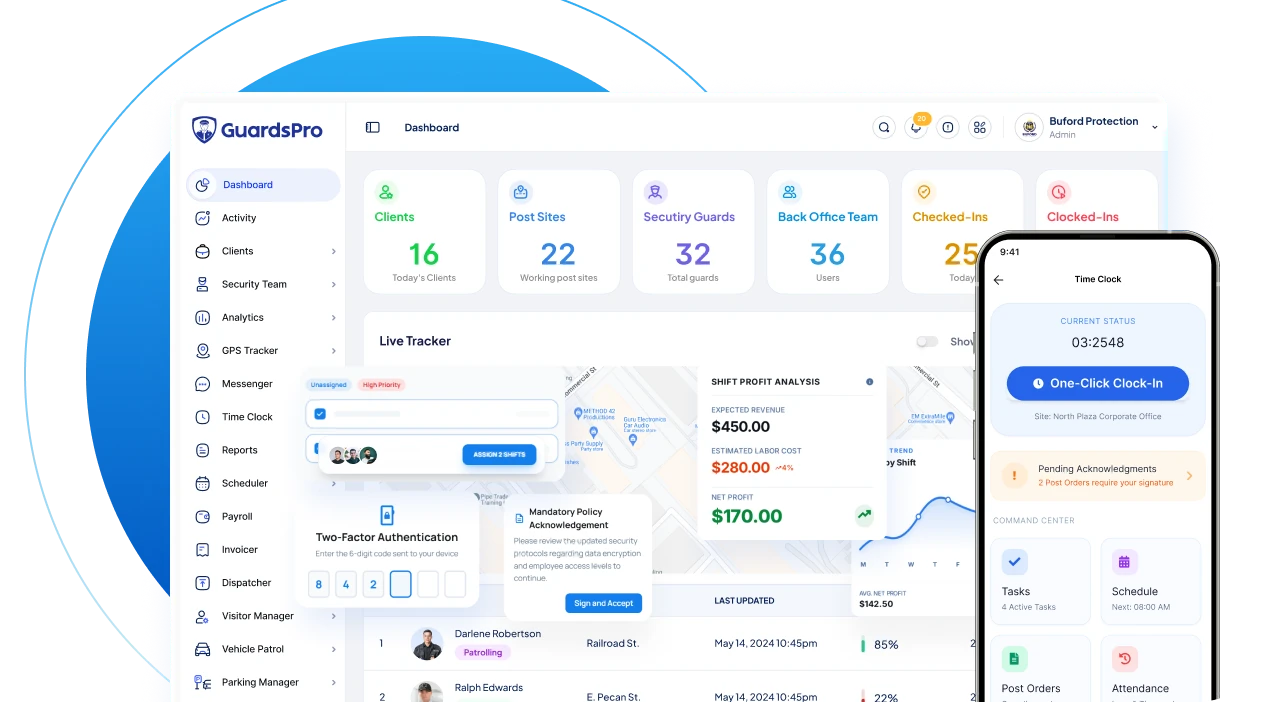
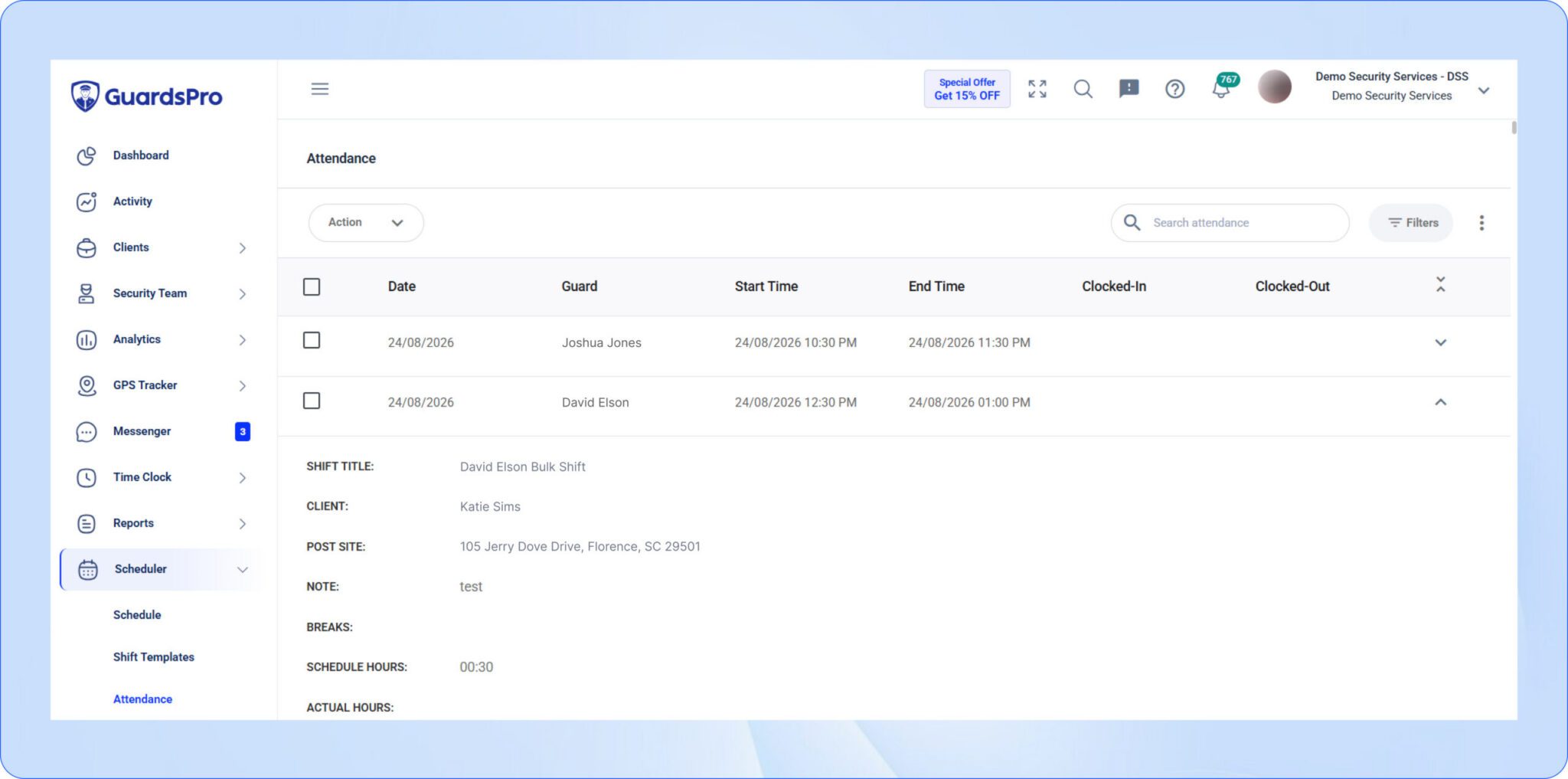
With GuardsPro, managers can monitor guard time logs and attendance from the Operations Dashboard, giving back-office teams a clearer view of workforce activity across their sites.
2. GPS Location and Guard Movement
For mobile security teams, knowing where guards are can be just as important as knowing whether they are working.
GPS tracking can provide visibility into guard locations and movement during active assignments.
A dashboard can help managers monitor:
- Current guard locations
- Assigned sites
- Movement between locations
- Location history
- Geofence activity
- Time spent at designated areas
This is particularly useful for mobile patrol teams and organizations responsible for multiple geographically distributed sites.
For example, if a guard is expected to remain within a designated site area but their location indicates otherwise, the operations team can investigate the situation quickly.
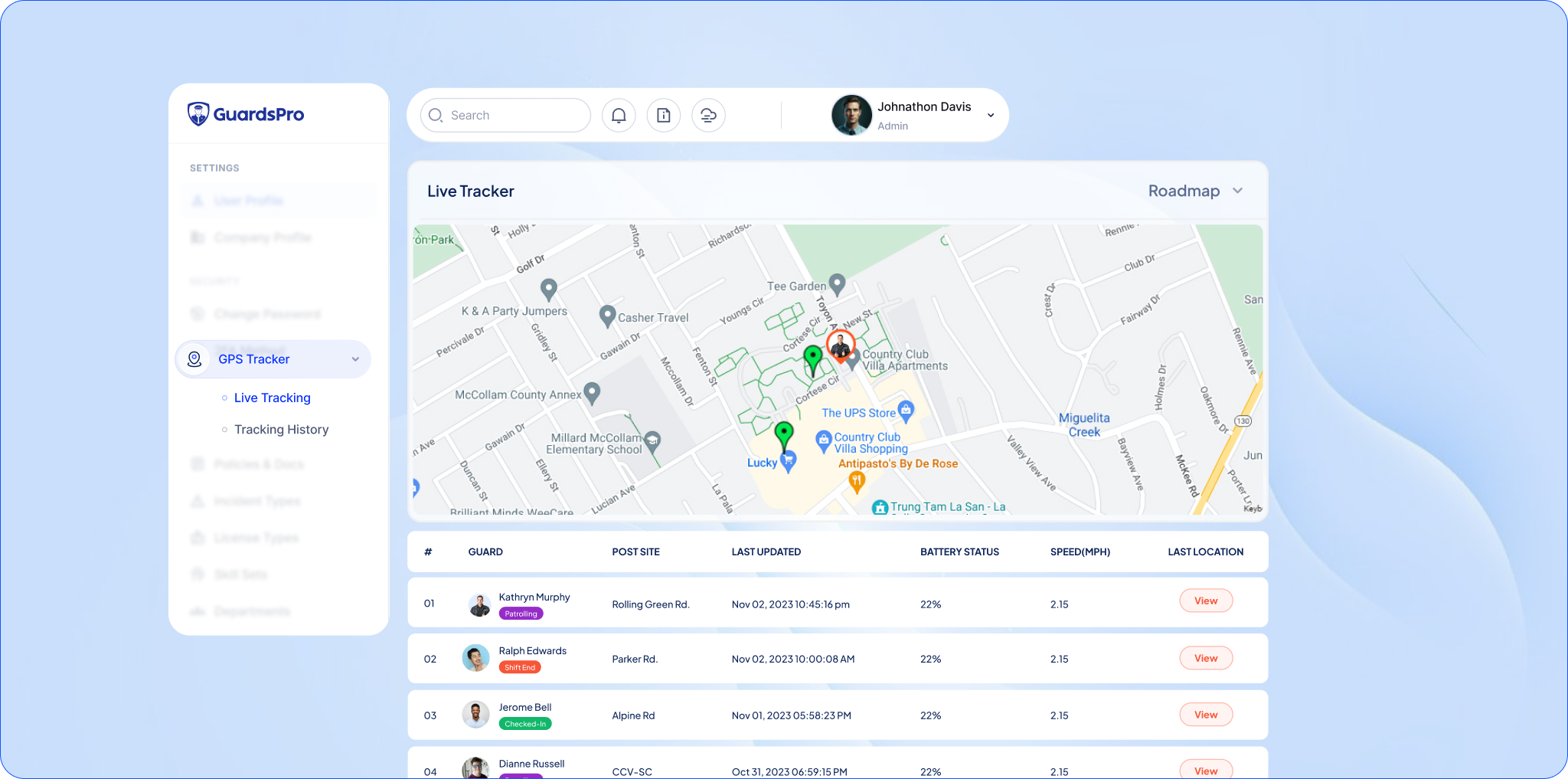
GuardsPro’s GPS tracking gives managers visibility into guard locations and field activity, helping them understand where their workforce is and maintain better oversight of mobile operations.
3. Schedules and Shift Coverage
A security company can have the right number of guards and still experience coverage problems if those guards are not assigned correctly.
A security operations dashboard should make it easy to see scheduled shifts and identify potential gaps.
Managers should be able to monitor:
- Upcoming shifts
- Active shifts
- Assigned guards
- Open shifts
- Shift coverage
- Schedule conflicts
- Changes to assignments
This is especially important when managing multiple client locations.
If a guard calls out unexpectedly, managers need to know which site is affected and whether another guard can be assigned. Having schedule information alongside other operational data makes that decision easier.
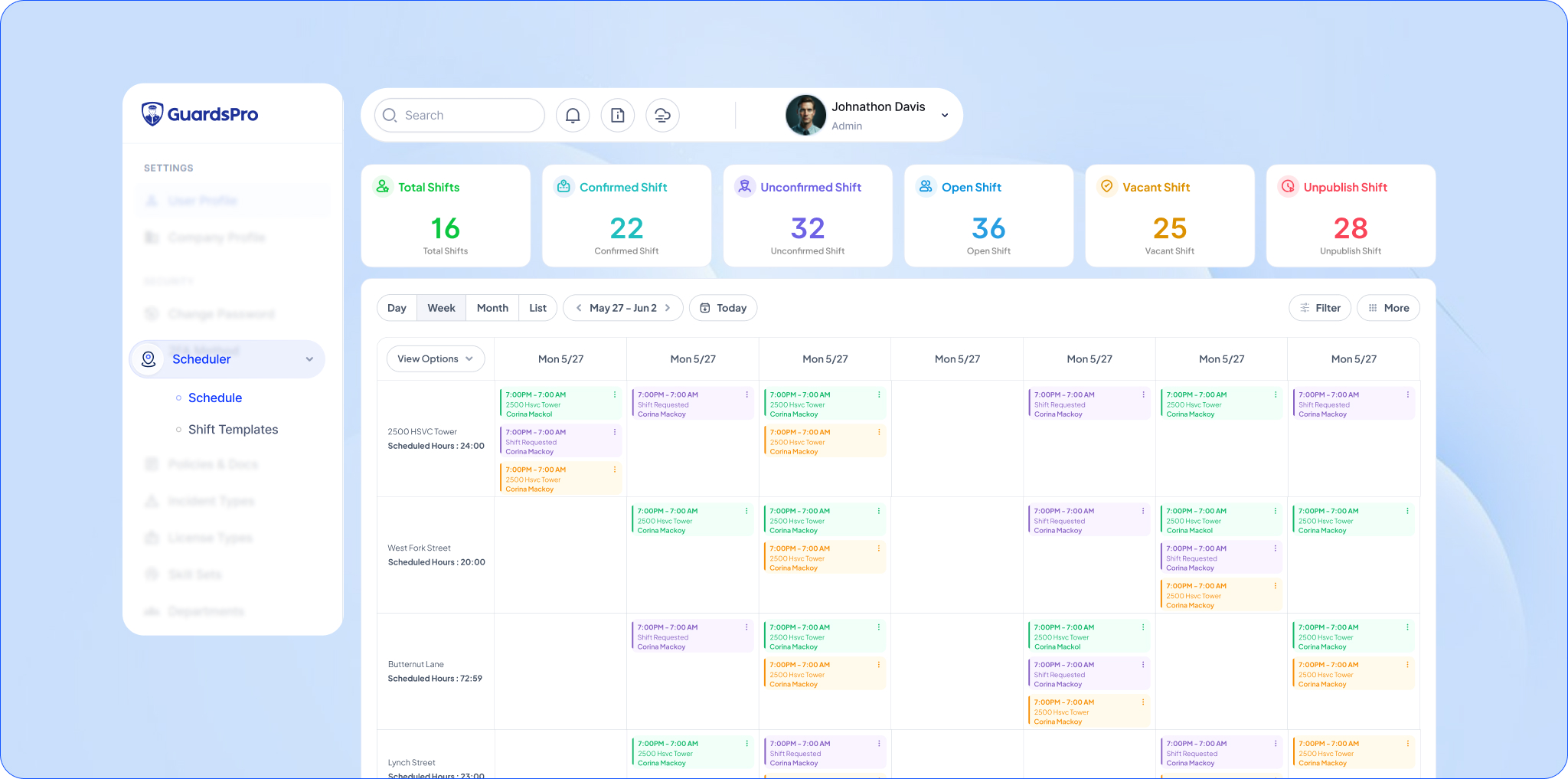
With GuardsPro’s Scheduler, security companies can manage schedules and workforce assignments while maintaining visibility into daily coverage.
4. Site Tours and Patrol Activity
Patrols and site tours are often essential parts of security service delivery.
Simply assigning a patrol is not enough. Managers need to know whether it actually happened and whether guards completed the required checkpoints or tasks.
A dashboard can provide visibility into:
- Scheduled site tours
- Active tours
- Completed tours
- Missed tours
- Checkpoint activity
- Tour completion times
- Patrol-related exceptions
This allows operations teams to identify incomplete activities while there is still time to respond.
For example, a missed checkpoint during an overnight patrol can be investigated immediately rather than being discovered during a review the following morning.
GuardsPro Site Tours gives security teams a way to manage and monitor patrol activities, helping managers maintain visibility into field activity across client sites.
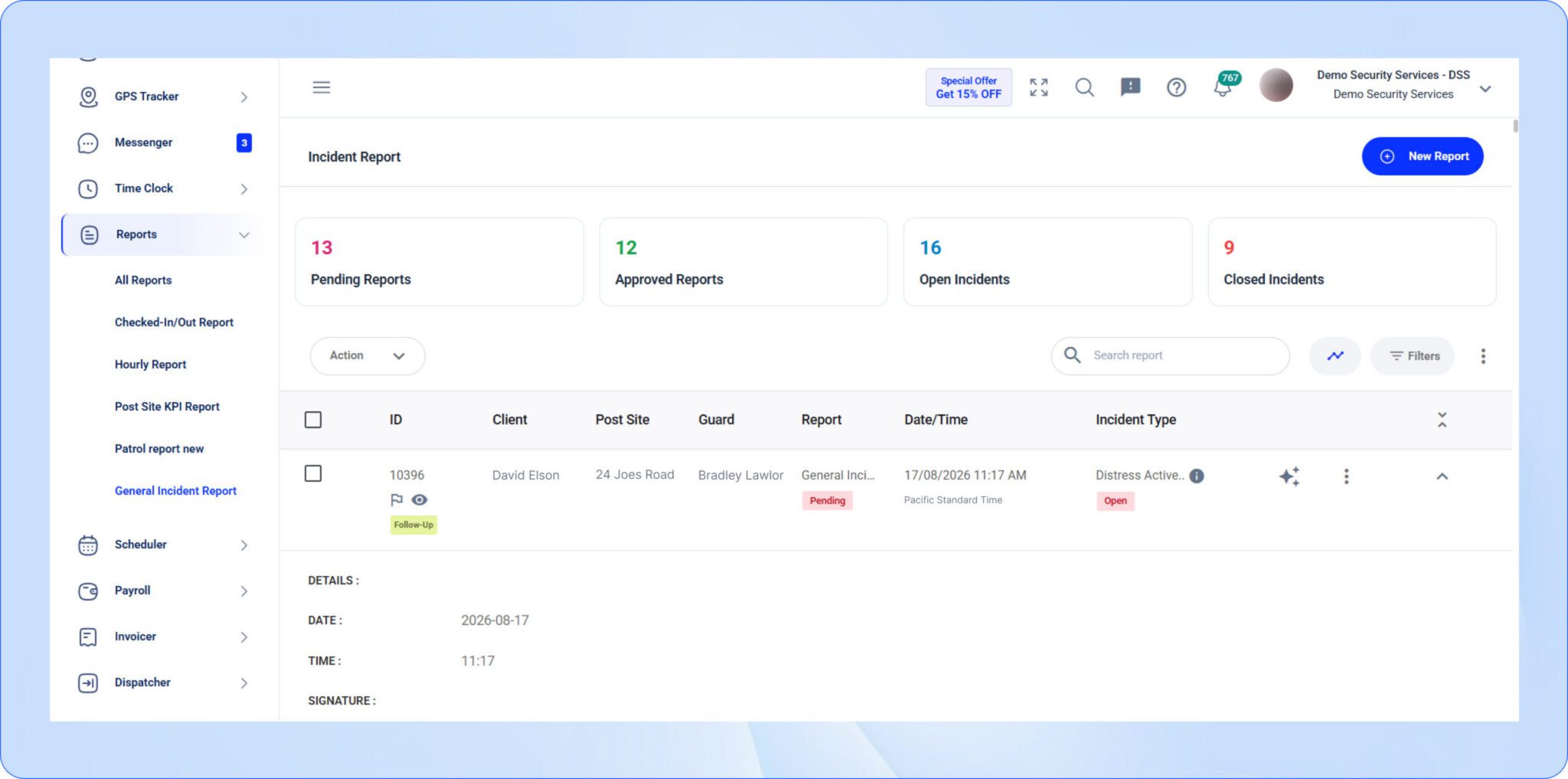
5. Incidents and Critical Events
Incident information deserves a prominent place on any security management dashboard.
Managers need to quickly understand when something happens, where it happened, and whether action is required.
Useful incident information can include:
- New incidents
- Incident type
- Site or location
- Reporting guard
- Date and time
- Incident status
- Supporting photos or attachments
- Follow-up requirements
A real-time view of incidents helps operations teams prioritize their response.
Instead of searching through individual reports or messages, managers can quickly identify new events and determine which ones require immediate attention.
GuardsPro brings reporting into the broader security operations workflow, allowing managers to access incident information alongside other workforce and site activity.
6. Reports and Field Activity
Security guards generate a large amount of information during their shifts, including hourly reports, activity reports, incident reports, pass-downs, and other site documentation.
A security operations dashboard can bring this activity into one view.
Managers can monitor:
- Recently submitted reports
- Missing reports
- Reports requiring review
- Activity by site
- Activity by guard
- Report trends
- Outstanding follow-ups
This helps bridge the gap between what happens in the field and what the back office can see.
It also makes it easier for managers to identify sites where reporting activity appears lower than expected or where additional follow-up may be needed.
GuardsPro’s reporting capabilities help security companies centralize field reports and give managers access to operational information without having to manually collect updates from individual guards.
7. Tasks and Operational Activities
Security operations involve more than shifts and patrols.
Guards may have specific tasks to complete during their assignments, while office teams may need to follow up on requests, incidents, or site activities.
A dashboard can provide visibility into:
- Assigned tasks
- Completed tasks
- Pending tasks
- Overdue activities
- Site-specific requirements
- Guard-specific assignments
When tasks are centralized, managers can see what needs attention without relying on separate spreadsheets or conversations.
This becomes particularly useful for companies managing complex client requirements across multiple locations.
By connecting workforce and field activities, GuardsPro helps teams manage these workflows within a single security operations environment.
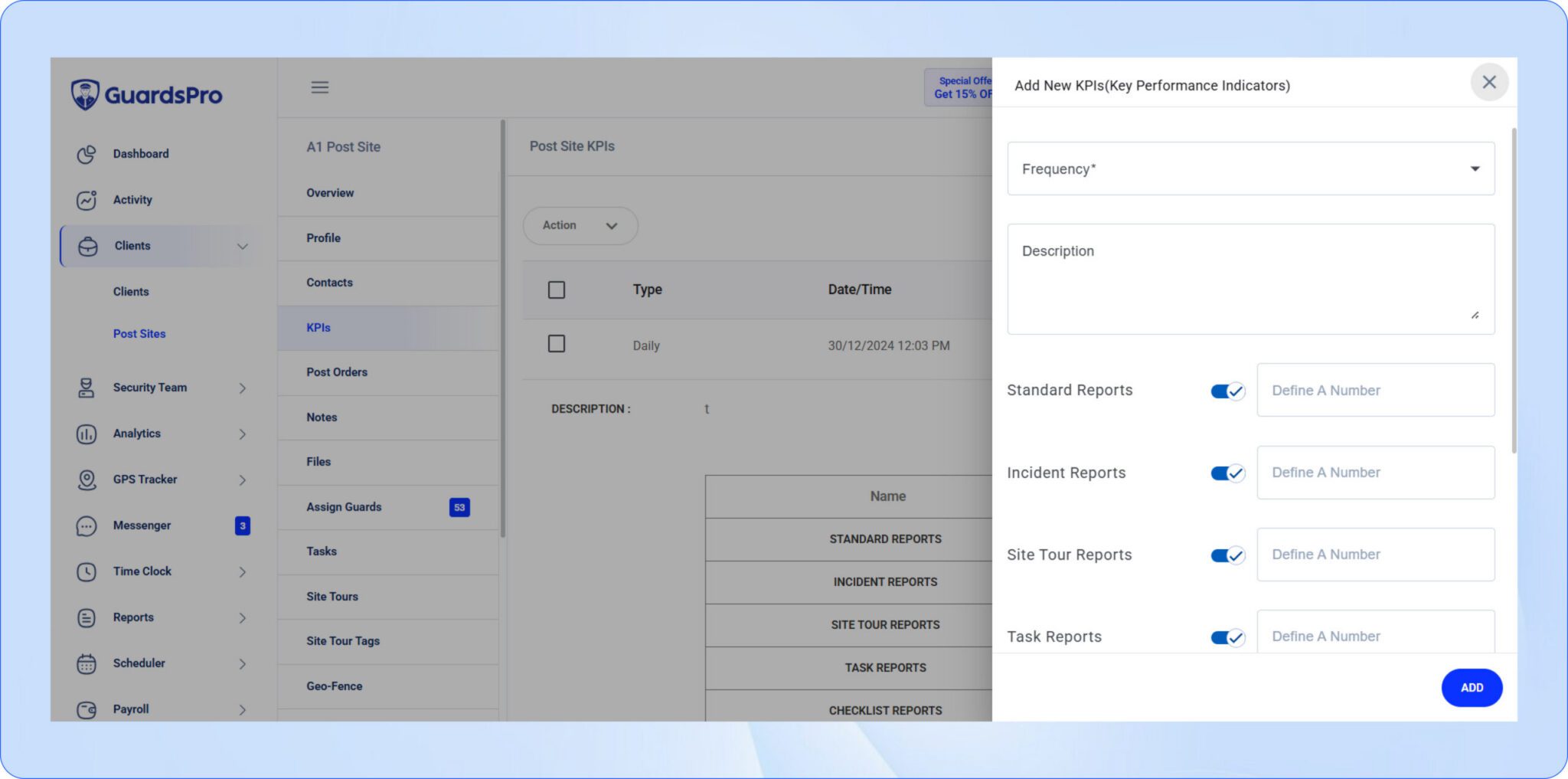
8. KPIs and Operational Trends
Real-time monitoring tells managers what is happening now. Historical data helps them understand whether operational performance is improving or declining.
A strong security workforce dashboard should therefore combine live operational information with relevant performance indicators.
Depending on the organization’s priorities, KPIs may include:
- Attendance rates
- Late arrivals
- Shift coverage
- Patrol completion
- Site tour completion
- Incident volume
- Report submission rates
- Guard activity
- Site performance
These metrics can help managers identify recurring problems.
For example, one missed patrol may be an isolated event. Repeated missed patrols at the same site may indicate a scheduling, staffing, training, or process issue.
GuardsPro provides operational reporting and KPI visibility that can help security companies move beyond individual events and identify broader workforce and site performance trends.
What Should a Security Operations Dashboard Look Like?
A dashboard should not overwhelm managers with information.
The most useful dashboards prioritize information according to operational urgency.
A practical layout could include:
Top-Level Overview
Start with high-level metrics that answer immediate questions:
- How many guards are currently active?
- How many shifts are covered?
- Are there attendance issues?
- How many incidents are open?
- How many patrols are active or completed?
Real-Time Operations
Next, provide live operational visibility such as:
- Guard locations
- Active shifts
- Current site activity
- Ongoing patrols
- New incidents
Alerts and Exceptions
Managers should be able to quickly identify situations requiring attention, such as:
- Missing clock-ins
- Missed patrols
- Open incidents
- Schedule gaps
- Geofence exceptions
- Overdue tasks
Detailed Data
Finally, managers should be able to drill into individual guards, sites, shifts, reports, and incidents when they need more context.
This creates a simple flow:
Overview → Identify an issue → Investigate → Take action
That is more useful than simply displaying a large collection of charts.
Why Real-Time Visibility Matters for Security Operations
Security operations can change quickly.
A guard may be late for a shift. A scheduled patrol may not have started. An incident may require immediate attention. A guard may leave a designated area, or a site may suddenly need additional coverage.
Without real-time visibility, managers may only discover these issues after a client reports them or after reviewing end-of-shift information.
A security operations dashboard gives teams an opportunity to identify these issues while there is still time to respond.
For example, if a scheduled guard has not clocked in, a manager can investigate the missing attendance and arrange coverage if necessary.
Similarly, if a required site tour has not been completed or a new incident has been submitted, the operations team can prioritize it without waiting for a later review.
For security companies managing dozens or hundreds of guards, this visibility becomes increasingly important as the workforce and number of client sites grow.
How GuardsPro Brings Security Operations Into One View
Managing security operations requires more than monitoring one metric.
Attendance, schedules, GPS tracking, site tours, incidents, reports, and workforce activity are all connected. When these workflows are managed separately, managers may have to piece together information to understand what is actually happening.
GuardsPro brings these workflows together through a centralized platform designed for security companies.
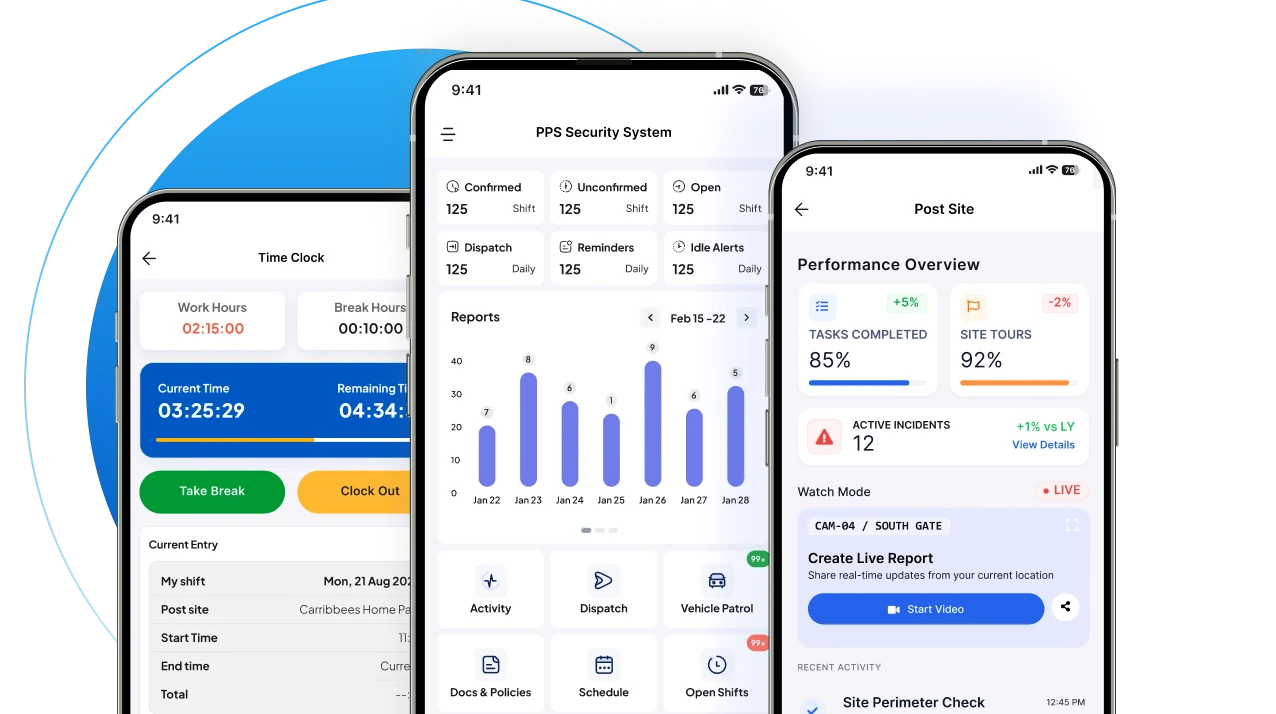
Through the GuardsPro Operations Dashboard, teams can access important operational information while using connected tools for:
- Guard management
- GPS tracking
- Time logs
- Scheduling
- Site tours
- Reporting
- Incident management
- Workforce KPIs
This connected approach helps reduce the need to manually gather information from different systems and gives managers a more complete view of their security operations.
The Goal Is Better Operational Awareness
A security operations dashboard is more than a collection of charts and numbers.
Its real purpose is to give security managers a clear answer to a simple question:
What is happening across my security operations right now?
The most valuable dashboards bring together the information that directly affects service delivery, including guard attendance, GPS locations, schedules, patrols, incidents, reports, tasks, and workforce performance.
When this information is centralized and updated in real time, managers can identify exceptions earlier, respond faster, and maintain better visibility across their sites.
For growing security companies, combining real-time monitoring with guard management software can provide the operational visibility needed to manage a distributed workforce more effectively.
GuardsPro brings these capabilities together in one platform, helping security companies connect their workforce, sites, and daily operations through a centralized operational view.
Want to give GuardsPro a try?
Start your free 30-day trial of GuardsPro today and experience how smarter systems simplify multi-site security.
Sign up within 15 days to unlock an exclusive 15% discount on your subscription.
Explore how GuardsPro helps security companies simplify operations, improve accountability, and manage every site from one platform.
Have questions or feedback?
Get in touch anytime; we’re here to help, and your input helps us keep improving for teams like yours.
Frequently Asked Questions
[saswp_tiny_multiple_faq headline-0=”h4″ question-0=”What is a security operations dashboard?” answer-0=”A security operations dashboard is a centralized interface that provides visibility into key security workforce and field activities, such as guard attendance, GPS locations, schedules, patrols, incidents, reports, and tasks.” image-0=”” count=”1″ html=”true”]
[saswp_tiny_multiple_faq headline-0=”h4″ question-0=”What should a security operations dashboard monitor?” answer-0=”A dashboard should monitor the information most relevant to daily security operations. This can include guard attendance, GPS tracking, shift coverage, site tours, patrol activity, incidents, reports, tasks, and workforce KPIs.” image-0=”” count=”1″ html=”true”]
[saswp_tiny_multiple_faq headline-0=”h4″ question-0=”Why is real-time monitoring important for security companies?” answer-0=”Real-time monitoring helps security managers identify operational issues earlier. For example, managers can identify missed clock-ins, incomplete patrols, or new incidents while there is still an opportunity to respond.” image-0=”” count=”1″ html=”true”]
[saswp_tiny_multiple_faq headline-0=”h4″ question-0=”What is the difference between a security guard dashboard and a security operations dashboard?” answer-0=”A security guard dashboard may focus primarily on guard-related information such as schedules, attendance, locations, and activity. A broader security operations dashboard can combine guard information with site activity, incidents, reports, tasks, and other operational data.” image-0=”” count=”1″ html=”true”]
[saswp_tiny_multiple_faq headline-0=”h4″ question-0=”Can a security operations dashboard track GPS locations?” answer-0=”Yes. Security platforms with GPS tracking can provide visibility into guard locations and movement, depending on the features and permissions available in the system.” image-0=”” count=”1″ html=”true”]
[saswp_tiny_multiple_faq headline-0=”h4″ question-0=”How does a dashboard improve security workforce management?” answer-0=”A dashboard centralizes workforce information and makes operational exceptions easier to identify. This can help managers monitor attendance, schedules, site coverage, patrols, and field activity more efficiently.” image-0=”” count=”1″ html=”true”]