Security Guard Client Portal: What It Is and Why Security Companies Need One
A client calls asking whether the overnight guard completed every scheduled patrol. Another wants a copy of an incident report from last week. A third wants to know who is scheduled at their property tonight.
Your operations team has the answers. The problem is that someone has to stop what they are doing, find the information, and send it.
Multiply those requests across dozens of clients and post sites, and client communication becomes another operational workload of its own.
That is where a security guard client portal changes the way security companies work with their clients.
Instead of making clients depend on calls, emails, attachments, and manually shared updates, a client portal gives them secure access to relevant information about their security operations whenever they need it.
For security companies, that means more than convenience. It can mean greater transparency, less administrative work, stronger accountability, and a better client experience.
What Is a Security Guard Client Portal?
A security guard client portal is a secure online platform that gives clients access to authorized information about the security services being delivered at their properties or post sites.
Think about how client communication traditionally works.
Guards perform their duties. They complete patrols, submit reports, check in and out, document incidents, and record other site activities. That information reaches supervisors and managers, who then share relevant updates with clients.
A client portal makes that last step much easier.
Rather than waiting for someone at the security company to manually send information, authorized clients can log in and access the data made available to them.
Depending on the security management platform, that can include:
- Daily activity and incident reports
- Guard schedules
- Site tour information
- Check-in and check-out activity
- GPS tracking information
- Post orders
- Visitor information
- Time logs and time cards
- Site activity and notifications
The goal is not to give clients unrestricted access to everything happening inside the security company. It is to give them convenient access to the information that matters to the services being delivered at their sites.
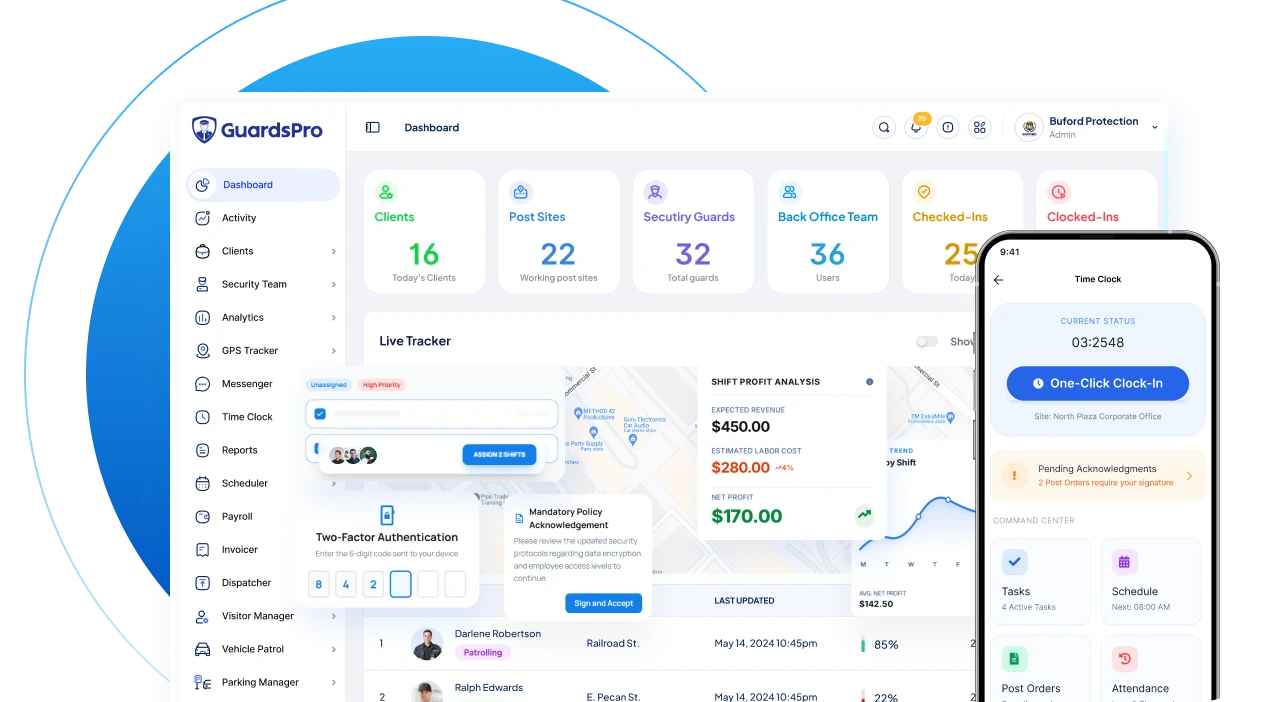
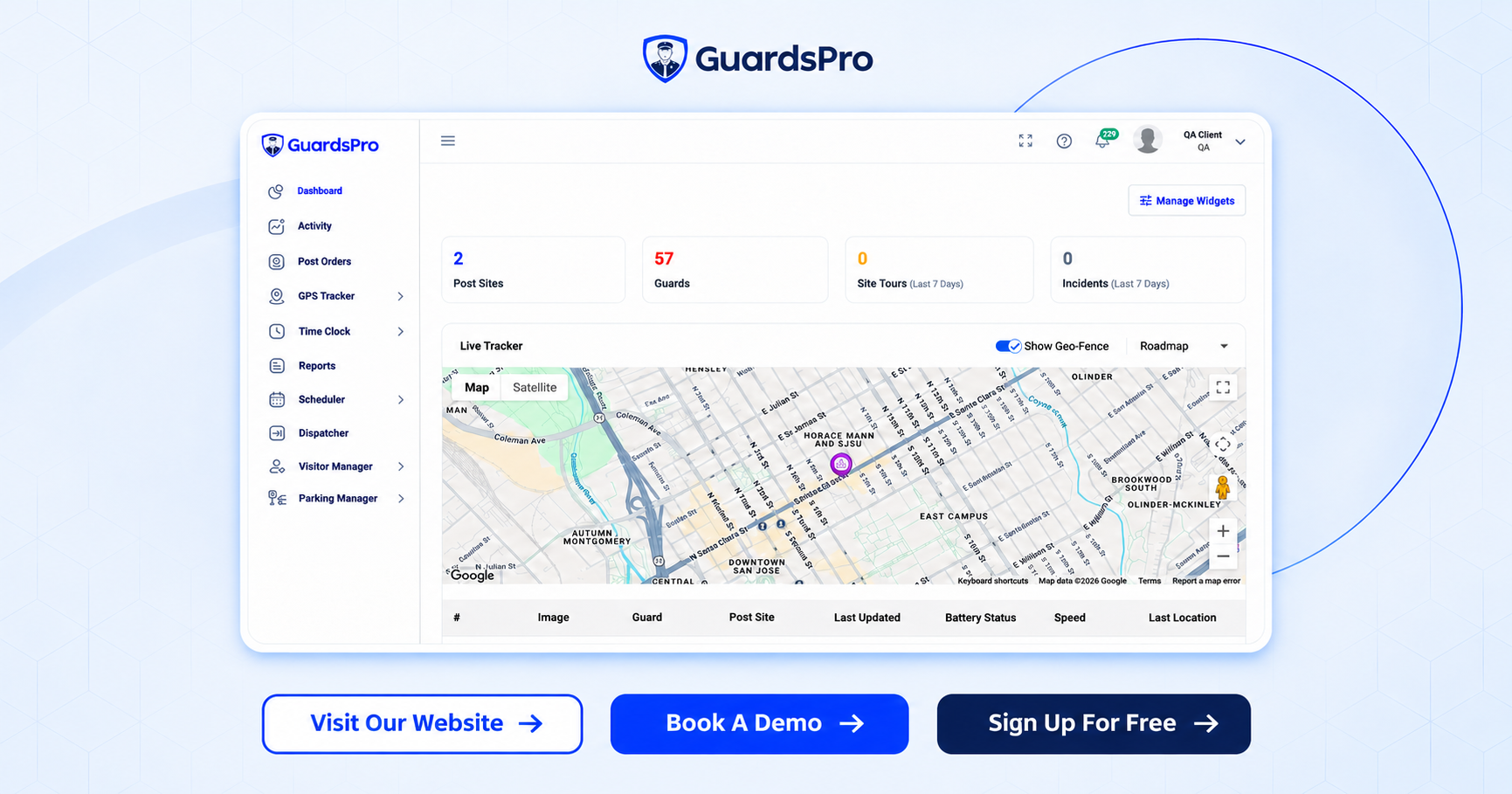
Platforms such as the GuardsPro Client Web Portal are designed specifically for this purpose, connecting clients to reports, schedules, site tours, notifications, and other relevant operational information through one portal.
How Does a Security Guard Client Portal Work?
A client portal typically works as part of a larger security guard management platform.
The field team continues performing its normal responsibilities. Guards complete tours, submit reports, check in, clock in, and document incidents using their assigned tools.
Supervisors and managers oversee those activities through their Operations Dashboard.
Relevant information can then be made available to authorized clients through their own portal.
Consider an incident at a commercial property.
A security guard discovers a damaged entrance during a patrol and submits an incident report with the necessary details and supporting evidence. The supervisor reviews the report. Once it is ready for the client, the information can be made accessible through the portal.
The client does not have to search through an email thread or ask the account manager to resend an attachment.
They have a dedicated place to review their security information.
That connected flow is one of the biggest advantages of using a broader security guard management platform instead of relying on separate systems for field operations and client communication.
Why Do Security Companies Need a Client Portal?
Providing good security service is only one part of maintaining a strong client relationship.
Clients also need to see and understand the service being delivered.
If guards are completing every required patrol but the client has no easy way to verify it, there is still a visibility problem.
If incidents are documented properly but reports take hours or days to reach the client, there is still a communication problem.
If supervisors spend significant time answering questions that the client could answer themselves, there is an efficiency problem.
A client portal helps address all three.
1. Give Clients Better Visibility Into Security Operations
Security services often happen outside the client’s direct view.
Property managers may not be present during overnight patrols. Corporate teams may oversee locations in different cities. A client responsible for several sites cannot physically observe what every guard is doing.
That makes operational visibility extremely important.
Through a client portal, clients can review relevant records and better understand what is happening across their sites.
Instead of asking, “Did the guard complete the patrol?” they can review the available site tour information.
Instead of wondering whether an incident occurred, they can review the relevant report.
Instead of relying entirely on verbal assurances, they have operational records to refer to.
That creates a more transparent relationship between the security provider and the client.
2. Reduce Routine Emails and Phone Calls
Client communication is important. Repetitive administrative communication is another matter.
Consider how many times an account manager or supervisor might receive requests such as:
“Can you resend yesterday’s report?”
“Who is working tonight?”
“Did the guard arrive on time?”
“Can you send me the incident report?”
“Were all the checkpoints completed?”
Each request may seem small. Across multiple clients, sites, and shifts, the workload grows quickly.
Giving clients self-service access to frequently requested information can significantly reduce this back-and-forth.
That does not eliminate the need for account managers. Instead, it allows them to spend more time discussing service quality, client concerns, coverage requirements, and operational improvements rather than repeatedly locating and forwarding information.
3. Make Reporting Easier for Clients to Access
Security companies generate a large amount of documentation.
Daily activity reports, incident reports, hourly reports, site tour reports, task reports, check-in records, and other logs can all play an important role in showing what happened at a client site.
The challenge is not always creating that information. It is making sure clients can actually access it when they need it.
The GuardsPro features include online reporting capabilities designed to help security teams collect operational information digitally, while the Client Web Portal extends relevant visibility to clients.\
This is especially important as security companies move away from paper-based processes.
As discussed in GuardsPro’s previously published article, Security Guard Reporting Software: Why Paper Reports Are Costing Your Company Clients, outdated reporting processes can create delayed reports, missing records, inconsistent documentation, and limited client visibility.
Moving reporting online solves part of the problem.
Giving clients a dedicated place to access that information solves another.
4. Strengthen Accountability With Operational Records
Clients want confidence that the services outlined in their contracts are actually being delivered.
Were guards present?
Were patrols performed?
Were scheduled tours completed?
Was an incident properly documented?
Was the site covered during the agreed hours?
Digital operational records make these questions easier to answer.
For example, GuardsPro’s guard tour system connects scheduling, attendance, site tours, and other field activities, creating records that help security teams monitor service delivery.
When relevant information is also available to clients, accountability becomes easier to demonstrate.
The conversation changes from:
“We completed the patrol.”
to:
“Here is the recorded activity from the site.”
That difference can matter when building long-term client trust.
5. Create a Better Client Experience
Your guards may be performing excellent work in the field, but the client’s experience with your company extends beyond what happens at the post site.
How quickly can they find a report?
How easy is it to check site activity?
Do they have to contact someone whenever they need information?
Can multiple authorized people access the information they need?
How quickly can they understand what happened after an incident?
These interactions shape how easy your company is to work with.
A client portal gives customers more independence. They can access relevant information on their schedule instead of waiting for your operations team to respond.
That convenience becomes even more important for clients managing several locations or stakeholders.
6. Support Growth Without Multiplying Administrative Work
Manual communication may be manageable when a security company has a small client base.
As the company grows, the same process becomes much harder to sustain.
Ten clients asking for reports is one thing.
Fifty clients, each managing several post sites and requesting reports, schedules, patrol updates, and incident information, creates an entirely different workload.
Hiring more staff simply to handle information requests is not always the best answer.
Technology allows the communication process to scale alongside the business.
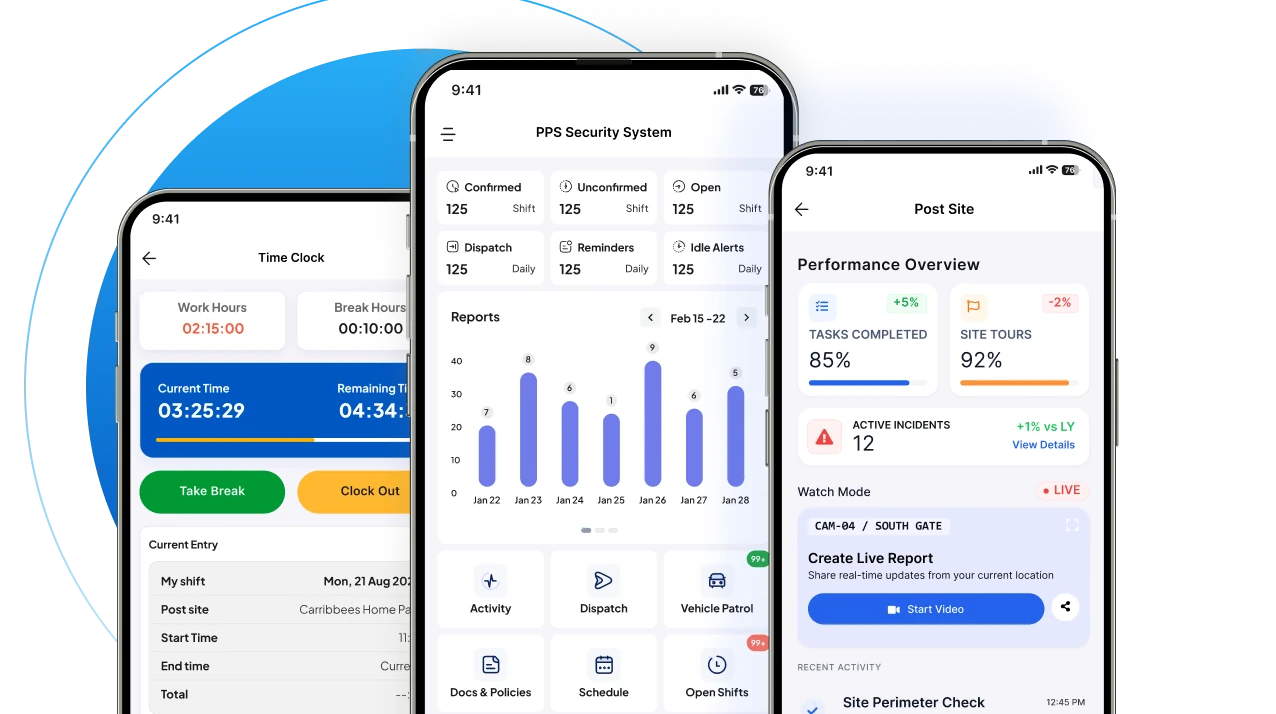
GuardsPro brings multiple security management capabilities into one connected system. Security companies evaluating how these tools work together can explore the wider GuardsPro product capabilities, including reporting, tracking, scheduling, the Client Web Portal, the Client App, and other operational tools.
A connected system means information created during everyday operations can also support client visibility without requiring teams to duplicate the same work.
What Should Clients Be Able to Access?
Not every client needs access to the same information.
The right client portal should provide useful visibility while allowing security companies to maintain appropriate permissions and control.
Here are some of the capabilities that can make a client portal particularly valuable.
Security Reports
Reports are often the client’s clearest record of what happened at a property.
A portal can provide access to daily activity reports, incident reports, hourly reports, site tour reports, and other relevant documentation.
Clients can review current information while retaining access to historical records when they need to investigate an event or review past performance.
Guard Schedules
Clients often want reassurance that their sites will be properly covered.
Schedule visibility allows them to review planned shifts and understand upcoming security coverage.
In GuardsPro, clients can view schedules and can also request additional shifts for special coverage through the Client Web Portal.
Guard Activity
A list of scheduled guards tells clients who should be working.
Activity information helps show what is actually happening.
Depending on permissions and configuration, clients using GuardsPro can review recent activities such as check-ins and check-outs, clock-ins and clock-outs, completed site tours, and submitted reports.
Site Tour Information
Clients paying for regular patrols want to know whether those patrols happened.
Site tour records can provide information about completed and missed tours, tour duration, checkpoints, and related details.
This makes patrol activity easier to verify without requiring a supervisor to manually prepare an update every time.
Tracking Information
Location visibility can provide additional context about guard activity at a site.
GuardsPro’s GPS tracking capabilities allow security operations to monitor guard location and movement, while relevant tracking information can also be made available to clients through GuardsPro’s client-facing tools.
Post Orders
Post orders define what guards are expected to do at a particular location.
Giving clients visibility into relevant post orders helps create a shared understanding of site-specific procedures and expectations.
Visitor and Site Information
For security operations that also manage visitors, having related information available through the same connected environment can provide clients with a broader view of activity at their properties.
How a Client Portal Changes Client Communication
A client portal should not replace communication between a security company and its clients.
It should improve it.
There will always be situations that require direct conversations. A serious incident, service concern, staffing change, new security requirement, or performance review should not be reduced to a dashboard notification.
But routine information does not always require a phone call.
That distinction is important.
When clients can answer basic operational questions themselves, conversations with account managers can focus on issues where human communication actually adds value.
Instead of spending a meeting tracking down reports, teams can discuss patterns found in those reports.
Instead of repeatedly confirming whether patrols occurred, they can discuss how patrol strategies could be improved.
The portal provides information. Your team provides expertise.
That creates a much stronger client relationship than simply sending more emails.
What to Look for in a Security Guard Client Portal
Not every portal will provide the same level of value.
Security companies evaluating client portal software should look beyond whether the platform simply has a client login.
Consider whether the portal offers:
- Secure, permission-based access
- Easy navigation
- Access to relevant reports
- Guard activity visibility
- Schedule information
- Site tour records
- Tracking information
- Historical data
- Multiple-user access
- Mobile accessibility
- Integration with the rest of the security management platform
Integration is particularly important.
If employees need to manually copy information from the security management system into a separate client portal, the company has simply created another administrative task.
A connected platform allows data already being generated during security operations to become useful for client visibility as well.
Cost and scalability should also be considered when comparing solutions. Security companies can review GuardsPro pricing and available modules to understand how different operational capabilities can fit their requirements.
How GuardsPro Keeps Clients Connected
GuardsPro provides a dedicated Client Web Portal that connects clients with important information about the security services being delivered at their locations.
Depending on enabled modules and user permissions, clients can access information including reports, schedules, post orders, site tours, guard monitoring, visitor and vehicle information, and other operational data.
Security companies also retain control over client access, while clients can manage access for multiple authorized users where applicable.
This creates a connected flow across the security operation.
Guards perform and document work in the field.
Managers oversee activity through the Operations Dashboard.
Clients receive appropriate visibility through client-facing tools.
Rather than maintaining separate communication systems for every part of the operation, relevant information stays connected.
Give Clients Visibility Without Adding More Work
Security companies will always need strong communication with their clients.
But strong communication should not mean manually sending every report, answering every routine status request, or searching for operational records every time a client needs information.
A security guard client portal gives clients a clearer window into the services being delivered while helping security companies reduce repetitive administrative work.
The result is a better balance.
Clients gain greater transparency and easier access to information. Operations teams retain oversight and control. Account managers can focus on meaningful client conversations instead of routine information requests.
And as the security company grows, client communication can grow with it.
GuardsPro brings reporting, guard activity, schedules, tracking, site tours, post orders, and client visibility together within one security management platform.
Ready to see what that could look like for your security company?

Want to see the platform in action first? Book a GuardsPro demo and explore how the platform can fit into your security operations.
Have questions about your requirements? Contact GuardsPro to speak with the team.
Frequently Asked Questions
What is a security guard client portal?
A security guard client portal is a secure online platform that gives security company clients access to authorized information about their sites and security services. This can include reports, schedules, guard activity, patrol information, tracking history, post orders, and other operational records.
Why do security companies need a client portal?
A client portal can improve transparency, reduce repetitive client requests, make security information easier to access, and help companies demonstrate the services being delivered at client sites. It can also make client communication easier to scale as the business grows.
What information can clients see in a security guard client portal?
Available information depends on the software, enabled modules, and user permissions. It can include incident and daily activity reports, guard schedules, check-in and check-out activity, site tour records, GPS tracking information, post orders, visitor information, and time records.
Can clients view security reports online?
Yes. A client portal can allow authorized clients to access security reports digitally rather than depending entirely on reports sent manually through email or other channels.
Can a client portal show whether guards completed their patrols?
Depending on the security management system, clients can access site tour or patrol records showing information about completed tours and checkpoints. This provides additional visibility into whether expected patrol activity was carried out.
Is client portal access secure?
A client portal should use controlled user access and permissions so clients only receive access to information relevant to their organization and sites. Security companies should review the access controls offered by any platform they are considering.
Does a client portal replace account managers?
No. A client portal handles access to routine operational information, but account managers still play an important role in discussing service performance, concerns, changing requirements, incidents, and the overall client relationship.
Does GuardsPro have a client portal?
Yes. GuardsPro provides a Client Web Portal that gives authorized clients access to security information based on enabled features and permissions. GuardsPro also offers a Client Mobile App for accessing relevant security operations from mobile devices.