An effective report should answer six questions: Who, What, When, Where, Why, and How.
However, the reason behind an incident should only be included when supported by verified information.
| Information | What to Record |
|---|---|
| Date and Time | When the incident occurred or was discovered |
| Location | Exact post site and incident location |
| People Involved | Names, roles, or relevant descriptions |
| Incident Description | Factual account of what happened |
| Actions Taken | Steps taken by security personnel |
| Witnesses | Relevant statements and details |
| Evidence | Photographs, videos, or supporting records |
| Outcome | Current status and required follow-up |
Using a standardized security guard incident report template helps ensure these details are recorded consistently.
With GuardsPro’s reporting capabilities, security companies can use different incident report types and custom reporting forms to capture information relevant to each situation.
How to Write a Security Guard Incident Report: Step by Step
Understanding how to write a security incident report is essential for producing reliable documentation.
Step 1: Record the Basic Details
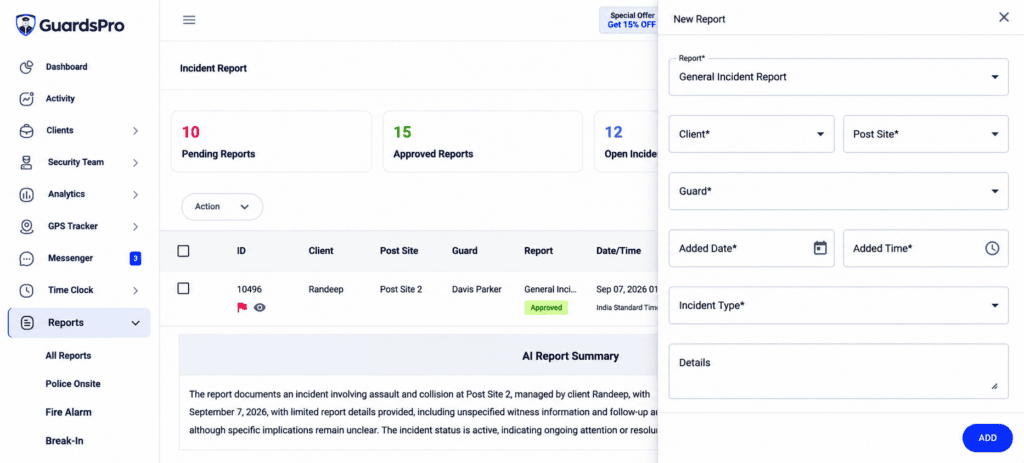
Start with the incident date, time, location, and reporting guard’s information.
Instead of writing, “Someone was seen near the building late at night,” write:
“At approximately 11:42 PM, an unidentified individual was observed near the east service entrance.”
Digital reporting tools such as GuardsPro help keep incident records organized with relevant report details and submission information.
Step 2: Describe Events Chronologically
Explain what happened in the order it occurred, focusing on observable behavior.
Replace “The individual was acting aggressively” with “The individual raised their voice, struck the reception counter, and refused repeated requests to leave.”
GuardsPro’s AI Assist can help guards improve the clarity and grammar of their report descriptions. However, guards should always verify the final text to ensure it accurately reflects the incident.

Step 3: Document the Response
Describe the actions taken, including contacting supervisors, securing the area, assisting individuals, or requesting emergency services.
Include relevant timestamps whenever possible.
With GuardsPro, guards can submit incident reports through the Guard App, allowing supervisors to review the documented response through the Operations Dashboard.
Step 4: Include Evidence and Witness Information
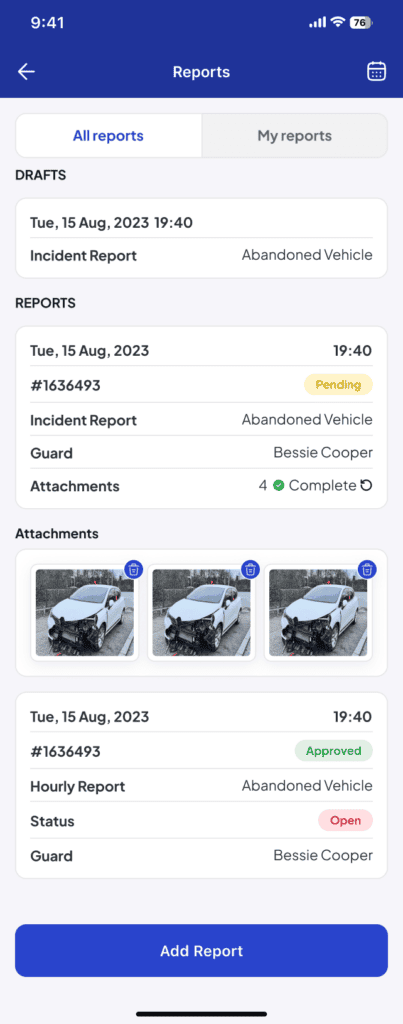
Attach relevant photographs, videos, or supporting records when permitted. Clearly distinguish personal observations from witness statements.
The GuardsPro Guard App allows guards to include supporting media with reports, keeping incident descriptions and relevant evidence together.
Step 5: Record the Outcome and Review
Explain whether the situation was resolved, referred to management, or requires further action.
Before submitting, verify names, timestamps, descriptions, and other important details.
Once submitted through GuardsPro, reports remain accessible to authorized supervisors for review and follow-up.
Incident Report Best Practices for Security Companies
Following consistent incident report best practices helps security companies improve documentation quality.
Use Standardized Templates: Ensure guards capture essential information consistently.
Write Objectively: Separate verified facts, direct observations, and witness statements.
Report Promptly: Complete documentation after addressing immediate safety concerns.
Review Before Submission: Check for missing information and unclear descriptions.
Protect Sensitive Information: Follow company procedures for storing and sharing incident records.
Analyze Recurring Incidents: Identify patterns that may require changes to security procedures.
For companies managing multiple post sites, centralized reporting also makes it easier to review incidents across different locations. GuardsPro’s Operations Dashboard helps supervisors access submitted reports, while reporting analytics can provide insights into incident activity and trends.
Accurate reporting also improves the information clients receive. Beyond documenting an event, reports should clearly communicate the response and outcome.
For a closer look at what makes security documentation valuable to clients, read our previously published article, What Clients Want to See in Security Guard Service Reports.
How GuardsPro Simplifies Security Incident Reporting
Writing an accurate report is important. Making that information accessible to the right people is equally essential.
GuardsPro connects field reporting with management oversight, helping security companies reduce paperwork and maintain organized incident records.
Through the GuardsPro security management platform, guards can submit incident reports from the field, attach supporting media, and use reporting formats suited to different incidents.
Supervisors can access submitted reports through the Operations Dashboard, while authorized clients can review relevant reports through the GuardsPro Client Portal.
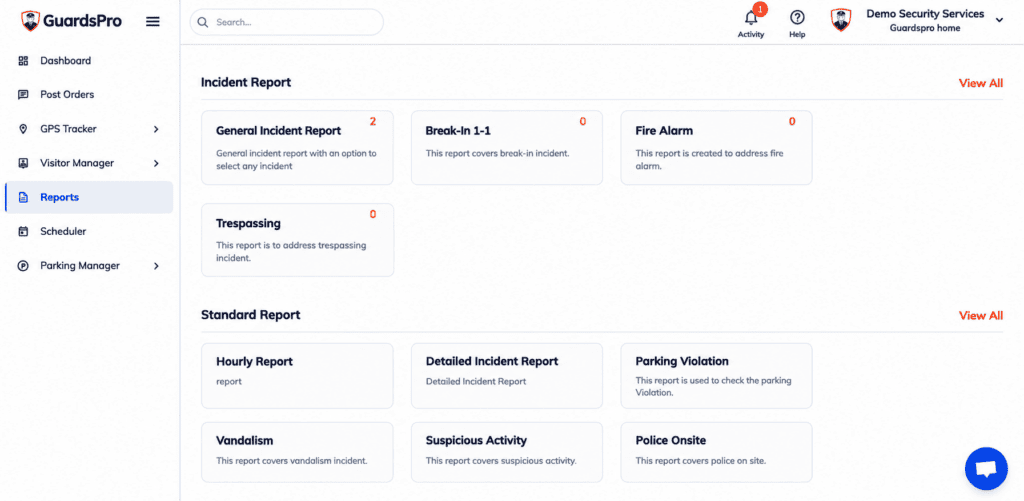
This connected reporting process helps security companies maintain consistent documentation and improve communication between guards, supervisors, and clients.
Explore GuardsPro’s reporting and management features to learn more.
Make Every Incident Report Count
A good incident report does more than describe what went wrong. It creates a reliable record that supports accountability, communication, and better security decisions.
An effective security guard incident report should be factual, chronological, complete, and easy to understand.
With GuardsPro, security companies can simplify documentation through mobile reporting, supporting evidence, and centralized report management.
Ready to improve your security reporting process?
Sign Up for Your 30-Day Free Trial and explore GuardsPro. Eligible new trial users who upgrade within the first 15 days can also enjoy 15% off their first three months.
Want to see how GuardsPro can support your security operations? Book a Demo and explore its reporting and management capabilities with our team.
Have questions about features or getting started? Contact Us and let our experts help you find the right solution.

Frequently Asked Questions
1. What is a security guard incident report?
It is a formal record documenting a security-related event, including its date, location, observations, actions taken, and outcome.
2. How do you write a professional security incident report?
Record the basic details, describe events chronologically, document actions, include supporting evidence, and review the report before submission.
3. What should security guards avoid in incident reports?
Avoid personal opinions, unsupported assumptions, vague descriptions, missing timestamps, and incomplete information.
4. Can security guards submit incident reports digitally?
Yes. Platforms such as GuardsPro allow guards to submit reports through mobile devices, attach supporting media, and share records with authorized supervisors.
5. What is the difference between an incident report and a daily activity report?
An incident report documents a specific security-related event, while a daily activity report records routine observations and activities throughout a shift.