Your security team may know a shift went exactly as planned.
But does your client know?
For most security clients, the guard service report is one of the clearest ways to understand what happened at their property while they were not there.
Were patrols completed? Did anything unusual happen? Was an entrance found unsecured? Was an incident handled? Did the guard follow the required site procedures?
A report should answer those questions without forcing the client to call your office for more information.
That is why good security guard service reports should do more than document activity. They should give clients a clear, reliable record of the service they are paying for.
When reporting is complete, timely, and easy to understand, it becomes an important part of how a security company demonstrates accountability and builds client confidence.
Why Security Guard Service Reports Matter to Clients
Clients usually do not see everything their guards do during a shift.
They may not be present when a guard conducts a perimeter patrol at 2:00 a.m., responds to an unauthorized visitor, finds an unlocked door, or checks a restricted area.
The report fills that visibility gap.
Good security guard reporting helps turn activity in the field into something the client can review later.
A useful report should tell the client three things clearly:
What was checked? What was found? What was done about it?
If those answers are difficult to find, the report may contain plenty of information without giving the client much useful insight.
What Do Clients Actually Want to See?
1. A Clear Summary of the Shift
Clients should not have to read several pages just to understand whether the shift was routine or something important happened.
A strong report makes the main activity easy to identify. What happened during the shift? Were there any unusual observations? Were required activities completed? Does anything need the client’s attention?
This is particularly important for security guard daily reports, which may contain several updates from across an entire shift.
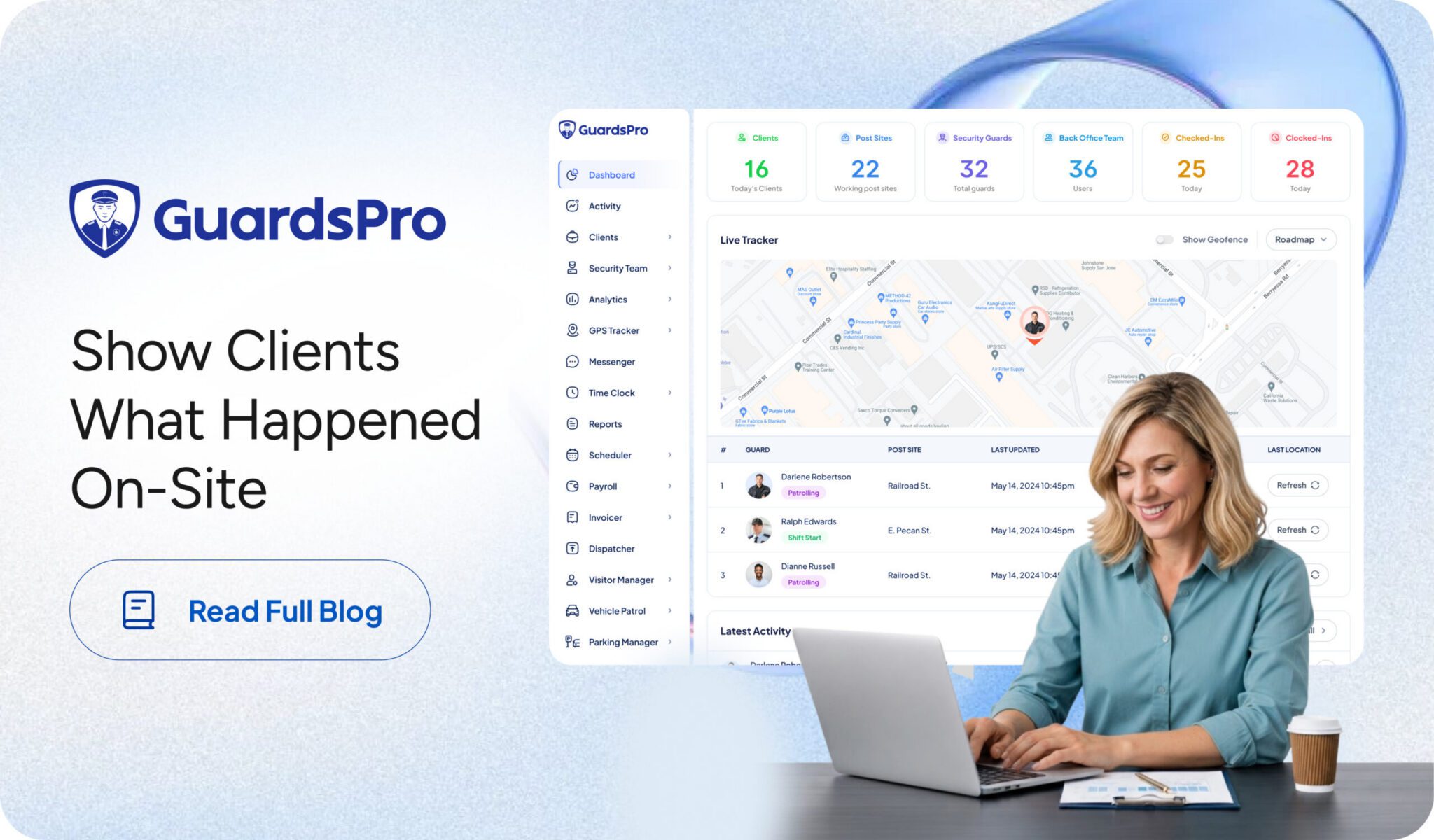
With GuardsPro AI Report Summaries, managers can quickly get a concise overview of lengthy reports without reading every line, making it easier to identify important activity, incidents, and details that may need attention.
The objective is not to leave out important information. It is to make the full report easier to understand so the most relevant details can be reviewed quickly.

2. Accurate Dates and Timestamps
Time matters in security.
If a client is reviewing an incident, investigating a complaint, checking a patrol, or confirming service, they need to know when an activity occurred.
Reports should clearly associate important activities with dates and times.
That could include when a guard started a shift, when a patrol took place, when an incident was discovered, when an action was taken, or when a report was submitted.
Timestamps create a clearer timeline and make the report more useful when clients need to look back at a particular event.

3. Patrol and Site Activity
Clients want to know that the security activities required at their property were actually performed.
Simply writing “property secure” at the end of a shift provides very little insight.
Good guard activity reports should provide enough detail to show the work behind that conclusion.
Were required areas patrolled? Were entrances checked? Were checkpoints covered? Were there any unusual observations during the patrol?
When patrol information is clearly documented, clients gain something much more useful than reassurance, they gain proof of security services.

4. Clear Incident Details
When something goes wrong, the quality of the report becomes even more important.
Security incident reports should help the client understand what occurred without having to reconstruct the event through several phone calls.
A useful incident report should make it clear what happened, where it happened, when it happened, who was involved when relevant, and what action the guard took.
The report should also explain whether the issue was escalated and what happened afterward.
Clients do not need unnecessary wording or assumptions. They need factual information presented in a clear sequence.
A report that says “suspicious activity observed” leaves several questions unanswered.
What activity? Where? At what time? What did the guard do? Was anyone notified? Was the issue resolved?
Those details are what turn an incident entry into a useful security record.

5. What the Guard Actually Did
Clients are not only interested in what happened.
They also want to know how their security team responded.
If a guard found an unsecured door, did they secure it? If an unauthorized visitor attempted to enter, how was the situation handled? If property damage was discovered, was a supervisor or client contact informed?
This is one of the most important parts of a service report because it connects an observation with an action.
Good reporting should make that relationship clear:
Issue identified → action taken → outcome recorded.
That gives clients much more confidence than simply listing problems without explaining how they were handled.

6. Photos and Supporting Evidence Where Needed
Sometimes written descriptions are not enough.
A photograph can provide useful context for property damage, an open gate, a maintenance issue, a blocked emergency exit, suspicious activity, or another site condition.
Supporting evidence should be relevant rather than added simply to make a report look more detailed.
When used appropriately, photos and other attachments can strengthen the report by showing the client exactly what the guard observed.
GuardsPro reports can include detailed descriptions along with photos, video, audio, and other attachments when applicable.

7. Exceptions, Not Just Routine Activity
Most security shifts contain a lot of routine work.
That work still matters, but clients should be able to quickly identify anything that was different.
A missed patrol, unusual visitor interaction, damaged gate, safety hazard, access issue, alarm, disturbance, or maintenance concern should not disappear inside several pages of routine entries.
Good security guard service reports make exceptions easy to notice.
This allows clients to focus their attention where it is needed rather than searching through every routine activity to find the one event that matters.
8. Consistent Information From Every Guard
One guard should not submit a detailed, structured report while another writes two vague sentences for the same type of shift.
Inconsistent reporting makes it difficult for clients to know what they are going to receive.
A strong reporting process gives guards clear expectations about what information needs to be captured for different situations.
That could mean using specific reports for daily activities, incidents, patrols, maintenance issues, checklists, or other site requirements.
Consistency does not mean every report should contain identical wording.
It means clients receive the right type of information in a predictable format, regardless of which guard is working.
9. Information Specific to Their Site
Not every client needs the same report.
A residential property may care about visitor activity, parking issues, and access points. A warehouse may place greater emphasis on perimeter patrols, gates, loading areas, and after-hours activity.
That is why reporting should reflect the actual responsibilities of the post.
Generic reports can easily produce generic answers.
Site-specific reporting helps security companies collect information that is relevant to the service being delivered at that particular location.
It also gives guards clearer direction about what needs to be observed and documented during their shifts.
10. Easy Access to the Information
Even a well-written report loses value if the client has to repeatedly ask the security company to send it.
Clients increasingly expect to be able to review relevant security information without waiting for someone in the office to locate and forward an update.
This is where security reporting software can improve the client experience.
With GuardsPro, clients can be given access to security and operational reports through the Client Web Portal. Depending on their permissions and configuration, they can review Daily Activity Reports, site tours, incident reports, check-in/check-out information, and other site activity.
That gives the client a more direct connection to what is happening at their sites while reducing the amount of manual reporting the back office has to handle.

A Good Report Should Provide Proof, Not Just Updates
There is an important difference between telling a client that work was completed and showing them what happened.
Consider these two updates:
“All patrols completed. Nothing unusual.”
versus
“North entrance checked at 10:15 PM. Parking area patrolled at 11:05 PM. Emergency exit inspected at 11:42 PM. Damaged exterior light observed near the loading area and reported to the site supervisor.”
The second tells the client much more.
It creates a clearer record of the service, identifies the activity performed, and highlights an issue that may require attention.
This is the real value of proof of security services.
Clients should be able to look at their reports and understand not only that guards were present, but what they actually did while providing the service.
Don’t Turn Reports Into Information Overload
More information does not automatically make a better report.
A report filled with repetitive, irrelevant, or poorly organized details can make important information harder to find.
Clients usually want clarity.
Routine activity should be documented, but unusual events should stand out. Incident details should be complete without becoming unnecessarily complicated. Photos should add context. Timestamps should help establish what happened and when.
The objective should be to give clients enough detail to understand and verify the service without making them work to find the information that matters.
This is also why standardized and digital reporting can be more useful than relying entirely on handwritten notes or unstructured messages.
Make Client Reporting Easier With GuardsPro
A strong reporting process begins in the field.
Guards need an easy way to record what they observe while the details are still fresh. Supervisors need a way to review that information. And clients need access to the updates that matter to their sites.
GuardsPro helps connect these parts of the reporting process.
The platform supports different report categories, including Daily Activity Reports, incident reports, site tour reports, task reports, checklists, hourly reports, and custom operational reports.
Digital reporting also makes it easier to maintain a clearer record of what was reported, when it was submitted, and what happened on-site. If you want to explore this further, read how GuardsPro reporting helps improve traceability and accountability across security operations.
Clients can also access reports and site activity through the GuardsPro Client Web Portal instead of depending entirely on manually forwarded updates.
That helps security companies move from simply sending reports to providing clients with a clearer and more accessible record of the security services being delivered.
The Bottom Line
Clients do not want reports simply because reports are part of the contract.
They want to know what happened at their property.
A useful security guard service report should make it easy to understand when guards were working, what they checked, what they found, what action they took, and whether anything requires further attention.
Timestamps provide context. Patrol records help verify activity. Incident reports explain exceptions. Photos can support what was observed. Clear descriptions show how guards responded.
Together, those details turn everyday security guard reporting into something much more valuable:
Clear proof of what happened on-site and how the security service was delivered.
Give Clients a Clearer View With GuardsPro
GuardsPro helps security companies turn field activity into organized, accessible security records.
From daily activity and patrols to incidents and site updates, give your team a better way to document what happens in the field, and give clients greater visibility into the service being provided.
Start your free 30-day trial of GuardsPro today.
Sign up within 15 days to unlock an exclusive 15% discount on your subscription.
Have questions or feedback? Get in touch anytime.
FAQs
1What should be included in a security guard service report?
A good security guard service report should clearly document relevant shift activity, including dates and times, patrols, observations, incidents, actions taken, and anything that requires the client’s attention. Supporting photos or attachments can also provide additional context when appropriate.
What is the purpose of security guard daily reports?
Security guard daily reports give clients and managers a record of what happened during a guard’s shift. They can document routine activity, patrols, observations, incidents, tasks, and other important site events.
What should a security incident report include?
A security incident report should clearly explain what happened, where and when it happened, relevant people involved, what the guard observed, what action was taken, whether the event was escalated, and the outcome when known.
How do security reports provide proof of service?
Reports can provide proof of security services by documenting when activities occurred and what guards completed during their shifts. Patrol records, timestamps, checkpoint activity, observations, reports, and supporting evidence can help create a clearer record of the service delivered.
Why is consistency important in security guard reporting?
Consistent reporting helps ensure that clients receive the important information they need regardless of which guard is assigned. Structured reports also make it easier to compare activity over time and identify missing or incomplete information.
How can security reporting software improve client reporting?
Security reporting software can centralize field reports, patrol information, incidents, and related records so supervisors and clients can access information more efficiently. It can also reduce dependence on paper reports and manually forwarding every update.