
[ez-toc]
Running a security company means juggling a hundred moving parts at once — guards spread across multiple sites, shifts that change at the last minute, reports that need to reach clients, and payroll that has to be exactly right. Try to hold all of that together with spreadsheets, phone calls, and paper logs, and something eventually slips. A missed shift. A patrol that can’t be verified. A client who stops feeling like they’re getting their money’s worth.
This is the problem workforce management software was built to solve. For security firms specifically, the right platform pulls scheduling, tracking, reporting, communication, and payroll into one place — so the business runs on systems instead of scrambling.
If you’re weighing whether it’s worth the switch, here are six concrete benefits security companies gain from purpose-built security guard management software, and why they add up to a stronger, more profitable operation.
What Is Security Workforce Management Software?
Before the benefits, a quick definition. Security workforce management software is a platform that handles the operational backbone of a security company — who’s working, where they are, what they’re doing, and whether it’s getting documented. It typically combines scheduling, GPS tracking, incident and patrol reporting, time and attendance, client communication, and payroll data in a single connected system.
The difference from a generic tool is the focus. A spreadsheet can hold a schedule, but it can’t verify a patrol happened. Generic guard management software might track hours, but a security-specific platform also proves a guard was physically on-site at 2 a.m. That specialization is where the value lives.
1. Smarter Scheduling That Eliminates Gaps and Conflicts
Scheduling is where most security companies lose the most time — and create the most risk. Build a schedule by hand across a dozen sites and you’ll inevitably hit double-bookings, uncovered shifts, accidental overtime, and guards assigned to sites they aren’t certified for.
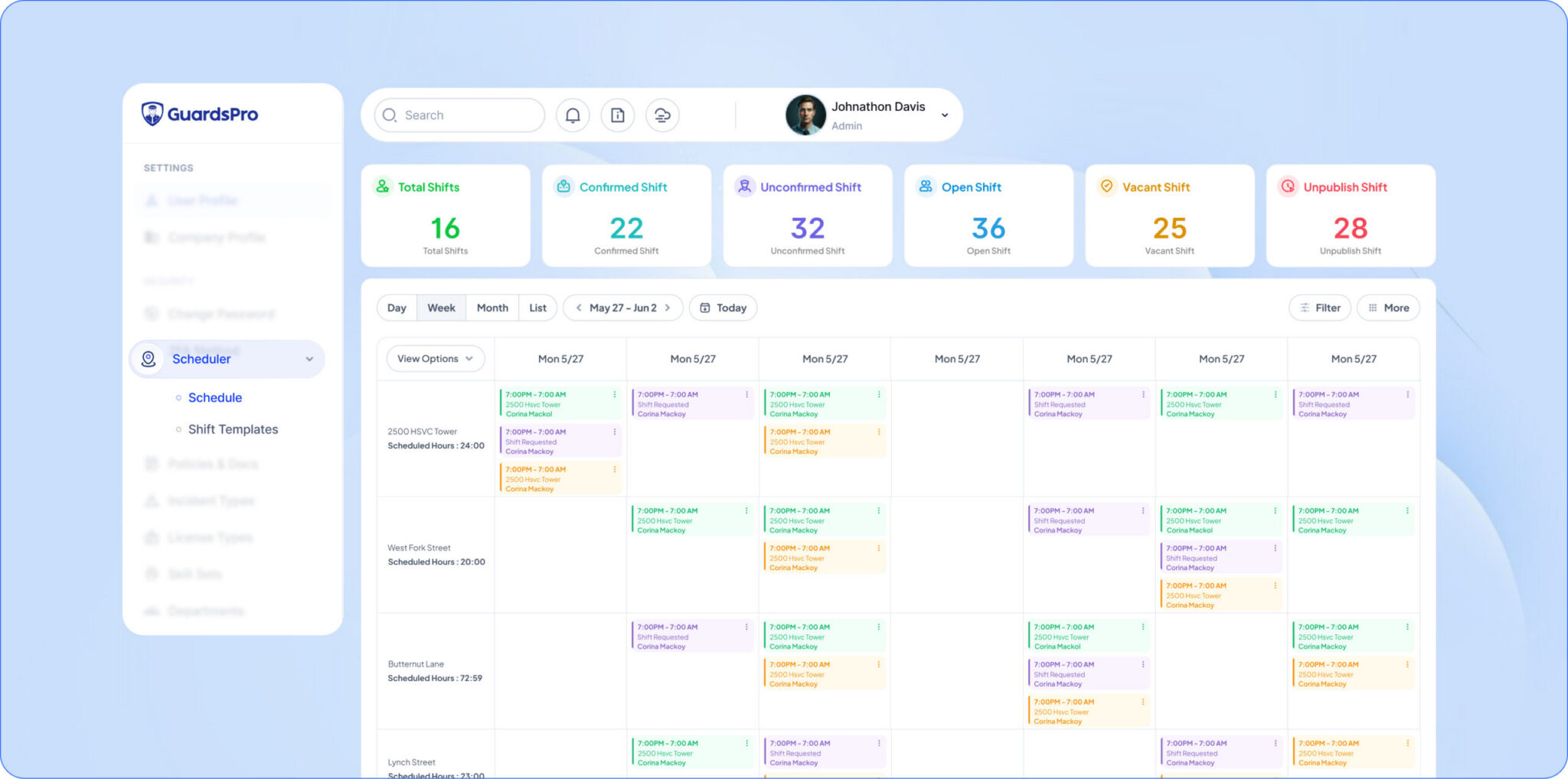
Purpose-built security guard scheduling software removes that guesswork. You can assign shifts based on availability, certifications, and location, see conflicts before they happen, and fill an open slot in minutes instead of working the phones. When a guard calls out, the system shows you who’s available and qualified to cover, so a gap gets closed before the client ever notices.
The payoff is twofold: fewer coverage failures that put contracts at risk, and far less administrative time burned on a task that used to eat entire afternoons.
💡 Pro Tip: Look for scheduling that flags overtime before you publish the shift, not after payroll runs. Catching it early is the difference between managing labor costs and just reporting on them.
2. Real-Time Guard Tracking and Accountability
Here’s a question every security company should be able to answer instantly: where is each of my guards right now, and are they doing what they’re supposed to be doing?
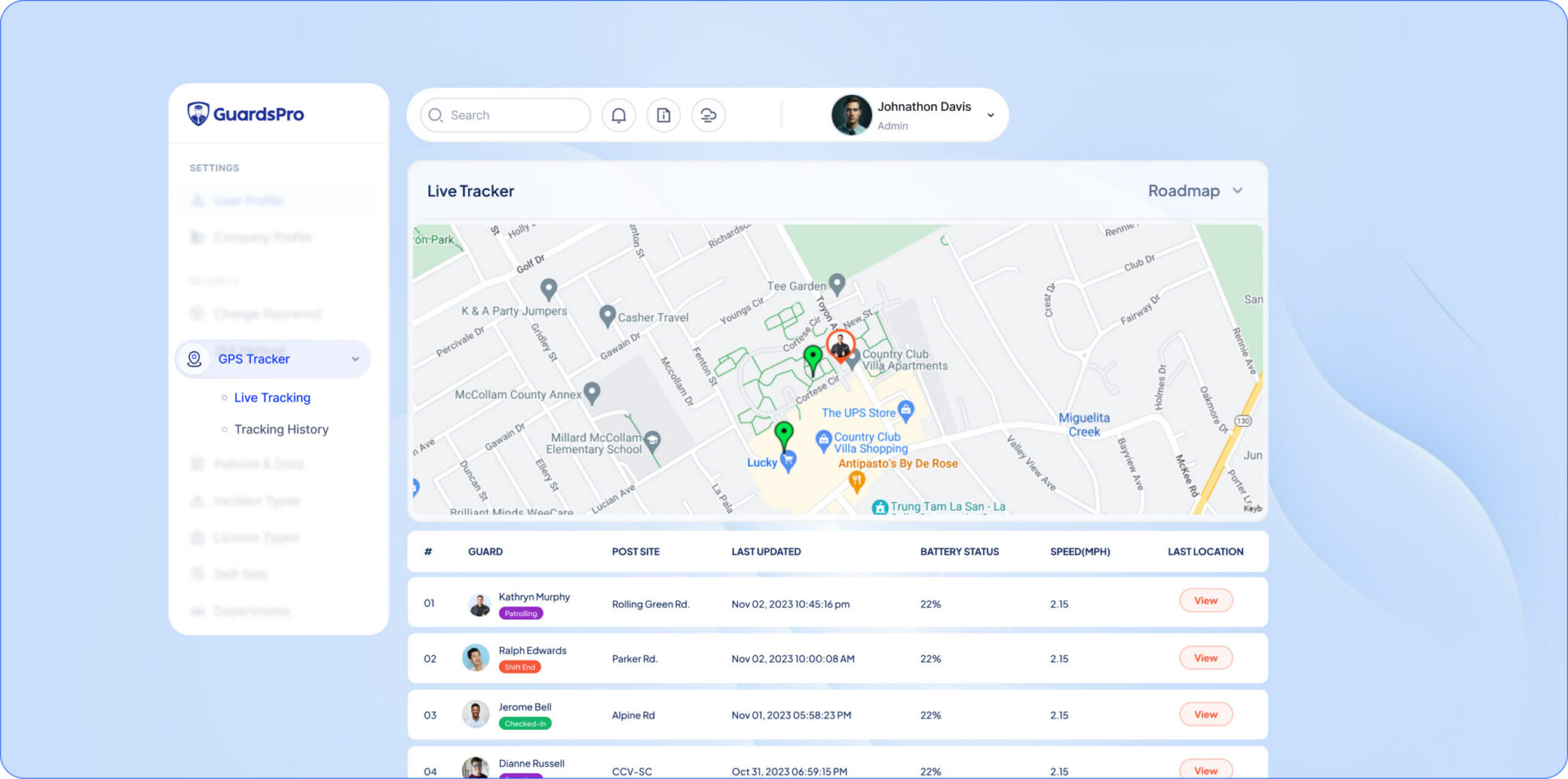
With a security guard tracking app, you can. Live GPS shows guard locations in real time, geofencing confirms they’re actually on-site, and checkpoint scans (via QR, NFC, or BLE beacons) prove patrols were completed on schedule. Instead of trusting that the job got done, you have a verifiable record showing that it did.
This matters for two reasons. Internally, accountability improves the moment guards know their patrols are logged and time-stamped — work that’s measured tends to get done. Externally, that same data becomes proof of service you can hand to a client who asks whether they’re getting what they pay for.
📌 Key Takeaway: Tracking isn’t about distrusting your guards. It’s about being able to prove their good work — which protects the guard, the company, and the client all at once.
3. Faster, More Accurate Reporting
Reporting is the product a security company actually delivers. The guard on-site is the service; the report is the evidence. And when reporting runs on handwritten notes and delayed emails, that evidence is slow, inconsistent, and easy to dispute.
Good security guard reporting software changes the economics of documentation. Guards log incidents, observations, and activity from the field on a mobile device — complete with photos and time stamps — and the system formats and delivers it automatically. A daily activity report for security guards that once took a supervisor an hour to compile is generated and emailed to the client before the next morning, with zero manual effort.
The benefits compound: incident reports filed within minutes (not days) hold up far better if a liability question ever arises, and consistent, professional reporting signals to clients that your operation is buttoned-up and reliable.
| Reporting Task | Manual Process | With Reporting Software |
| Daily activity report | Compiled by hand, sent late | Auto-generated, delivered before 8 a.m. |
| Incident documentation | Written up hours later | Filed from the field in minutes, with photos |
| Proof for a client dispute | “We think it’s in the notes” | Time-stamped, searchable record |
| Supervisor admin time | Hours per week | Minutes |
4. Stronger Communication and Coordination
Security work is distributed by nature — guards are alone on sites, supervisors are mobile, and the back office is somewhere else entirely. When communication depends on phone calls and group texts, messages get missed, instructions get lost, and post orders go unread.
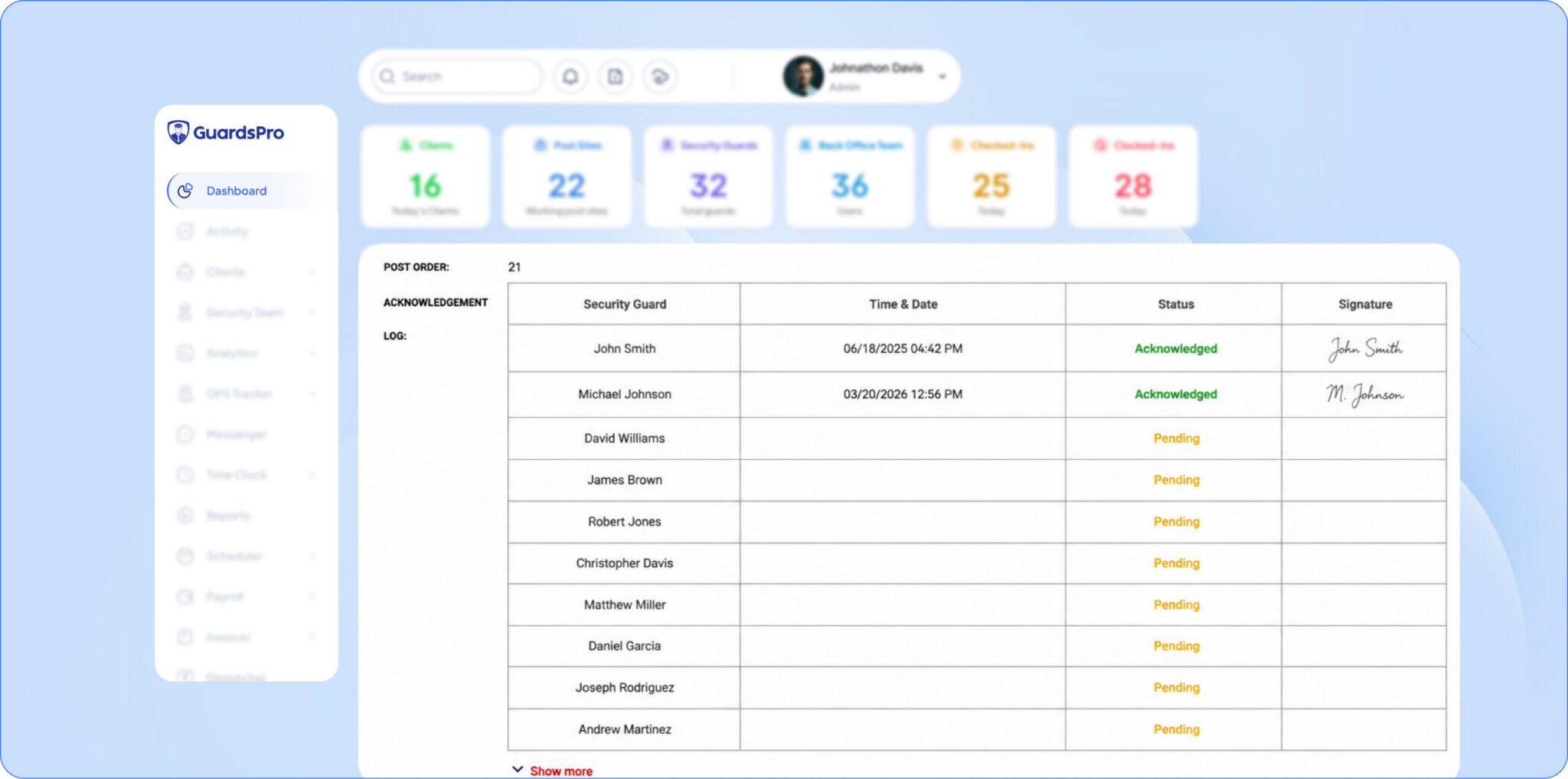
A security guard mobile app closes that gap. Guards receive their assignments, post orders, and shift updates directly on their phones. Supervisors can push a message to one guard or an entire site instantly. Two-way messaging means a guard who spots something can flag it immediately, and the back office can respond in real time rather than after the fact.
The result is an operation that moves as one unit. Everyone has the information they need, when they need it, without the telephone-game distortion that creeps in when coordination is informal.
5. Better Cost Control and Payroll Accuracy
Labor is the single largest cost in any security business, and manual processes leak money at every step. Hours get rounded generously. Overtime sneaks in unnoticed. Time theft — buddy punching, early clock-ins, padded shifts — quietly inflates the payroll. And when billing is reconciled by hand against attendance, errors cut both ways: you underbill clients or overpay guards.
Workforce management software ties the whole chain together. Attendance is captured at the source through GPS-verified clock-ins, hours flow automatically into payroll, and overtime is visible before it becomes a surprise. Because the same data drives both payroll and client billing, the two finally reconcile cleanly.
💰 The ROI Angle: For most security firms, the labor savings and reduced billing errors alone cover the cost of the software — before you even count the contracts you keep by running a tighter operation.
6. Greater Client Transparency and Retention
Most security contracts aren’t lost on price. They’re lost when a client stops feeling confident about what they’re paying for. Security is an invisible service — if a client never sees evidence of the work, they eventually assume there isn’t much.
This is where everything above comes together into a retention advantage. A client portal lets your customers log in and see guard activity, patrol verification, and reports for themselves, whenever they want. Automated reports land in their inbox without anyone asking. When renewal time comes, you’re not making a case from memory — you have months of documented performance to point to.
Firms that give clients this kind of visibility consistently see the same thing: fewer “we’re going in a different direction” surprises, faster sales cycles with new prospects, and contracts that renew on the strength of proof rather than relationships alone.
📌 Key Takeaway: Transparency turns your everyday operations into your best sales and retention tool. The work you’re already doing becomes visible — and visible work is what clients renew.
How GuardsPro Brings All Six Together
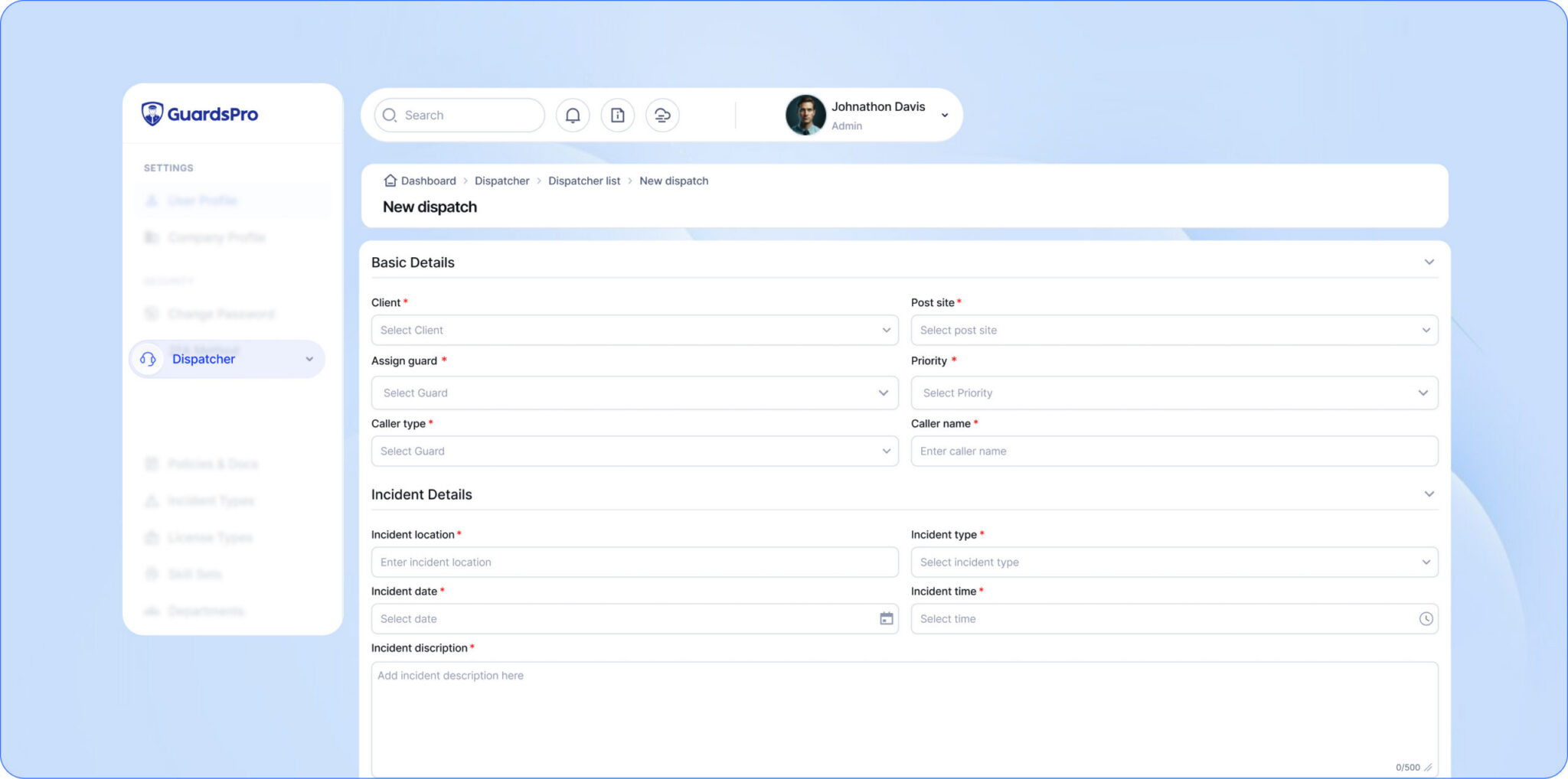
The benefits above only matter if they live in one connected system rather than six disconnected tools. That’s what GuardsPro was built for. It combines scheduling, live GPS tracking, automated reporting, time and attendance, and client transparency into a single platform — with a security guard mobile app for guards in the field, web portals for your office and your clients, and a back-office dashboard that ties it all together.
Instead of stitching together a scheduling tool, a tracking app, and a reporting system that don’t talk to each other, your entire operation runs on one source of truth. Guards log activity once, and that data flows into reports, payroll, and the client portal automatically.
Frequently Asked Questions
What is security workforce management software?
How is it different from a scheduling tool or a spreadsheet?
Does this kind of software help with client retention?
Do guards need a mobile app to use it?
Is workforce management software worth it for a small security company?
Start your free 30-day trial and experience GuardsPro firsthand.
Sign up within 15 days and save 15% on your subscription.
Got feedback or questions?
Reach out to us anytime—we’d love to hear from you. Your feedback helps us improve and better support teams like yours.