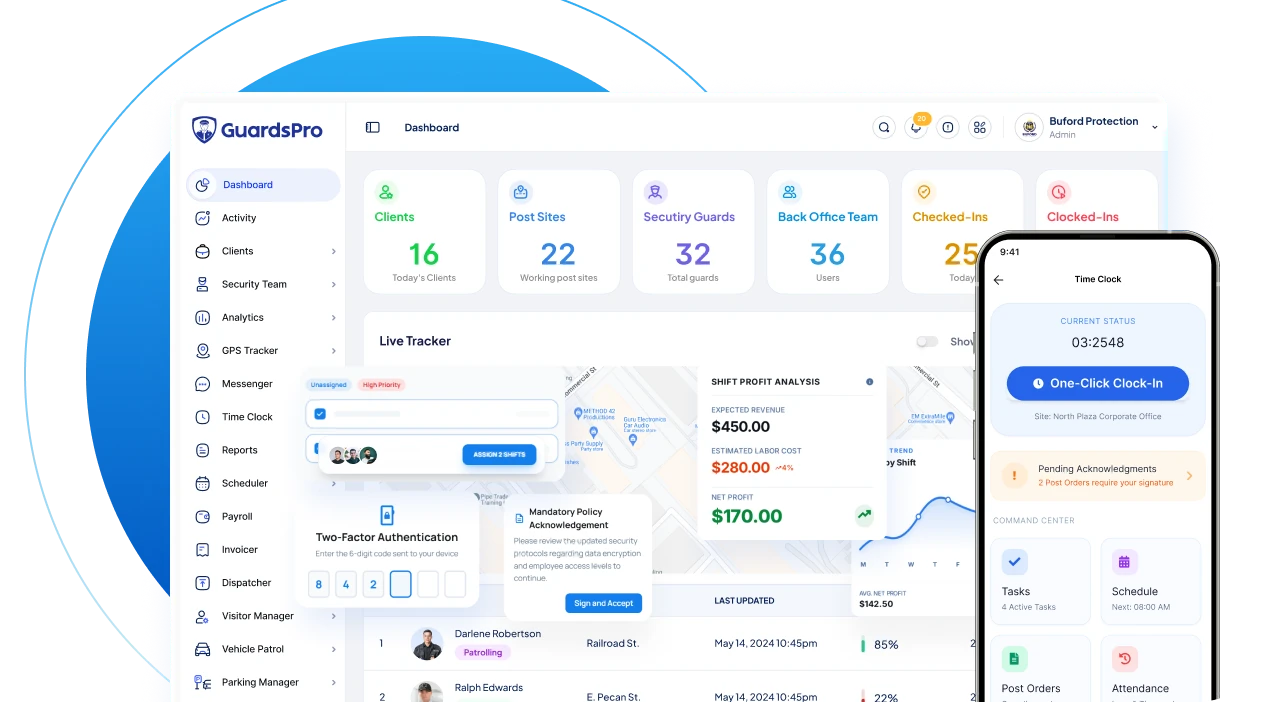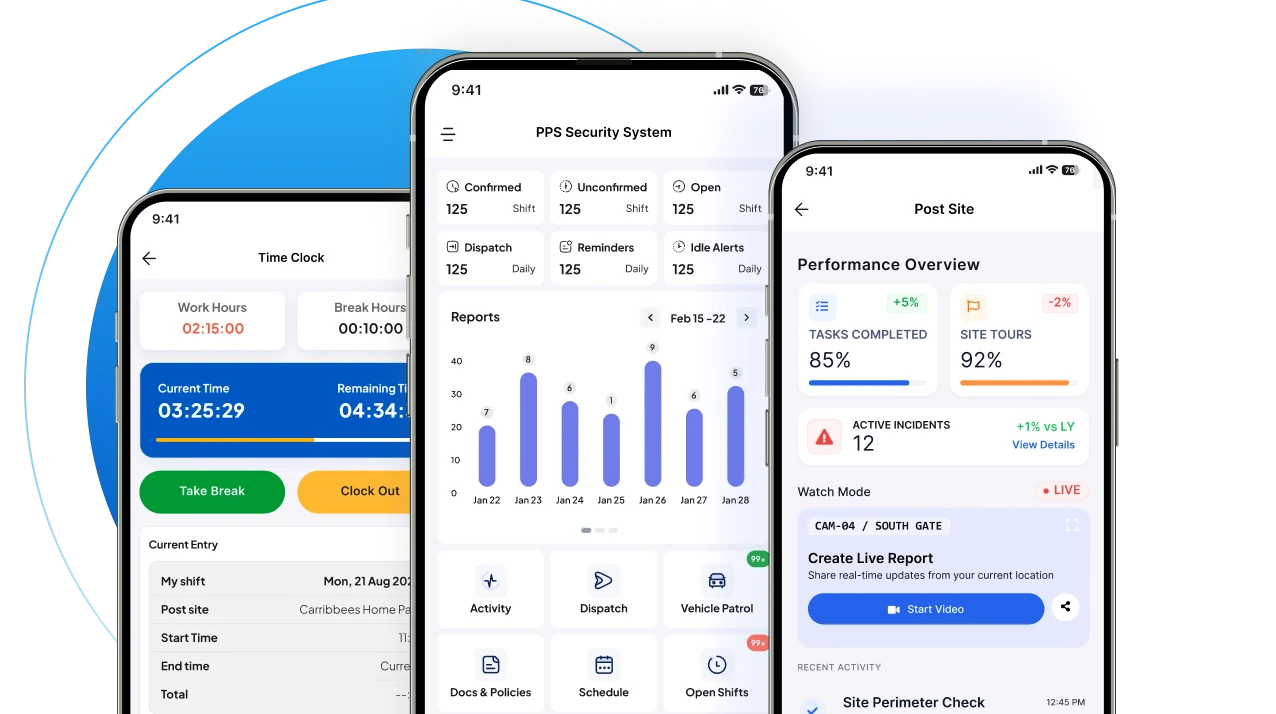
How can a security company confirm that every scheduled patrol took place, every important checkpoint was visited, and every incident was documented?
A guard tour system helps answer these questions by recording security patrol activity through checkpoints, timestamps, mobile devices, and reporting tools.
Instead of depending entirely on handwritten logbooks, radio check-ins, or supervisor calls, security companies can maintain digital records of patrol activity across their assigned sites.
But what exactly is a guard tour system, how does it work, and does every security company need one?
This guide explains how guard tour systems work, the differences between GPS, QR code, NFC, and RFID patrol tracking, their essential features, practical benefits, and what to consider before choosing one.
What is a guard tour system?
A guard tour system is a security patrol monitoring and verification solution that records when security guards visit designated locations during their assigned patrols.
Also called a guard patrol system or security guard tour system, it helps security companies document patrol routes, verify checkpoint visits, review activity, and maintain records for supervisors and clients.
Traditional systems use dedicated handheld readers and physical checkpoints. Modern guard tour software can use mobile applications, QR codes, NFC tags, GPS location information, and cloud-based reporting dashboards.
Depending on the technology and software, a guard tour system may help answer five operational questions:
- Did the assigned guard complete the scheduled patrol?
- Which checkpoints were visited, and at what times?
- Were any checkpoints or patrol rounds missed?
- Were security incidents or site issues reported?
- What patrol information can supervisors share with clients?
The purpose is not simply to track guards. It is to give security professionals reliable records of the work completed during each shift.
How does a guard tour system work?
A guard tour system connects patrol instructions, checkpoint verification, and activity reporting into a structured workflow.
Although the exact process varies by system, a typical mobile-based guard tour works as follows.
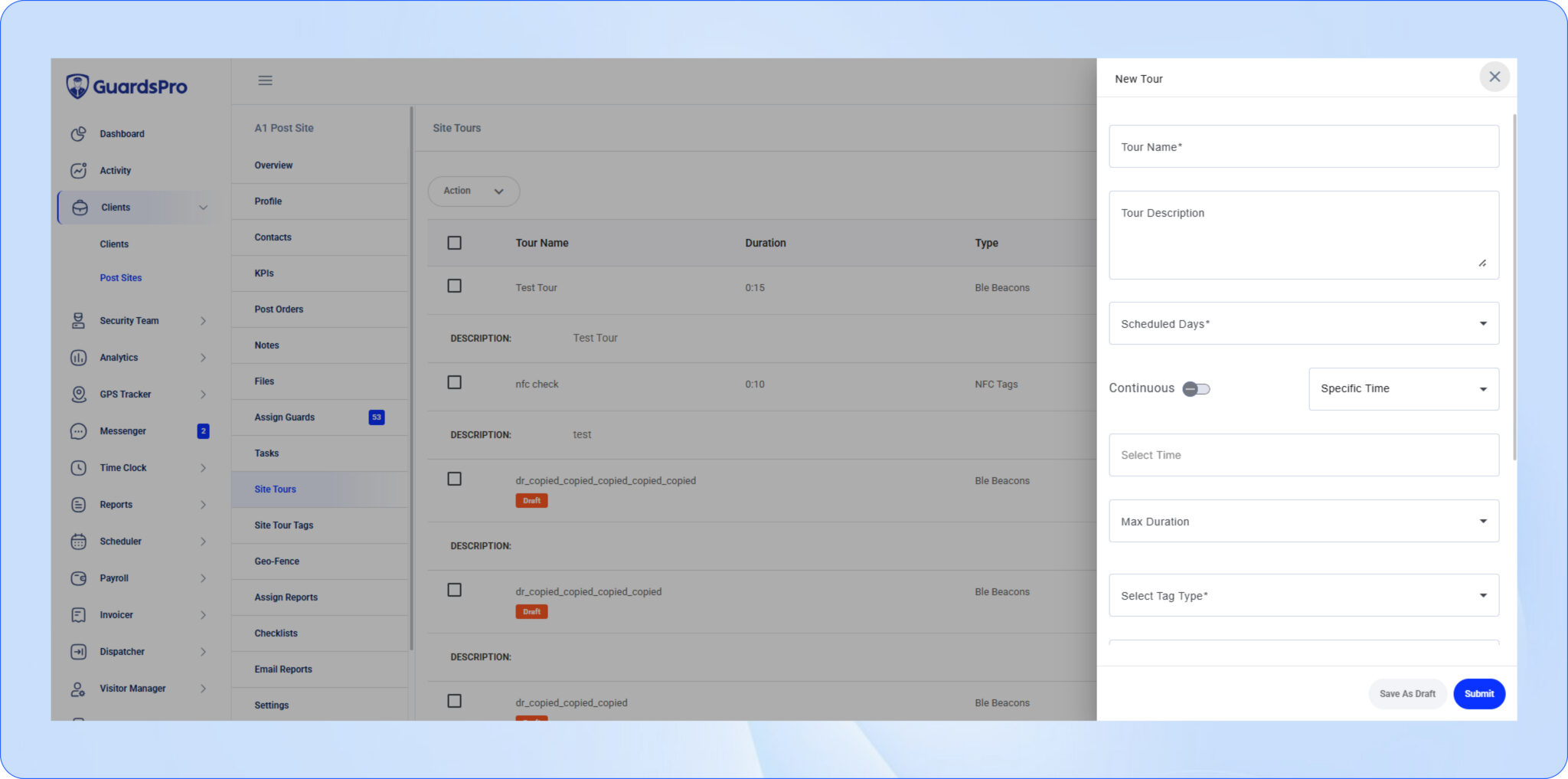
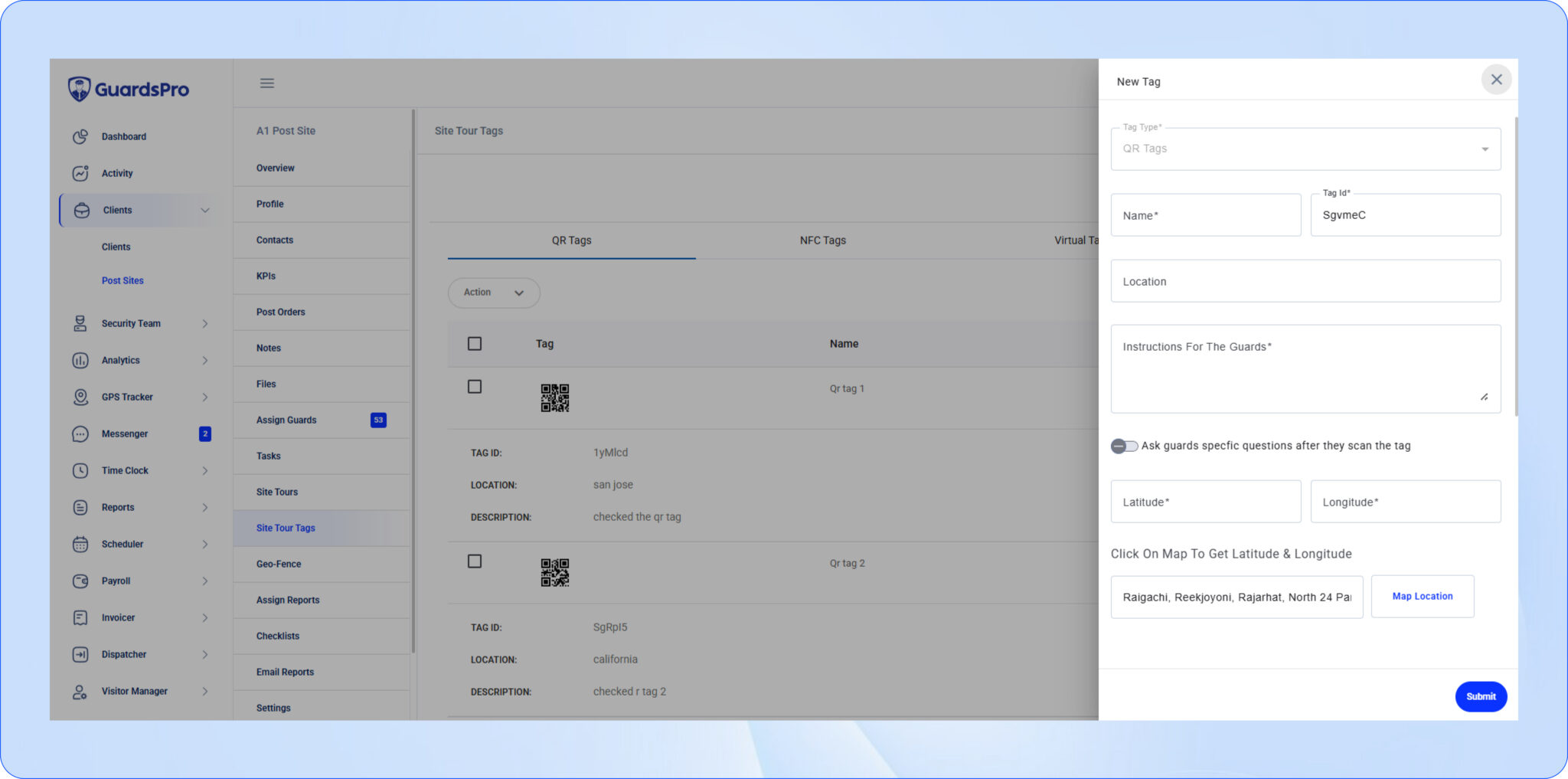
Step 1: Create patrol routes and checkpoints
A security supervisor identifies the locations that guards need to inspect during a patrol.
For example, a commercial property may have checkpoints at:
- The main entrance
- The emergency exit
- The loading dock
- The parking area
- The equipment storage room
- The building perimeter
Each checkpoint represents a location or task that requires verification.
Depending on the system, supervisors can organize these checkpoints into patrol routes and establish expected patrol times.
Step 2: Assign the patrol to a security guard
The supervisor assigns the patrol according to the site’s operational requirements.
In a mobile guard tour system, the guard can access the relevant patrol information through an application.
This helps communicate where the guard needs to go and what activities are expected during the shift.
Step 3: Verify checkpoints during the patrol
As the guard moves through the assigned route, they verify their presence at checkpoints using the supported technology.
For example, a guard may scan a QR code attached near a warehouse entrance or tap an NFC checkpoint using a compatible mobile device.
The system records the checkpoint event, typically including a timestamp and associated patrol information.
This creates a structured record of checkpoint visits rather than relying exclusively on handwritten entries.
Step 4: Record observations and incidents
During a patrol, guards may discover an unlocked door, damaged equipment, a safety hazard, or other activity requiring attention.
When incident reporting is integrated into the guard tour system, guards can document the situation from the field.
Depending on the software, reports may include:
- Date and time
- Site and location details
- Incident descriptions
- Photos and supporting attachments
- Actions taken
- Relevant supervisor notifications
This keeps relevant patrol and incident information connected to the work being performed.
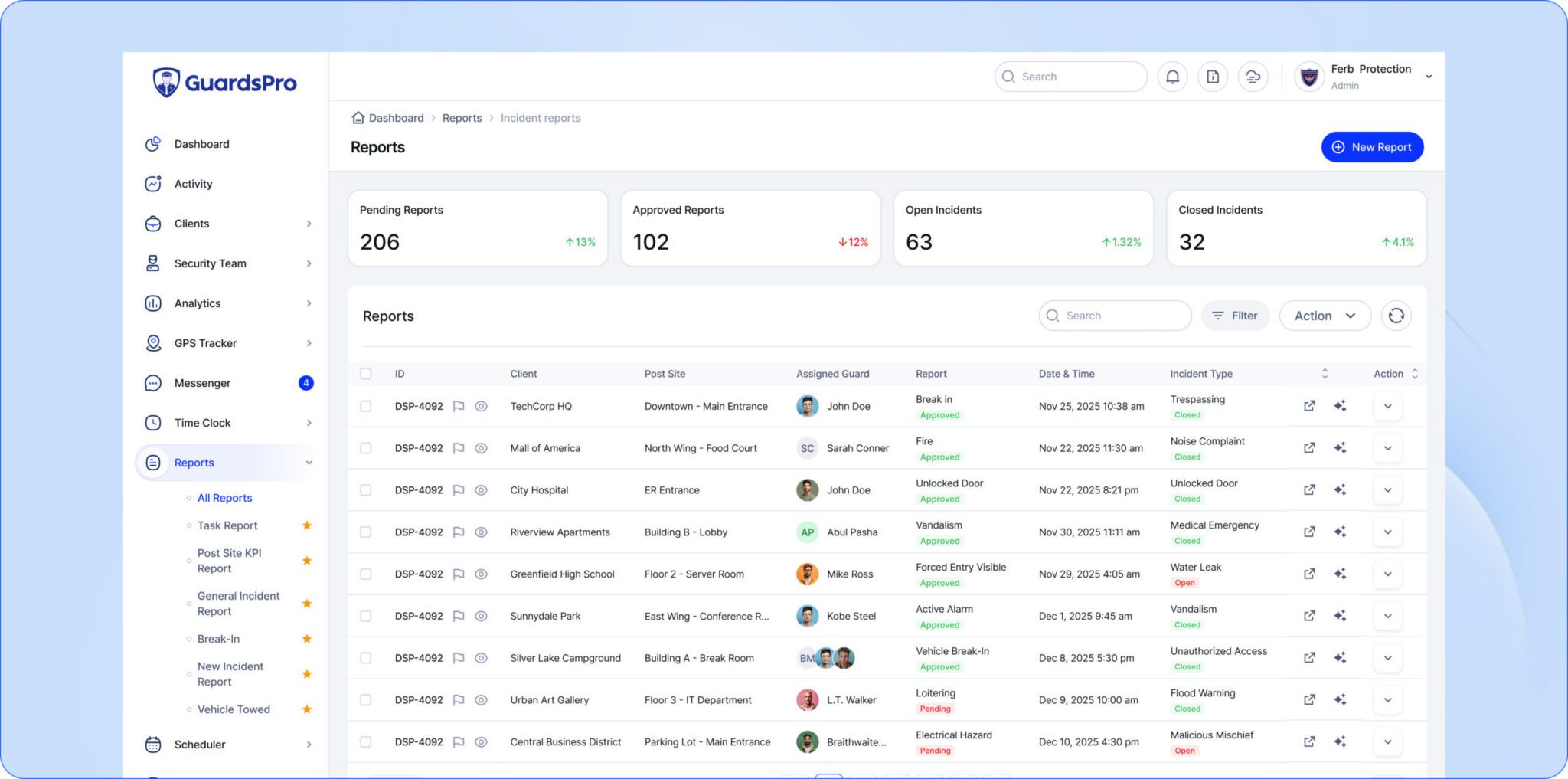
Step 5: Review patrol activity and reports
Supervisors review the recorded patrol information through the management software.
Depending on the system, they may be able to identify completed patrols, missing checkpoints, reported incidents, and other operational exceptions.
The information can then be used for shift reviews, client reporting, training, and operational decisions.
Real-world example: An overnight warehouse patrol
Consider a security company responsible for protecting a warehouse overnight.
The client requires guards to inspect the loading dock, emergency exits, storage areas, and perimeter at scheduled intervals.
Using a digital guard tour system, the company can establish checkpoints around the property. The assigned guard follows the route and records checkpoint visits through the mobile app.
During one patrol, the guard discovers a loading dock door that has not been secured properly.
The guard follows site procedures, reports the issue, and documents the observation.
The supervisor can review the patrol and incident records, while the company has documented information available for its client.
The operational benefit: The security company can explain what happened during the patrol using recorded activity rather than reconstructing the shift from separate messages and paper notes.
Types of guard tour systems: GPS, QR codes, NFC, and RFID
Not all guard tour systems verify patrols in the same way.
Understanding the underlying technology is important when evaluating security guard patrol tracking solutions.
1. QR code guard tour systems
A QR code guard tour system uses printed codes placed at designated patrol locations.
Security guards scan these codes with a compatible mobile application as they complete their routes.
Advantages:
- Simple to deploy at many sites.
- Compatible with smartphones that support QR scanning.
- Usually requires less specialized checkpoint hardware.
- Useful for indoor and outdoor checkpoint locations.
Considerations: Printed codes can become damaged, obscured, or copied. Security companies should evaluate how the system detects unusual scanning activity and how checkpoints are maintained.
2. NFC guard tour systems
Near Field Communication (NFC) uses compatible electronic tags placed at patrol checkpoints.
Guards bring an NFC-enabled device close to the tag to register a checkpoint visit.
Advantages:
- Quick checkpoint verification.
- No need to align a camera with a printed code.
- Suitable for many fixed checkpoint locations.
- Can be practical in environments with limited lighting.
Considerations: Devices must support the required NFC functionality, and tags need proper installation and maintenance. A successful scan confirms an interaction with the tag, not necessarily the quality of the entire inspection.
3. RFID and handheld guard tour systems
Traditional electronic guard tour systems often use dedicated handheld patrol readers and RFID checkpoints.
Guards carry a reader and register visits at designated locations. Patrol data may be transferred to management software during or after the shift, depending on the equipment.
Advantages:
- Dedicated equipment for patrol verification.
- Useful where smartphones are not appropriate.
- Established approach for checkpoint-based patrols.
Considerations: Specialized readers may require additional purchasing, maintenance, charging, and data transfer procedures.
4. GPS-based guard patrol tracking
GPS-based guard patrol systems use location information from supported devices to help supervisors understand patrol activity.
GPS can be especially useful for larger outdoor properties, mobile patrol operations, and sites covering extensive areas.
Advantages:
- Provides location context for patrol activity.
- Useful for reviewing movement across larger areas.
- Can complement checkpoint verification.
- Supports operational visibility across multiple sites.
Considerations: GPS accuracy can vary, particularly indoors or near structures that interfere with satellite signals. Location information should not automatically be treated as proof that every inspection task was completed.
Guard tour technology comparison
| Technology | How it works | Best suited for | Key consideration |
|---|---|---|---|
| QR codes | Guards scan printed checkpoints with an app. | Sites needing straightforward mobile checkpoint verification. | Code durability and copying risks. |
| NFC | Guards tap compatible devices near electronic tags. | Fixed checkpoint locations and quick verification. | Device compatibility and tag installation. |
| RFID readers | Dedicated devices register physical checkpoint visits. | Operations using specialized patrol equipment. | Hardware and data transfer requirements. |
| GPS | Devices record available geographic location data. | Large sites and outdoor or mobile patrols. | Location accuracy and coverage limitations. |
Which option is better? There is no single answer for every security company. The appropriate technology depends on patrol routes, device availability, site conditions, reporting requirements, and budget.
Some security companies benefit from using location information alongside physical checkpoint verification instead of relying on one method alone.
8 essential features to look for in guard tour software
Choosing a guard tour system requires looking beyond the checkpoint scanning method.
The software should help guards complete their duties while giving supervisors useful information to manage operations.
1. Patrol route and checkpoint management
Supervisors should be able to organize patrols around the requirements of each client site.
Look for a system that supports clear checkpoint assignments, practical patrol instructions, and an understandable record of completed activity.
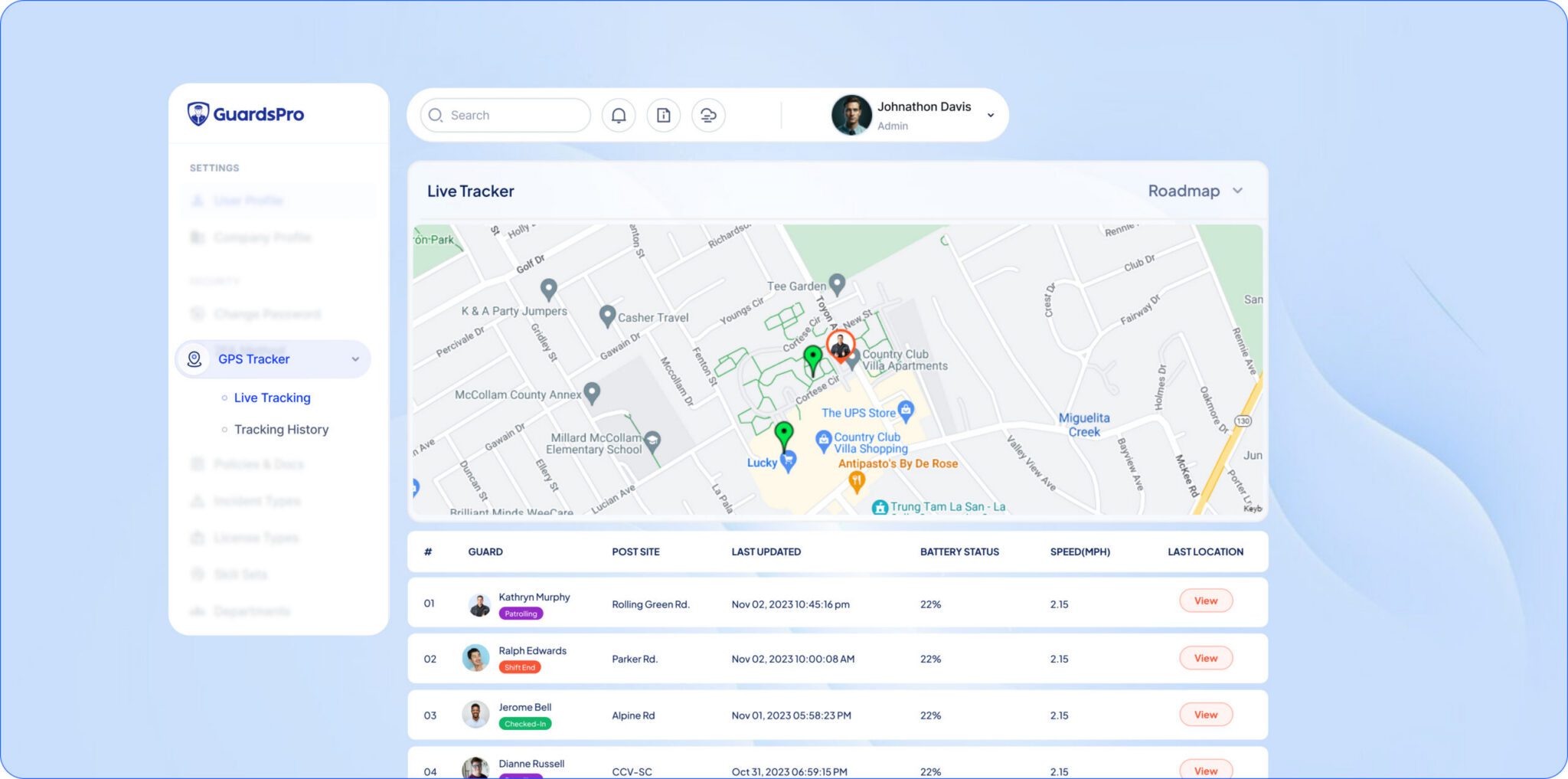
2. GPS location visibility
GPS information can help supervisors review guard location and movement where location services are available and authorized.
For companies managing multiple properties, this can provide additional context when reviewing patrol progress or responding to operational questions.
3. Real-time patrol activity updates
Timely patrol updates can help supervisors understand what is happening across active sites without calling every guard for routine confirmations.
Ask providers which information updates immediately, what requires synchronization, and how connectivity affects visibility.
4. Missed checkpoint and patrol exception visibility
A useful patrol management system should help managers recognize gaps that require attention.
These may include incomplete patrol routes, checkpoints that were not recorded, or differences between planned and completed activities.
Exception alerts and reporting capabilities vary by platform, so confirm exactly what is supported.
5. Mobile incident reporting
Guards should have a practical method for documenting incidents and reporting relevant observations during shifts.
Integrated incident reporting reduces the need to reconstruct situations from separate conversations later.
6. Photos, notes, and supporting records
Photos and written observations can provide context that a basic checkpoint timestamp cannot.
For example, a checkpoint scan may indicate that a guard visited a gate, while an attached report can explain that the gate was damaged.
7. Patrol reporting and history
A system should make it straightforward to review previous patrol records.
Useful reports may include patrol dates, checkpoint activity, assigned personnel, incidents, and exceptions.
Check whether reports can be filtered by site, guard, shift, or date and whether they can be shared in the format clients require.
8. Client reporting and operational visibility
Security clients often need evidence that contracted patrol services were performed.
Clear records help security companies communicate the work completed, explain reported issues, and support ongoing service reviews.
Some guard tour platforms provide dedicated client portals, while others rely on exported reports or other sharing methods.
What are the benefits of a guard tour system?
A well-implemented guard tour system can improve how security companies document, review, and communicate patrol activity.
1. Better patrol accountability
Checkpoint records create a clearer picture of completed patrol activity.
Instead of depending entirely on handwritten statements, supervisors have digital events to review and compare with assigned routes.
This helps identify incomplete records and follow up on patrol exceptions.
2. Stronger client confidence
Clients want to understand how their property is being protected and what their contracted security services include.
Detailed patrol reports give companies a practical way to explain completed work, important observations, and follow-up actions.
When service information is easier to review, client conversations can focus more on security outcomes and less on reconstructing individual shifts.
3. Less manual reporting work
Paper patrol logs require collection, organization, and manual review.
Digital checkpoint records can reduce duplicate data entry and simplify record retrieval.
The actual time saved depends on the previous workflow, software configuration, and reporting requirements.
4. Clearer visibility across multiple sites
Security companies with guards assigned to several locations need consistent information from each site.
A centralized patrol management platform can help managers compare activity, review exceptions, and coordinate follow-up without depending on disconnected records.
5. More timely incident communication
When guards can report incidents directly from the field, supervisors may receive important information sooner than through end-of-shift paperwork.
However, emergency response still depends on training, established procedures, communication availability, and appropriate supervisor action.
6. More useful performance reviews
Patrol records can help supervisors identify recurring operational issues and opportunities for coaching.
For example, repeated missed checkpoints may indicate unclear instructions, scheduling problems, a difficult route, equipment issues, or a need for additional training.
Recorded data should support fair operational reviews rather than replace professional judgment.
7. Better documentation for contracts and audits
Security companies may need to maintain records showing what services were delivered at a client property.
Consistent digital records can help support contract reviews, incident investigations, and documentation requirements.
Whether a system satisfies a specific legal or regulatory requirement depends on the applicable rules, record retention settings, and implementation.
Guard tour system vs. manual patrol logs
Many security providers begin with paper logs and eventually consider digital patrol tracking as their operations become more complex.
Both approaches can record patrol information, but they differ in how records are captured, retrieved, and reviewed.
| Area | Manual patrol logs | Digital guard tour system |
|---|---|---|
| Activity recording | Handwritten or manually entered records. | Checkpoint events and digital entries. |
| Checkpoint verification | Primarily relies on written confirmation. | Uses supported scanning or location technologies. |
| Supervisor visibility | Often requires collecting logs or contacting guards. | Can provide centralized records and timely updates. |
| Incident documentation | May use separate forms and supporting paperwork. | May combine patrol and incident information. |
| Historical review | Requires locating physical or manually stored records. | Can support searchable digital history. |
| Client reporting | Frequently requires manual preparation. | Can simplify report generation and sharing. |
| Equipment needs | Paper forms and storage. | Compatible devices, software, and sometimes checkpoint hardware. |
Digital systems are not completely maintenance-free. They still need properly configured routes, usable devices, trained guards, reliable procedures, and regular review.
The goal is to make patrol records more consistent and useful, not to introduce technology for its own sake.
Who needs a guard tour system?
Guard tour software is particularly relevant to organizations that need to document routine patrols across one or more properties.
Contract security companies
Security service providers can use patrol records to manage assigned routes, review guard activity, and support client reporting.
This is especially useful when managing multiple guards, supervisors, and post sites.
Commercial buildings and property managers
Office complexes and commercial properties may require inspections of entrances, corridors, mechanical areas, and parking facilities.
Guard tour records help document these routine security activities.
Warehouses and distribution centers
Warehouses often have multiple access points, loading areas, storage sections, and exterior zones.
A checkpoint-based system can help structure inspections across these locations.
Residential communities
Apartment communities and gated residential properties may require patrols around common areas, access points, parking facilities, and perimeter locations.
Documented patrol activity can support management reviews and communication with property stakeholders.
Hospitals and healthcare facilities
Healthcare security teams may use patrol routes to document routine inspections across assigned areas.
The system must fit the facility’s security, privacy, and operational requirements.
Educational campuses
Campus security teams can use patrol management tools to document routine checks across buildings, grounds, and other designated areas.
Industrial and construction sites
Industrial facilities and construction properties may require checks around equipment storage, access gates, restricted zones, and site perimeters.
Digital patrol records help document these inspections and related observations.
Guard tour system vs. security guard management software
A guard tour system and security guard management software are related, but they are not identical.
A guard tour system primarily focuses on patrol routes, checkpoint verification, and patrol records.
Security guard management software typically supports broader workforce and operational responsibilities, such as scheduling, timekeeping, communication, reporting, and site management.
| Capability | Dedicated guard tour system | Security guard management software |
|---|---|---|
| Checkpoint verification | Core functionality | Often included in patrol management modules |
| Patrol reporting | Core functionality | Often included |
| Guard scheduling | Varies by product | Common functionality |
| Time and attendance | Varies by product | Common functionality |
| Incident management | May be included | Common functionality |
| Team communication | Varies by product | Often included |
| Multi-site operations | May be supported | Common focus |
If your company only needs patrol verification, a dedicated guard tour solution may be sufficient.
If you also manage guard schedules, multiple client sites, incident reports, shift attendance, and workforce communication, an integrated management platform may offer a more practical workflow.
How much does a guard tour system cost?
The cost of a guard tour system depends on the type of technology, software provider, number of users, locations, and features required.
There is no single price that applies to every security company.
Before comparing prices, identify the expenses that may contribute to the total cost.
- Software subscriptions: Recurring access fees based on the provider’s pricing model.
- Checkpoint hardware: QR code materials, NFC tags, RFID checkpoints, or dedicated patrol readers.
- Mobile devices: Compatible smartphones or other equipment if existing devices cannot be used.
- Setup and onboarding: Site configuration, patrol routes, checkpoint installation, and training.
- Additional modules: Features such as advanced reporting, scheduling, or broader workforce management where separately priced.
- Support and maintenance: Hardware replacement, software support, and ongoing administration.
How to evaluate the real cost
For a meaningful comparison, calculate the expected cost over a full year rather than looking only at a monthly subscription fee.
Consider how many guards will use the system, how many sites need checkpoints, and whether the company will also need scheduling or incident management tools.
A lower subscription price does not necessarily mean a lower total operating cost if the workflow requires additional devices, manual administration, or separate software products.
How to choose the right guard tour system
Choosing the right solution begins with understanding how your security company actually manages patrols.
Use this checklist before comparing providers or requesting a demonstration.
Guard tour software evaluation checklist
- Does the system support the checkpoint technology needed at our sites?
- Can guards complete patrol tasks through compatible mobile devices?
- Can supervisors easily identify incomplete patrols or missing checkpoint records?
- What location information does the system capture, and how accurate is it?
- Does it support incident reports, photos, and written observations?
- Can managers review patrol history by guard, site, or date?
- What happens when a guard has limited internet connectivity?
- Can patrol reports be shared with clients in the required format?
- Does the system support our number of sites and assigned guards?
- What training and technical support are available?
- How are security, access permissions, and data retention handled?
- What is the total cost, including required equipment and additional modules?
Questions to ask during a software demo
Ask the provider to demonstrate a real patrol workflow rather than relying only on a feature presentation.
For example:
- Create a patrol route with several checkpoints.
- Assign the patrol to a guard.
- Show how the guard completes and records checkpoint visits.
- Demonstrate how an incident is documented.
- Review the patrol record from a supervisor account.
- Show how relevant activity is reported to the client.
This makes it easier to determine whether the software fits the way your guards and supervisors work.
Common mistakes to avoid when implementing a guard tour system
Even a capable guard tour platform needs a clear operational process.
Creating too many checkpoints
Placing checkpoints everywhere can make patrols inefficient without necessarily improving the quality of inspections.
Focus checkpoints on locations that support meaningful site security requirements.
Using scans as the only measure of guard performance
A checkpoint visit is evidence of a recorded interaction, not proof that every security risk was identified or every task was performed correctly.
Use patrol data alongside incident quality, communication, training, and supervisor feedback.
Ignoring connectivity limitations
Some properties have weak mobile signals or unreliable internet access.
Before deployment, check how your chosen solution handles poor connectivity, local data storage, and synchronization.
Failing to train guards properly
Guards should understand how to use the technology, what information to record, and how to report issues when a checkpoint or device is unavailable.
Technology should support their work rather than create uncertainty during a shift.
Collecting data without reviewing it
Patrol records are most useful when supervisors review exceptions, investigate recurring problems, and provide practical feedback.
A consistent review process turns patrol information into operational improvements.
How GuardsPro helps security companies manage guard tours
Managing patrols becomes more challenging when security companies are responsible for multiple sites, different shift schedules, and frequent client updates.
GuardsPro guard tour system brings patrol activity into a broader security management platform, helping security companies coordinate field operations and maintain clearer records.
With GuardsPro, security teams can:
- Manage guard patrol tours digitally.
- Verify patrol checkpoints.
- Review GPS and patrol activity information.
- Document incidents with notes and supporting information.
- Access patrol and operational reports.
- Coordinate guard scheduling and workforce activities.
- Manage operations across multiple client sites.
Instead of treating patrol activity as a separate process, supervisors can review it alongside other important security operations.
This provides a more consistent way to understand what happened during a shift, support security guards, and communicate relevant operational information to clients.
Final thoughts: Is a guard tour system worth it?
A guard tour system can be a useful investment for security companies that need better patrol documentation, clearer checkpoint records, and more consistent reporting.
The value comes from making operational information easier to capture, review, and act on.
Before choosing a solution, evaluate your patrol requirements, the checkpoint technology available, reporting expectations, guard workflows, and total costs.
Most importantly, select a system that helps guards perform their work effectively and gives supervisors the information they need to make informed decisions.
Make every patrol easier to verify and manage
GuardsPro helps security companies connect patrol tracking, reporting, scheduling, and daily operations through one management platform.
Explore the GuardsPro guard tour system
Frequently asked questions about guard tour systems
What is a guard tour system used for?
A guard tour system is used to document and verify security patrol activities. It records checkpoint visits and helps supervisors review completed patrols, missed checkpoints, and relevant observations. Many modern systems also support incident reporting and client reporting.
What is the difference between a guard tour system and a guard patrol system?
The terms are often used interchangeably. Both describe technology for organizing, recording, and verifying security patrols. Some vendors use guard tour system to emphasize checkpoint verification and guard patrol system to describe broader patrol management functionality.
How does a QR code guard tour system work?
QR code guard tour systems use codes placed at designated patrol locations. Guards scan them with a compatible mobile application, which records the checkpoint visit and associated information. Supervisors can then review the recorded patrol activity.
Is NFC better than QR codes for guard tour systems?
Neither technology is automatically better for every site. NFC can provide quick tap-based verification and may work well in low-light environments. QR codes are straightforward to deploy and can be scanned using compatible smartphone cameras. The right option depends on devices, checkpoint conditions, and operational needs.
Can a guard tour system work without internet access?
Some guard tour systems support offline data capture and synchronization when connectivity returns, while others require an active connection for particular functions. Confirm offline capabilities with the provider before deploying the system at sites with limited connectivity.
Does GPS tracking prove a security guard completed a patrol?
GPS information can help establish a device’s reported location and movement, but it does not necessarily prove that every inspection task was completed. Physical checkpoint records, incident documentation, and clear patrol procedures provide additional context.
Can a guard tour system automatically generate reports?
Many digital guard tour systems organize checkpoint records and patrol history into reports. The available formats, automation options, and client-sharing capabilities depend on the software provider.
How much does guard tour software cost?
Guard tour software pricing varies by provider, number of users, sites, functionality, and required hardware. Security companies should compare subscription costs, checkpoint equipment, setup, training, and additional modules to understand the total expense.
What are the main benefits of a security guard tour system?
The main benefits include clearer patrol accountability, more consistent activity records, easier client reporting, reduced manual documentation, and better supervisor visibility into patrol operations.
What should small security companies look for in a guard tour system?
Small security companies should prioritize ease of use, affordable total cost, reliable checkpoint verification, practical reporting, mobile compatibility, and the ability to support additional guards and sites as the business grows.